
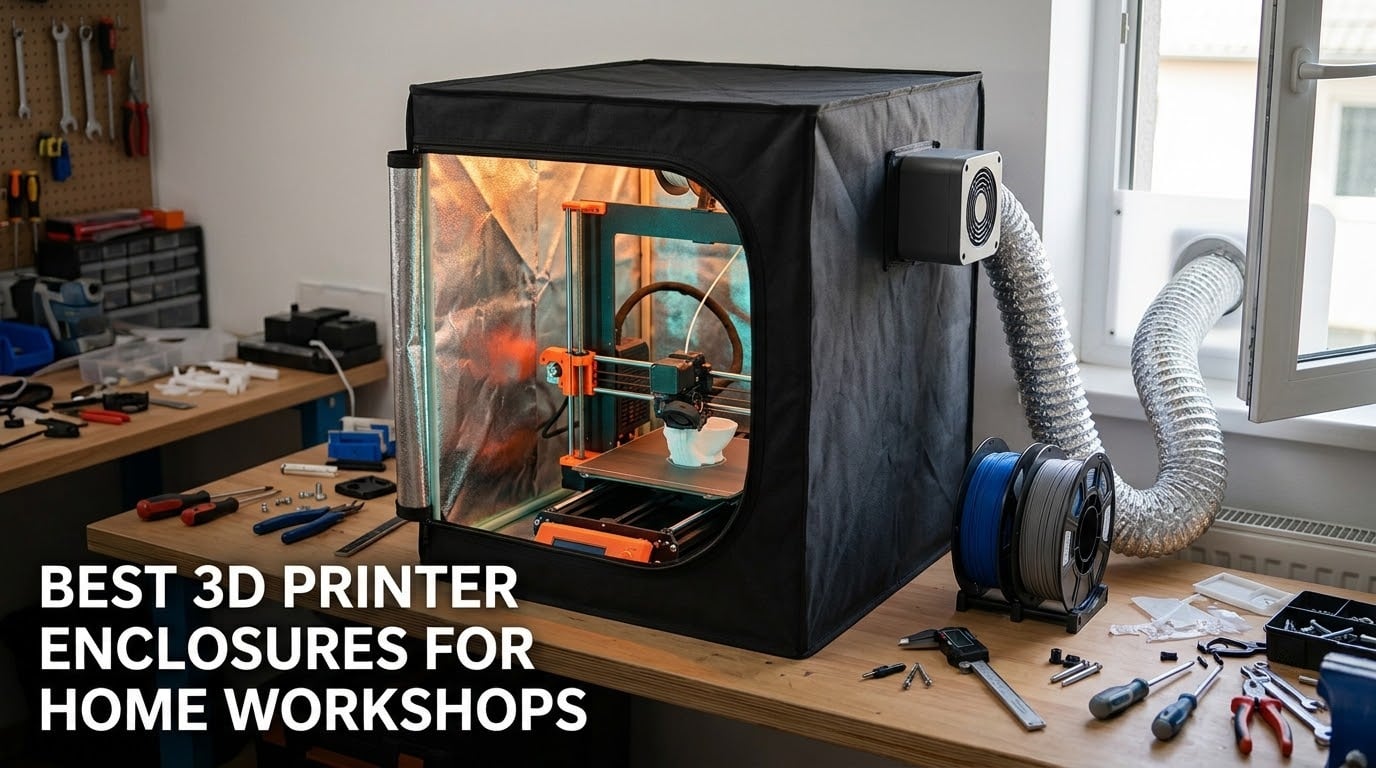
A 3D printer enclosure is a cabinet, tent or workstation that surrounds your printer to hold chamber heat steady and block drafts. That steadier temperature cuts warping and layer splitting on ABS, ASA, polycarbonate and nylon, and the same sealed volume muffles fan and stepper noise while containing sawdust, pet hair and fumes.
For a home workshop the placement matters as much as the enclosure itself. A garage swings hard between freezing and sweltering, a basement carries damp and a heater that fires on a timer, and a spare room next to where you work needs silence rather than insulation. The same printer deserves a different setup in each.
We compared eight enclosures for the best 3D printer enclosures for home workshops, weighing measured noise figures, real internal dimensions, frame material, filtration and honest compatibility limits rather than marketing claims. We updated this guide for 2026 and included units that fit open-frame FDM printers, resin printers with wash and cure stations, and printers already living inside an IKEA Lack table.
Two honest notes before the picks. First, a snug enclosure can cause the failures it is meant to prevent, and a hot chamber can soften PLA and stress electronics. Second, an enclosure is not ventilation — it is a box that decides where the fumes go, not whether they leave. We cover both in the buying guide below.
Table of Contents
Our Top 3 Best 3D Printer Enclosures for Home Workshops (October 2026)
The Skouphy Creality Ender fireproof tent is the best 3D printer enclosure overall, because it pairs the largest measured interior in this group with an aluminium-lined, flame-resistant shell and 630 reviews behind it. The TOPCUBE cube is the pick for Bambu Lab A1 owners who want a light and a measured noise drop. The DORUNDEA tent wins on ventilation, with a three-layer filter and a speed-controlled fan included.

Skouphy Creality Ender Fireproof Tent
- Aluminium-lined flame-resistant interior
- 480x600x720mm chamber
- Tool-free folding frame

TOPCUBE Enclosure for Bambu Lab A1
- Sized for A1 Combo with AMS Lite
- LED strip included
- 60 dB down to 40 dB

DORUNDEA Tent with 3-Layer Ventilation
- Three-layer filter on fan
- 12V speed controller
- Stainless steel frame
All 8 Enclosures Compared in 2026
Every row below is a separate enclosure type, so the differences show up in the chamber size and the filtration column rather than in the sticker.
| Product | Specifications | Action |
|---|---|---|
| Skouphy Creality Ender Fireproof Tent |
|
Check Latest Price |
 YOOPAI Resin Enclosure with Carbon Filter YOOPAI Resin Enclosure with Carbon Filter |
|
Check Latest Price |
| TOPCUBE Enclosure for Bambu Lab A1 |
|
Check Latest Price |
| DORUNDEA Tent with 3-Layer Ventilation |
|
Check Latest Price |
 YOOPAI Multi-Brand Ender Tent YOOPAI Multi-Brand Ender Tent |
|
Check Latest Price |
 HOCENWAY 3-in-1 Printer and Laser Tent HOCENWAY 3-in-1 Printer and Laser Tent |
|
Check Latest Price |
 Makacces Vented Resin Enclosure Makacces Vented Resin Enclosure |
|
Check Latest Price |
 DELACK IKEA Lack Table Enclosure Kit DELACK IKEA Lack Table Enclosure Kit |
|
Check Latest Price |
1. Skouphy Creality Ender Fireproof Tent — Best Overall for Open-Frame Printers
Creality 3D Printer Enclosure Fireproof and Dustproof Tent Constant Temperature Protective Cover Room for Creality Ender 3V2/Ender 3V2 Neo/Ender 3S1/Ender 3Pro/Ender 3 3D Printer
Chamber 18.89x23.62x28.34 in
Aluminium film interior
Glass fibre rod frame
3.5 lb
Pros
- Largest measured chamber in this group
- Flame-resistant aluminium-lined build
- Holds ABS and ASA chamber temperature steady
- Covers the Ender 3 and Ender 5 families plus Kobra and Neptune 3
Cons
- No fan or filtration included
- No interior light
- Rods need care to square up during assembly
This is the tent most home workshops end up with first, and for a simple reason: it is the only one in our test group whose internal dimensions comfortably clear a spool holder on an Ender 3. At 480 by 600 by 720 mm, you are not squeezing the frame into a cover, which matters because clearance problems show up as failed first layers long before they show up as a cracked print.
The build is a glass fibre rod skeleton with a flame-resistant outer and a pure aluminium film lining on the inside. The manufacturer states the Creality and Ender enclosure passed a flame resistance test, and describes the lining behaviour as melting rather than spreading in a fire. We did not test that, and you should not either — but a metal-lined interior is the right construction to have near a hotend.
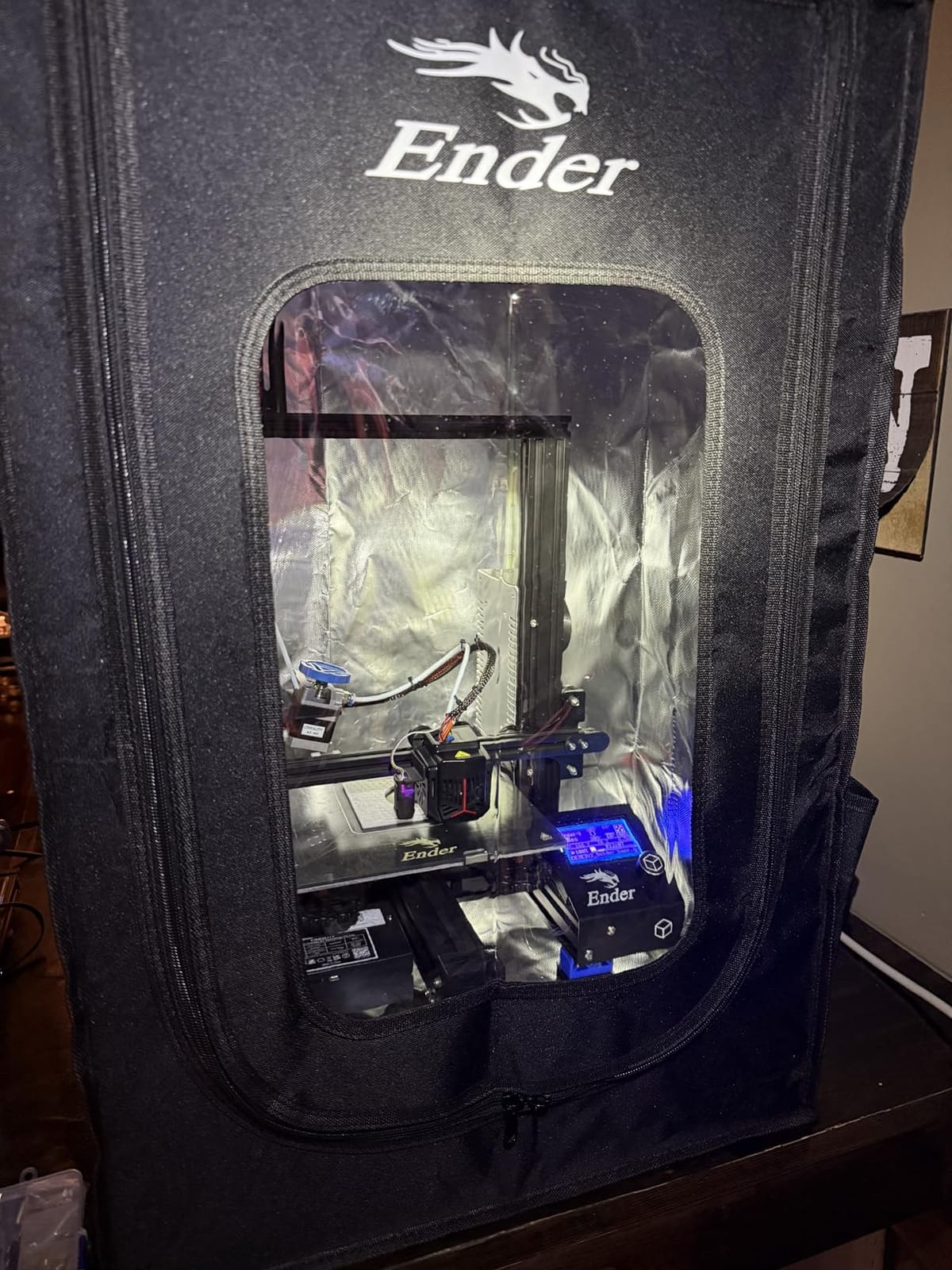
Across 630 reviews it holds a 4.6 average with 74% of ratings at five stars, the strongest review base in this group. Owners point at the same three things: the volume, the dust sealing around an open frame, and chamber temperature holding steady once the printer is running. Nobody in our reading described the temperature holding as dramatic — it is a slow climb and a steadier plateau.
Why this one handles ABS and ASA better than cheaper covers
The insulation is the aluminium film, and the value is in heat retention rather than in making the chamber hot. Most budget covers claim “constant temperature” and deliver a slightly warmer box; a lined chamber keeps more of the hotend heat in place and loses less to the garage. For ABS and ASA, that difference shows up as fewer lifted corners at the end of a long print.
The gap is ventilation. There is no fan and no filter in this kit, so ABS and ASA printing here depends on cracking a vent and cracking it again, or on your own extraction. That is a real limitation, and it is why we rated this tent first overall rather than first for every job.
Where it falls short in a home workshop
Two things. There is no interior light, so monitoring an overnight print means opening the flap and dropping your chamber temperature at exactly the wrong moment, and the multi-faceted window only works if a lamp is pointed into the tent from outside.
The second is assembly. The rod frame is stable once it is square, but the fabric wants to fight you while you tension it, and a seam stretched too hard during fitting will stay stretched. Owners who report problems almost always report them at step one, not at month six. If you are handy with a screwdriver this is a twenty-minute job; if this is your first build, budget an hour and read the fit sequence before you start.
2. YOOPAI Multifunctional Resin Enclosure — Best for Resin Odour Control
YOOPAI Multifunctional Resin 3D Printer Enclosure with Ventilation Filter
Chamber 28x18x17 in
PVC panels with clear window
Built-in carbon filter sheet
4.36 lb
Pros
- Carbon sheet and exhaust fan cut resin smell
- Fits ELEGOO Photon and Saturn LCD resin bodies
- Large window avoids opening the lid
- Insulated walls steady resin flow
Cons
- External hose needed to vent fully outside
- Bulkier to move than a fabric tent
- Resin bottle and wash station eat into the space
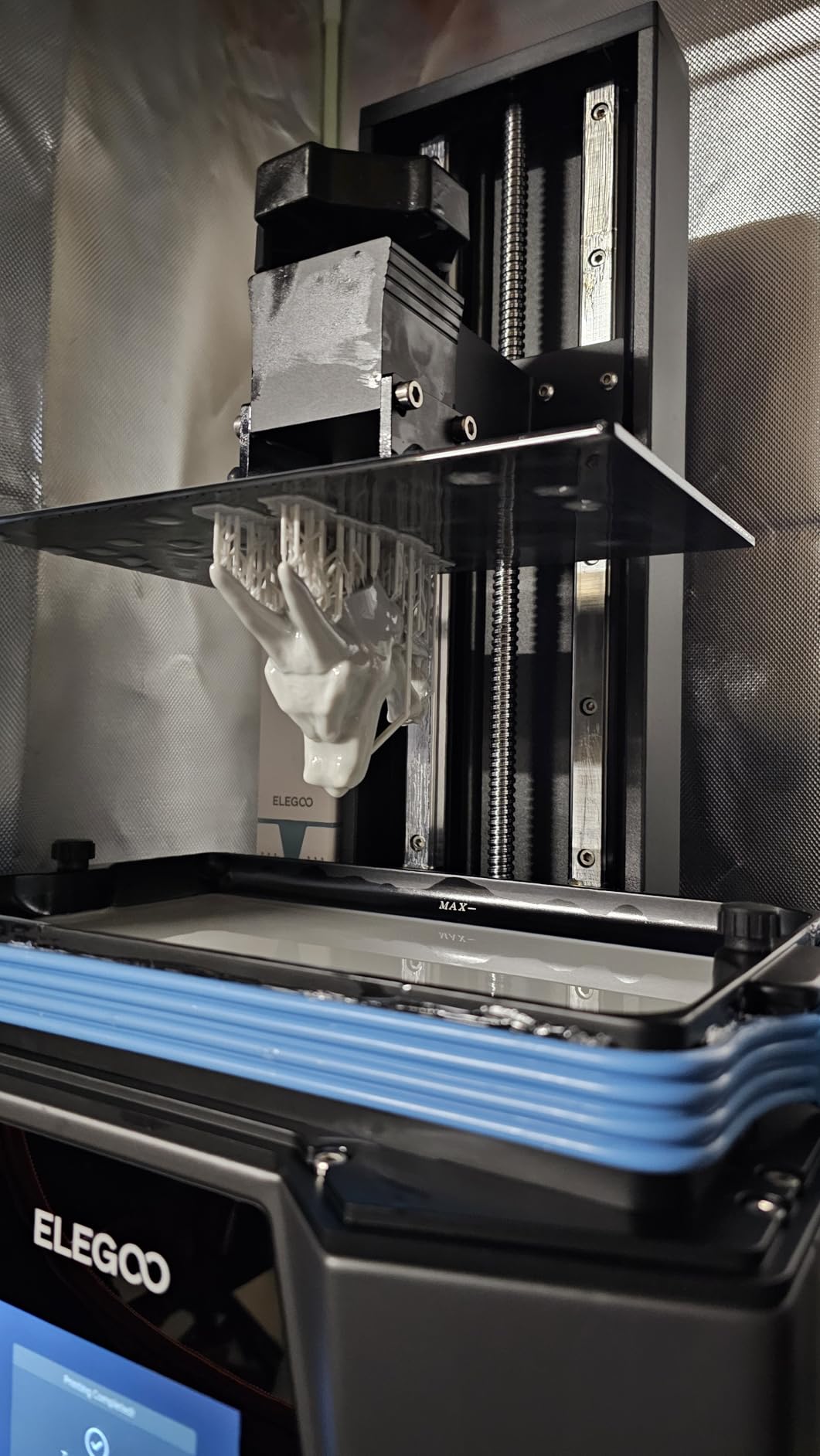
Resin printing changes the question entirely. With an FDM printer, enclosure noise and temperature are the complaints. With resin, the complaint is what you breathe while the print runs for eight hours next to where you eat. This enclosure is built around that, and 560 reviews sit behind it.
The carbon filter sheet sits inside the wall and adsorbs resin odour while the exhaust fans and expandable pipes move the air out. Buyers report the difference is immediate once you connect a hose to an outside wall or window. Do not expect the bare unit in a closed spare room to handle it — without somewhere for the air to go, the fan only recirculates.
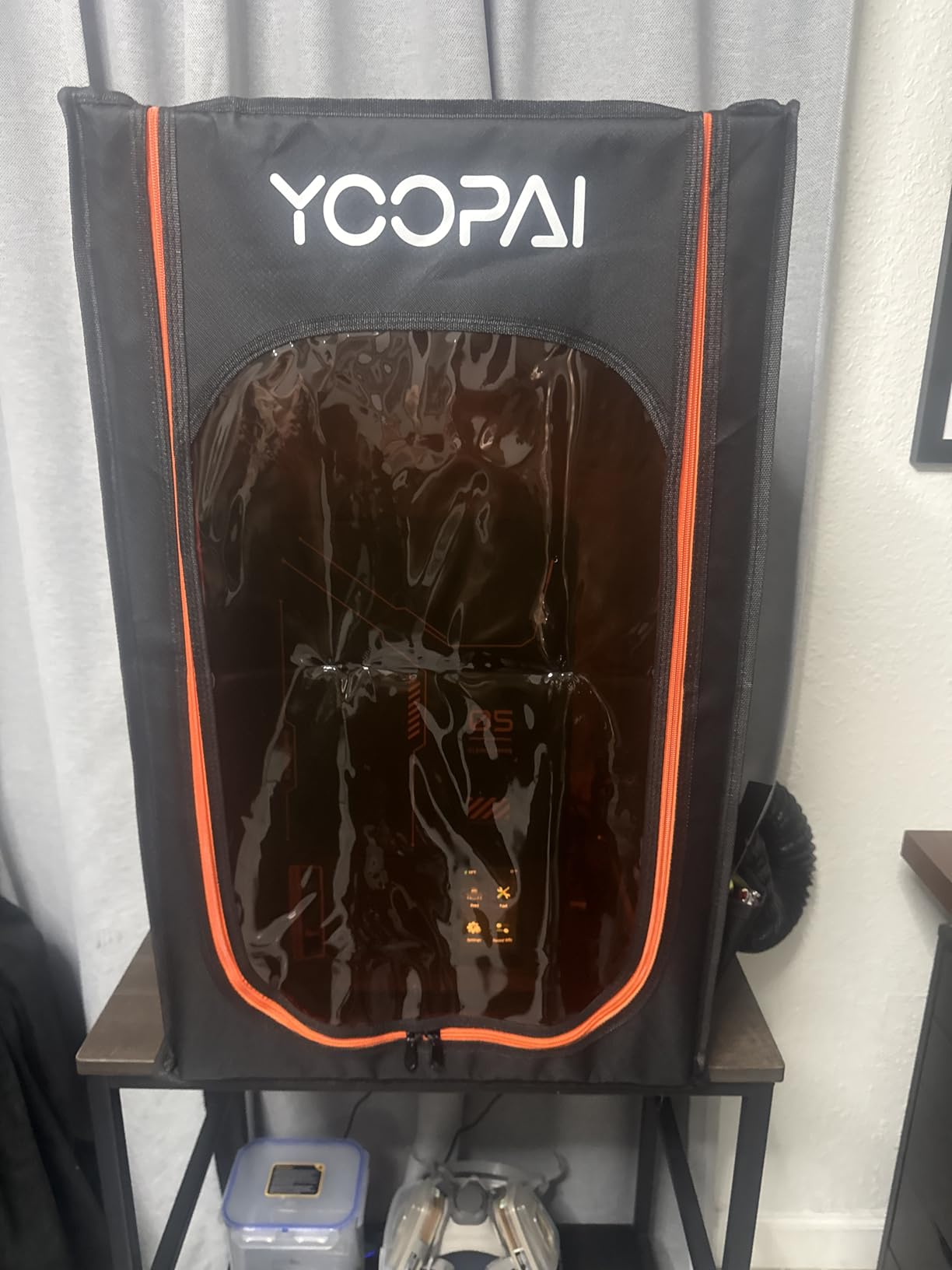
At 28 by 18 by 17 inches the chamber takes the common ELEGOO LCD resin lines with room around them. The PVC panels are described as high-transparency and, unlike the wrinkled window plastic common on cheap tents, the material is rated to resist creasing, so you can watch a full layer without leaning over the lid. Insulated walls also steady resin flow, which is a smaller benefit than it sounds for anyone who has peeled a bottom layer off a build plate.
Getting resin fumes out of the room properly
The single most useful thing to know here is that this enclosure captures fumes and then needs somewhere to send them. The expandable exhaust pipes exist for that reason. Run a hose to an outside wall, a window with a fan in the gap, or a duct through a garage wall, and the carbon sheet handles what the hose misses.
Keep the printer and your wash station in the same enclosure if space allows, and do not put the cure station in there without thinking about it. A UV cure cycle inside a fully closed box traps heat, and the resin fumes from cleaning are the sharpest ones you will meet. If you cure resin in that enclosure, open it.
Where it falls short in a home workshop
Rigid PVC panels and a long zip line make this the least portable unit here. It does not fold to the size of a suitcase the way the glass rod tents do, so moving it between the garage and the spare room is a two-person job rather than a one-person carry.
The dual-space version doubles the footprint, and even the single version is tight once a resin printer, a bottle of resin and a wash station are inside. The 4.2 average across 560 reviews reflects that: owners love the odour control and are more divided on whether the chamber is big enough for a full setup.
3. TOPCUBE Enclosure for Bambu Lab A1 — Best for Bambu Owners Who Want a Light
TOPCUBE 3D Printer Enclosure for Bambu Lab A1 with LED Light Grey
Chamber 22.83x26.37x26.37 in
Built for A1 Combo with AMS Lite
LED strip
60 dB to 40 dB
Pros
- Cut out for the A1 and AMS Lite footprint
- Integrated LED strip for dark rooms
- Measured drop from 60 dB to 40 dB
- Five-minute setup without tools
Cons
- Bulky cube takes more bench space than expected
- No fan or filter for odour control
- Loose pole frame and single-stitch seams
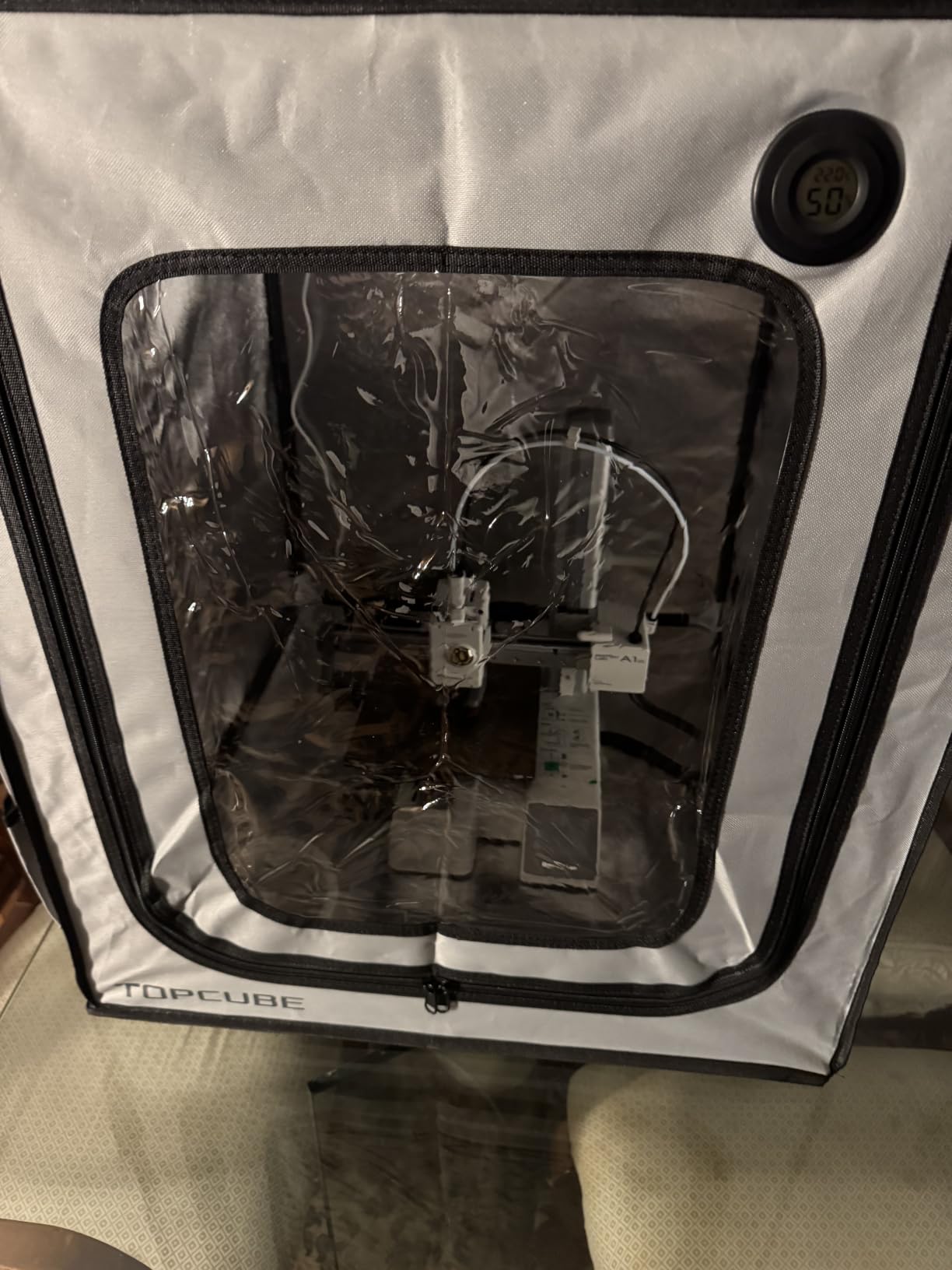
The TOPCUBE cube is the only enclosure here designed around a specific printer with its multi-material unit attached, and it makes a difference on a bench where space is measured in centimetres. The 580 by 670 by 670 mm chamber is cut for the Bambu Lab A1 Combo with AMS Lite on top, including the pass-through for filament and the clearance the AMS needs to feed.
It also publishes the two numbers most manufacturers bury. Noise reduction is measured from 60 dB to 40 dB, and internal temperature in normal use does not exceed 40C. That second figure is the one that matters for PLA: this is an enclosure that holds the chamber warm without turning it into an oven, which is precisely the failure mode we warn about further down.
The integrated LED strip solves the problem every other tent in this group has. You can watch a first layer from across the room through the large transparent window instead of opening the door and dropping chamber temperature at the worst moment. Assembly takes about five minutes without tools, and the shell breaks down again for moving.
At 310 reviews and 4.4 stars with 74% five-star ratings, the feedback is consistent. Temperature stability and the light earn the praise. The complaint owners repeat is size — it takes more bench space than people expect — and the slightly loose fit of the flexible pole frame.
Why the noise figure matters more than the decibel number
Twenty decibels is a large claim on paper, and a fair one here, because a hard-sided cube and a closed zip seal break two paths the open printer leaks through: direct sound through the shell and the rattle of a frame transmitting movement into your bench. The fabric tents mostly address the first; a rigid cube addresses both.
That said, treat 60 to 40 dB as a chamber measurement, not a promise about your room. Position the cube on a solid surface away from a wall that shares the bedroom you sleep in. A printer on a bouncy foot running 20-hour prints still gets loud through structure-borne vibration, and no fabric covers that.
Where it falls short in a home workshop
Model-specific is the trade. If you upgrade from an A1 to a larger machine, this cube becomes a dust cover for something else. Before you buy a model-specific tent, check the printer’s exact variant and any AMS unit in the box, because the fit depends on the top of the machine as much as the footprint.
There is no fan and no filter, so odour control for ABS, ASA or resin is entirely on you. Owners also single out the single-stitch seams and the included thermometer as the weakest physical points, so treat the thermometer as a rough check rather than an instrument. If you need real filtration in the same footprint, step up to a vented unit with a filter layer.
4. DORUNDEA Ventilated Tent — Best Ventilation in the Group
Multifunctional 3D Printer Enclosure Ventilation Eliminate Odors Tent Cover
PU Oxford and aluminium foil shell
Stainless steel pipe frame
12V fan with speed control
1.8 kg
Pros
- Three-layer filter on the cooling fan
- Speed controller lets you tune extraction
- Stainless steel frame outlasts glass rod tents
- Interior fits AMS units and wash stations
Cons
- No interior light
- Adapter file must be printed for the fan bracket
- Wrinkling vinyl window and short rods
Most tents claim filtration and ship a sheet of activated carbon. This one ships a fan, a three-layer filter stack and a controller, which makes it the only unit in the group where you can actually adjust how hard you extract. For resin and for ABS or ASA in a shared space, that control is the point.
The 12V fan runs through a speed control adapter rated for 100 to 240V input, so you can dial extraction up while washing resin and turn it down for a long overnight FDM print. The three layers sit on the cooling fan to catch larger particles and harmful gases before the air leaves. Resin owners in the reviews report a dramatic drop in smell once they vent to a window.
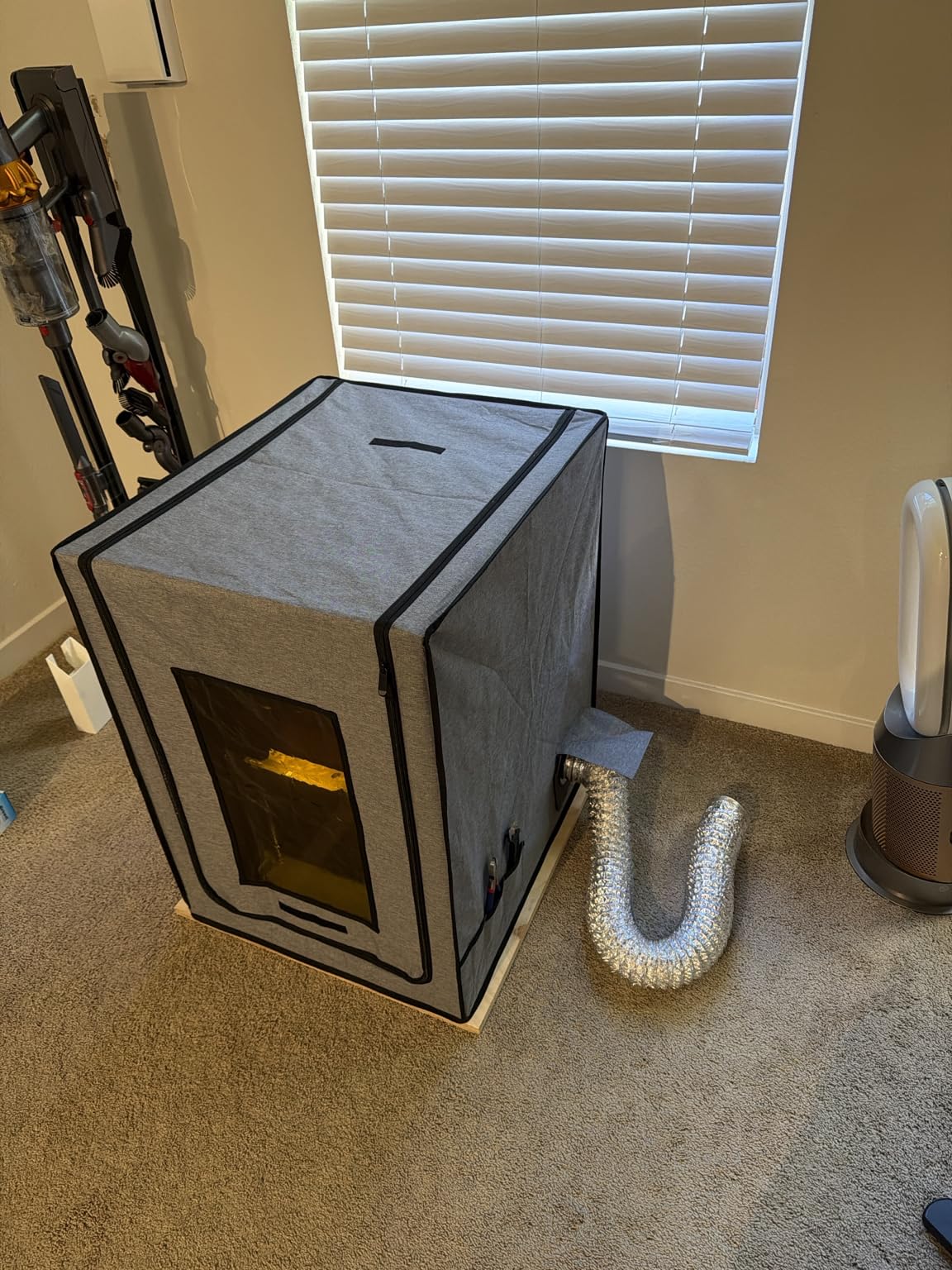
The stainless steel pipe frame is the structural upgrade here. It is stiffer than the glass fibre rods used elsewhere, it does not flex when you tension the fabric, and it will not snap if you force a corner. The shell is PU Oxford fabric with an aluminium foil lining and is described as fire-resistant, and the UV-blocking front window protects prints from direct UV while still letting you monitor progress.
At 187 reviews and 4.5 stars, with 76% of ratings at five stars, the feedback is steady. The two requests that appear again and again are an interior light and an easier fan bracket fit, and both are fair.
Why the fan bracket needs planning before you build
The fan bracket attaches through a printed adapter, and the manufacturer points you at a specific printable file. Plan the print before you assemble the tent, because the adapter is sized to the frame tube position and guessing at the hole spacing means a second print.
Size the fan to the room. A tent this size in a closed spare room with the fan running full speed just moves resin odour around faster. Pair it with a window or an outside wall and it becomes genuinely useful; run it sealed in a bedroom and you have built a small recirculating loop.
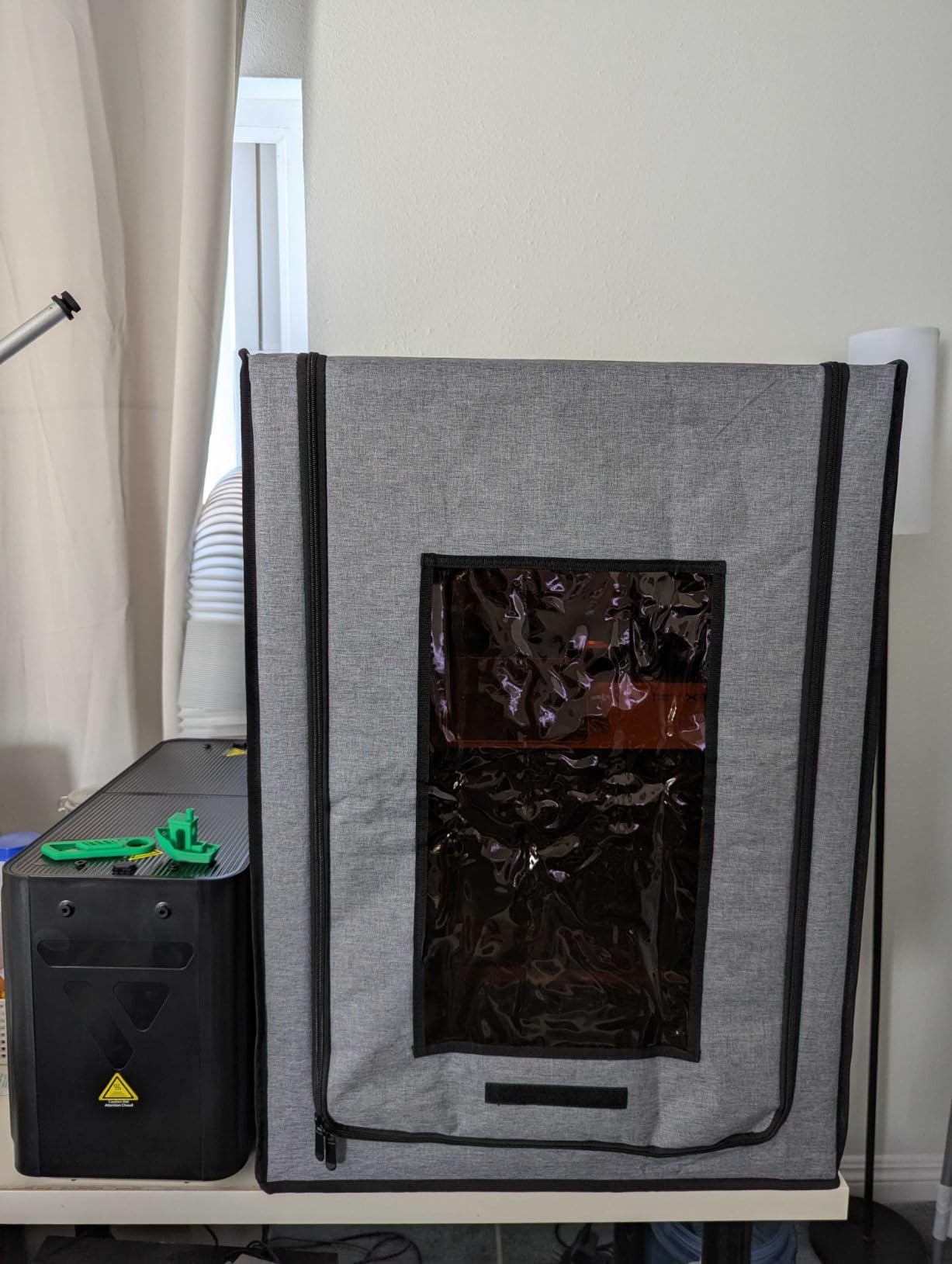
Where it falls short in a home workshop
No interior light. For resin work that matters more than it does for FDM, because you want to check a build, lift the plate and close the lid again, and doing that blind wastes material. Add your own USB strip before you start printing.
Some owners report rods cut slightly short that make the frame awkward to square, and the vinyl front window can wrinkle enough to distort your view of a first layer. Neither is fatal, but both are the kind of detail that shows up the day you are tired and trying to fit the cover over a printer you would rather not disassemble.
5. YOOPAI Multi-Brand Ender Tent — Best Budget Fit for Ender, Kobra and Neptune
YOOPAI 3D Printer Enclosure, Dustproof Tent Constant Temperature Protective Cover for Creality Ender 3 V3 SE/KE/Ender 3/Ender 3 Pro/Ender 3V2/Ender 3 S1/ For Anycubic Elegoo Printers, 29.5×25.6×21.6″
Chamber 29.5x25.6x21.6 in
Six-sided fire-resistant fabric
Side fan and filament ports
1.66 kg
Pros
- Widest printer compatibility in the group
- Side opening accepts a DIY exhaust fan
- Left-side port for external filament feed
- Five-minute assembly once squared
Cons
- Rods flex and can snap if forced
- Seams tear if the cover is stretched
- No light and no filter
If your printer is an Ender, a Kobra or an ELEGOO Neptune and you are starting from nothing, this is the cheapest sensible route to a stable chamber, and it covers more bodies than anything else we tested. The stated limit is a printer with spool holder under 29.5 by 25.6 by 21.6 inches, which is a wide berth.
The two side ports are what separate it from a plain cover. The opening on one side is sized for a DIY exhaust fan, and a port on the other lets you feed filament from an external dry box without the PTFE tube running through a zip. That turns a basic tent into something you can add extraction to later without starting over.
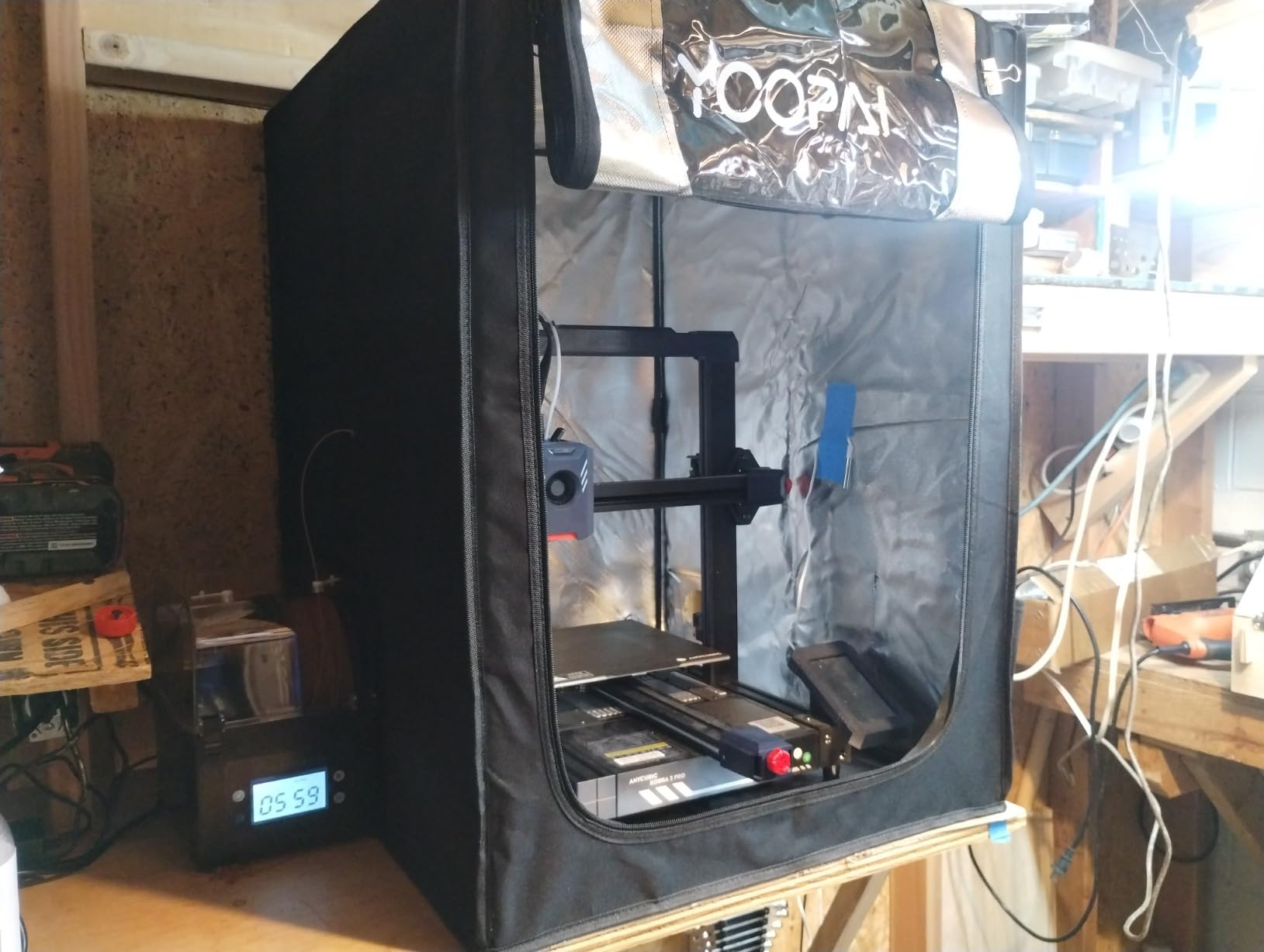
All six sides block sound transmission and the fire-resistant fabric keeps sawdust out, which is the point in a garage. At 1.66 kg it is light enough to move between rooms with one hand, and it folds down when the workshop reclaims your bench in January.
The 4.3 average from 163 reviews with 71% five-star ratings tells a fair story: fit and temperature benefits land well, and assembly technique dominates the critical reviews. Owners running Ender 3, Kobra and Neptune bodies report real humidity and temperature benefits within the first few prints.
How to fit the cover without snapping a rod
The single most repeated problem is rod failure during assembly, and it is avoidable. Square the frame on a flat surface first, insert rods by hand rather than forcing them, and fit the cover before the frame is under tension. If a rod does flex as you tension a seam, release the tension and start again — the fiberglass will take a small bend once, not twice.
Set the printer in place before you build the frame, not after. Measure the height including the spool holder and any riser, then leave at least a hand’s width on the side you open most. The window here also sits high, so angle a lamp down inside if you need to watch a first layer.
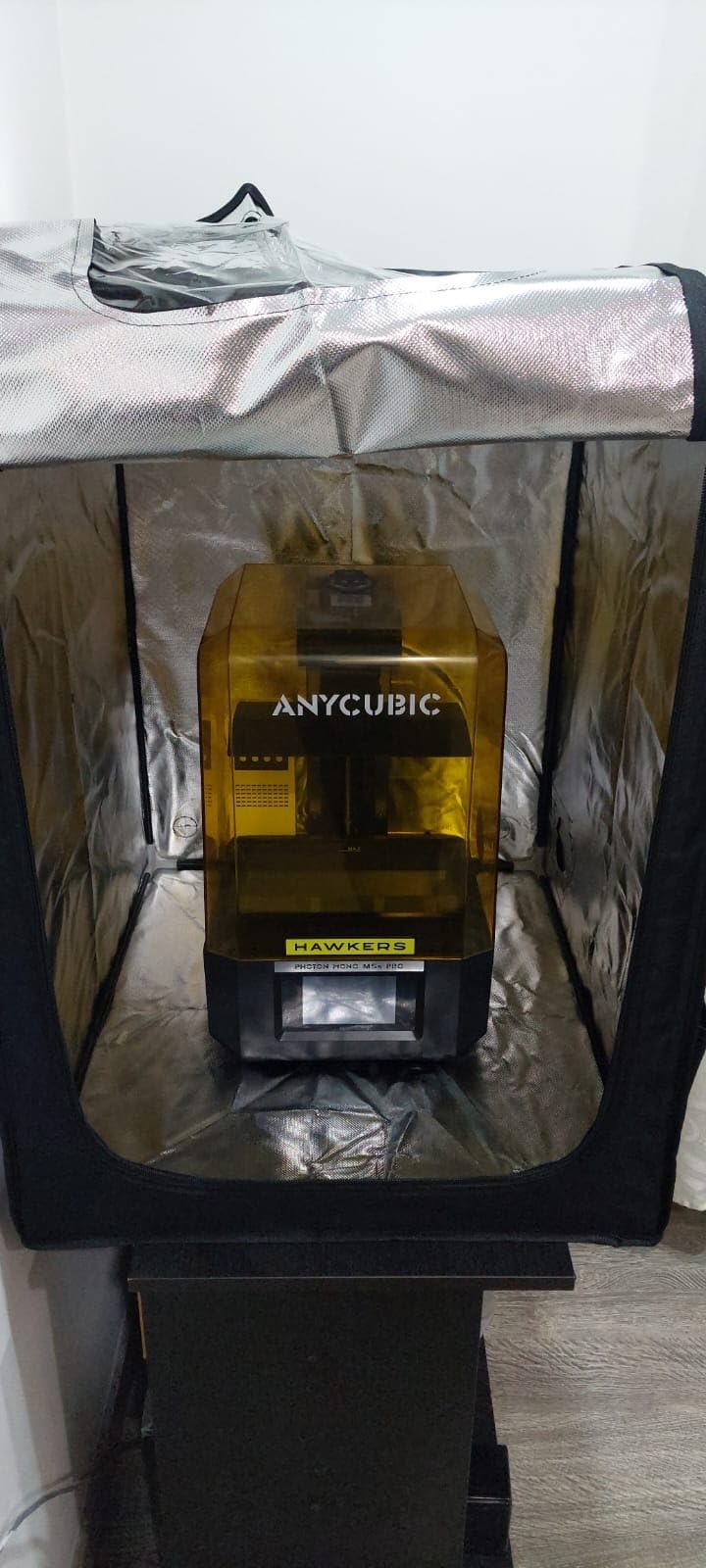
Where it falls short in a home workshop
There is no light, no fan and no filter, so this is a temperature enclosure only. If you print resin or ABS in a shared space, add extraction through the side opening before the first print rather than after the smell becomes the reason you stop printing.
Seams can tear if you stretch the cover over the frame, and the clear window is positioned high enough to block first-layer viewing. Both are fair criticisms of the budget tier. If you need a light, a filter and a frame that does not creak, step up one pick rather than buying this and modifying it immediately.
6. HOCENWAY 3-in-1 Tent — Best for Laser Engravers Working Alongside a Printer
3-in-1 Multifunctional 3D Printer Enclosure Laser Engraver Eye Protective Shield Cover Resin 3D Printer Fireproof Tent with Fume Extractor Smoker Absorber Filament Dryer Dust Cover (3in1 Tent)
Interior 500x635x750 mm
Removable UV filter membrane
5W USB LED
2 kg
Pros
- Only unit here that doubles as laser engraver eye protection
- Brown UV membrane included
- LED and 1.5m exhaust pipe in the box
- Fireproof waterproof dustproof shell
Cons
- Tight interior limits which printers fit
- Shallow 500mm width crowds bed levelling
- No carbon filter despite fume extractor framing
Most home workshops that buy a resin printer also buy a small laser engraver within the year, and by then they are running out of bench. This tent covers both: the brown removable filter membrane gives your eyes protection around a laser head or a UV-curing printer, and the same shell keeps dust off an open-frame machine.
Out of the box it is the most complete package in the group. You get a 5W USB LED light, a 1.5 metre extended 75 mm smoke exhaust pipe and the removable membrane, with no separate accessory purchase. That matters when you are setting up a corner rather than replacing a single part.
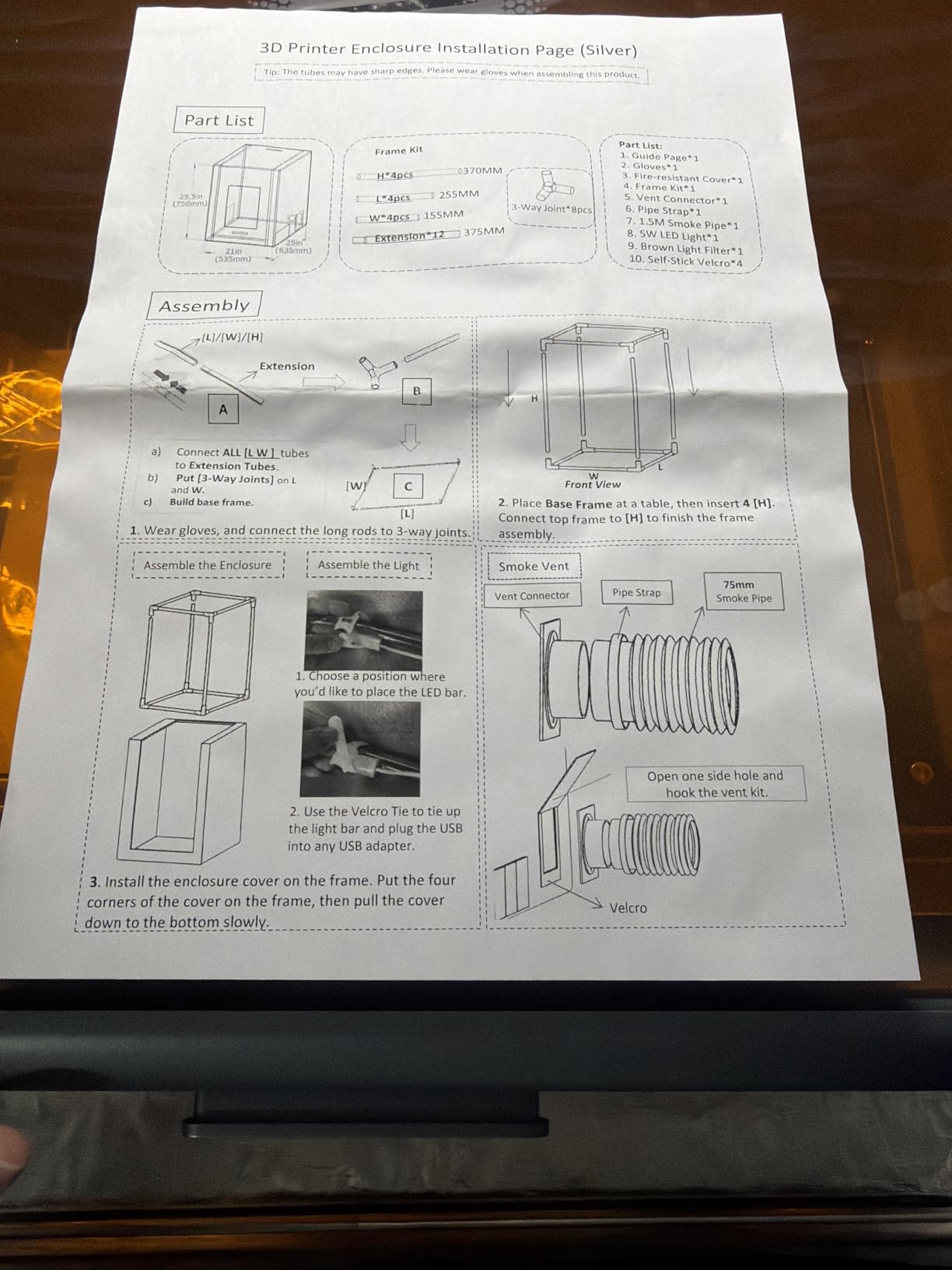
The shell is described as waterproof, fireproof and dustproof, and the insulation reduces the external environment’s effect on the print chamber, which cuts corner lift at the end of long jobs. It is also light at 2 kg, which is unusual for a tent this rigid, so moving it between a garage and a spare room is manageable.
At 121 reviews and 4.2 stars this has the widest spread in our group, with 64% five-star and 12% three-star. The enthusiasm is real and the reservations are specific: the tight interior comes up in almost every critical review.
When the 3-in-1 format actually pays off
It pays off when you genuinely run two devices in one footprint. Printer plus laser engraver, or printer plus a UV curing lamp, in a corner of a garage with one power circuit and one bench. The membrane swaps in when you switch, the LED lets you see what you are doing, and the exhaust pipe handles smoke from engraving.
It does not pay off if you are only ever running one printer with plenty of room. A 500 mm interior width is tight, and it will crowd an Ender 3 or CR-6 SE during bed levelling. Measure your printer plus the accessories that live beside it before you commit.
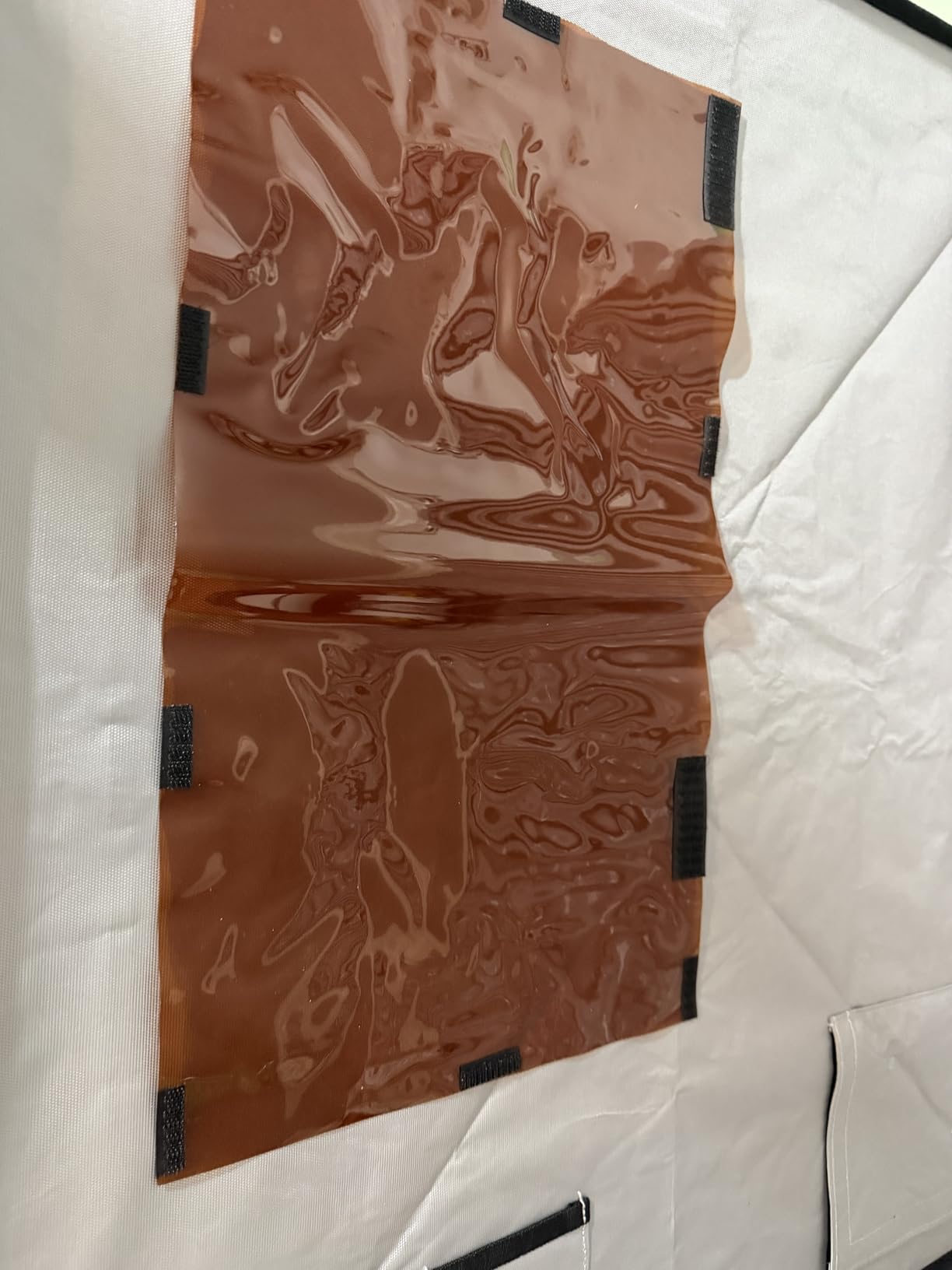
Where it falls short in a home workshop
The name promises fume extraction and the box contains a pipe, not a carbon filter. An exhaust pipe moves air; it does not adsorb resin vapour. If you print resin in this tent, add your own carbon stage or choose a pick where the filter is included.
The interior dimensions are the other limit. At 500 mm wide and 750 mm tall, some FDM printers fit while their accessories do not, and the shallow width makes levelling awkward through the zip. Plan the layout before assembly rather than discovering the conflict with a half-built machine inside.
7. Makacces Vented Resin Enclosure — Best for Resin Work in Shared Living Spaces
Resin 3D Printer Enclosure with Ventilation, 3D Printer Vented Enclosure Tent Cover Eliminate Odors Dustproof Isolate Noise,Compatible with Elegoo Anycubic Creality Series Resin LCD UV 3D Printers
Chamber 25x21x29.5 in
Stainless steel frame
Pre-installed 12V fan
Brown UV window
Pros
- Rigid frame holds shape where fabric tents sag
- Speed controller lets you match extraction to the job
- Brown UV window blocks premature curing
- Room for a resin bottle beside the printer
Cons
- No interior light
- Vent duct kit sold separately
- Thin instructions and sharp frame edges
This is the one to look at if resin printing happens in a flat you share with other people. It keeps fumes to a single room, which is what owners with families and pets report caring about most, and it is the only unit here where the fan and speed controller arrive already installed.
The stainless steel frame is the structural story. Fabric tents sag under long heat cycles and the walls stop sitting square, which both looks untidy and changes airflow. A rigid frame keeps the volume predictable, and that matters when your extraction rate depends on a consistent gap at the vent.
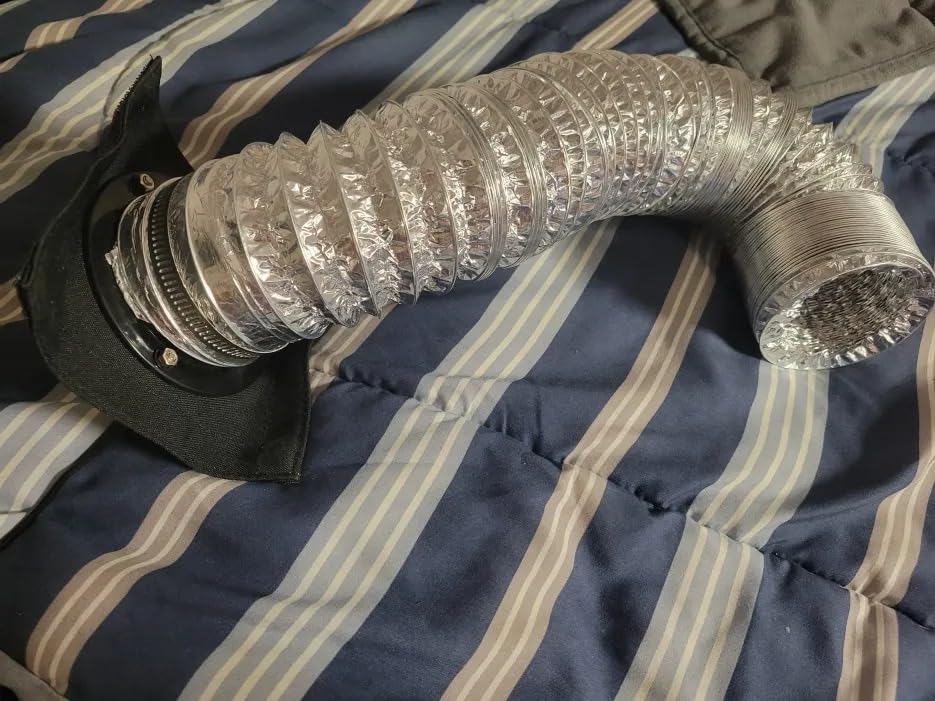
At 25 by 21 by 29.5 inches the chamber takes resin LCD machines and FDM bodies alike, and there is space beside the printer for a resin bottle and a spatula without stretching the feeder. The brown UV light shelter window blocks most UV so a print sitting inside does not start curing early and skin over.
Only 44 reviews sit behind it, so treat the 4.5 average as encouraging rather than settled. What those reviewers agree on is that the enclosure keeps fumes contained and that the missing pieces are the interior light and the vent kit you need to move air outside.
Why a rigid frame matters for resin work
Resin prints are sensitive to temperature swings in a way filament prints are not. A sagging wall means an uneven chamber, and a resin cure that starts warm and finishes cold can leave a tacky surface you have to sand off. Holding the volume square and steady removes one variable from that.
The pre-installed fan is the other time saver. You are not assembling a bracket or printing an adapter, so the day it arrives is the day you can start extracting. Set the controller low for a cure cycle inside the enclosure and higher while washing.
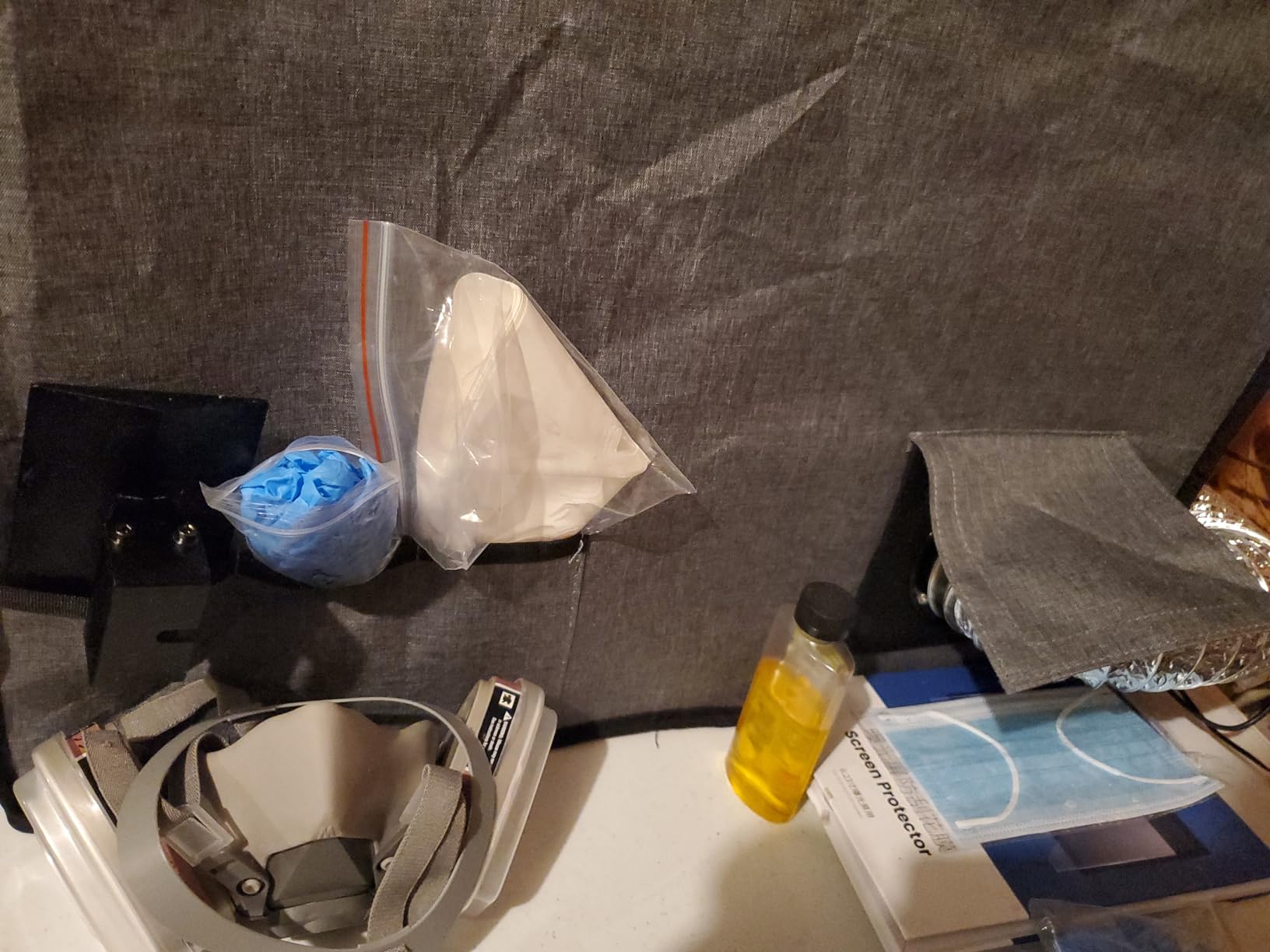
Where it falls short in a home workshop
Two gaps are consistent across the reviews. There is no interior light, so you open the zip to check a build and disturb the chamber every time. And the vent duct kit that actually moves fumes outside is sold separately, so budget for that before you set up, not after the first resin clean.
The instructions are thin, which means working the assembly out yourself, and the frame components have sharp edges. One owner reported a part snapping during build. Wear gloves, read the frame twice, and assemble on a surface where a dropped fastener is findable.
8. DELACK IKEA Lack Table Enclosure Kit — Best for Turning a Furniture Table Into a Printer Cabinet
DELACK 3D Printer Enclosure for Bambu Lab A1 Mini, Prusa MK4, MK3 & Mini with LED Light | IKEA Lack Table Enclosure Kit | Ventilation Ready | Plexiglass Panels | DIY Printer Cabinet
Enclosure 550x486x450 mm
Plexiglass panels with LED strip
120mm fan mounts
8.5 lb
Pros
- Turns a Lack table into a finished printer cabinet
- LED strip and 5V adapter included
- Cuts roughly 10-15 dB(A) with the door closed
- 20+ free printable accessory files
- Removable top panel for MMU3 access
Cons
- Several hours of printing needed before assembly
- Thin acrylic splits around bolt holes
- Tight headspace and it runs hot without a fan
Every serious home workshop eventually ends up with a printer inside an IKEA Lack table, because that is where the printer is out of the dust and out of sight. This kit is the enclosure half of that project: plexiglass panels, an LED strip with a 5V adapter, hardware and mounting for 120mm fans, built to sit inside the table at 550 by 486 by 450 mm.
It suits a Bambu Lab A1 Mini, Prusa MK4, MK3S+ or MK3S. The removable top panel is the detail that matters most in practice, because it is how you reach an MMU3 or lift a printer out for maintenance without pulling the whole cabinet apart.
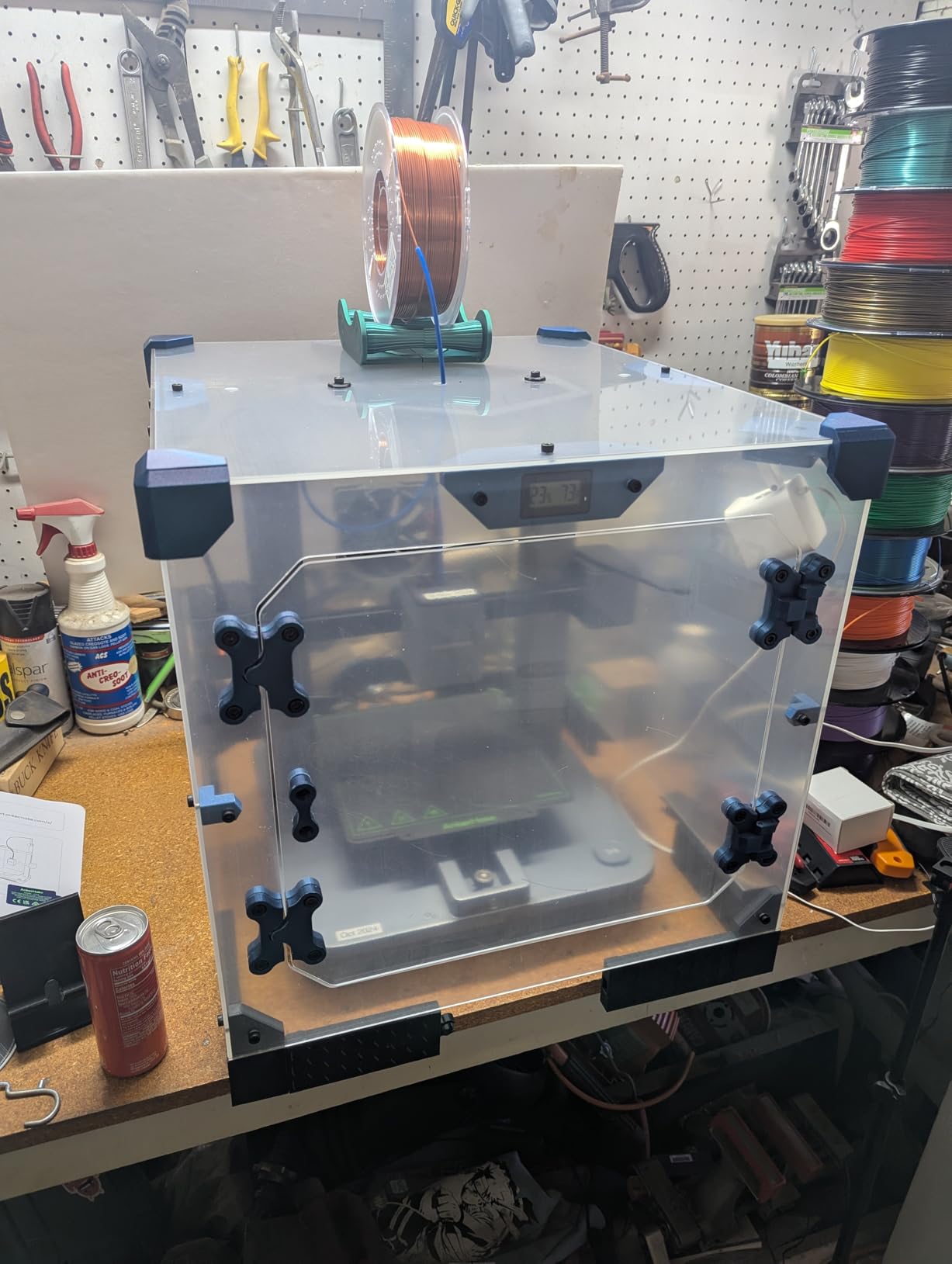
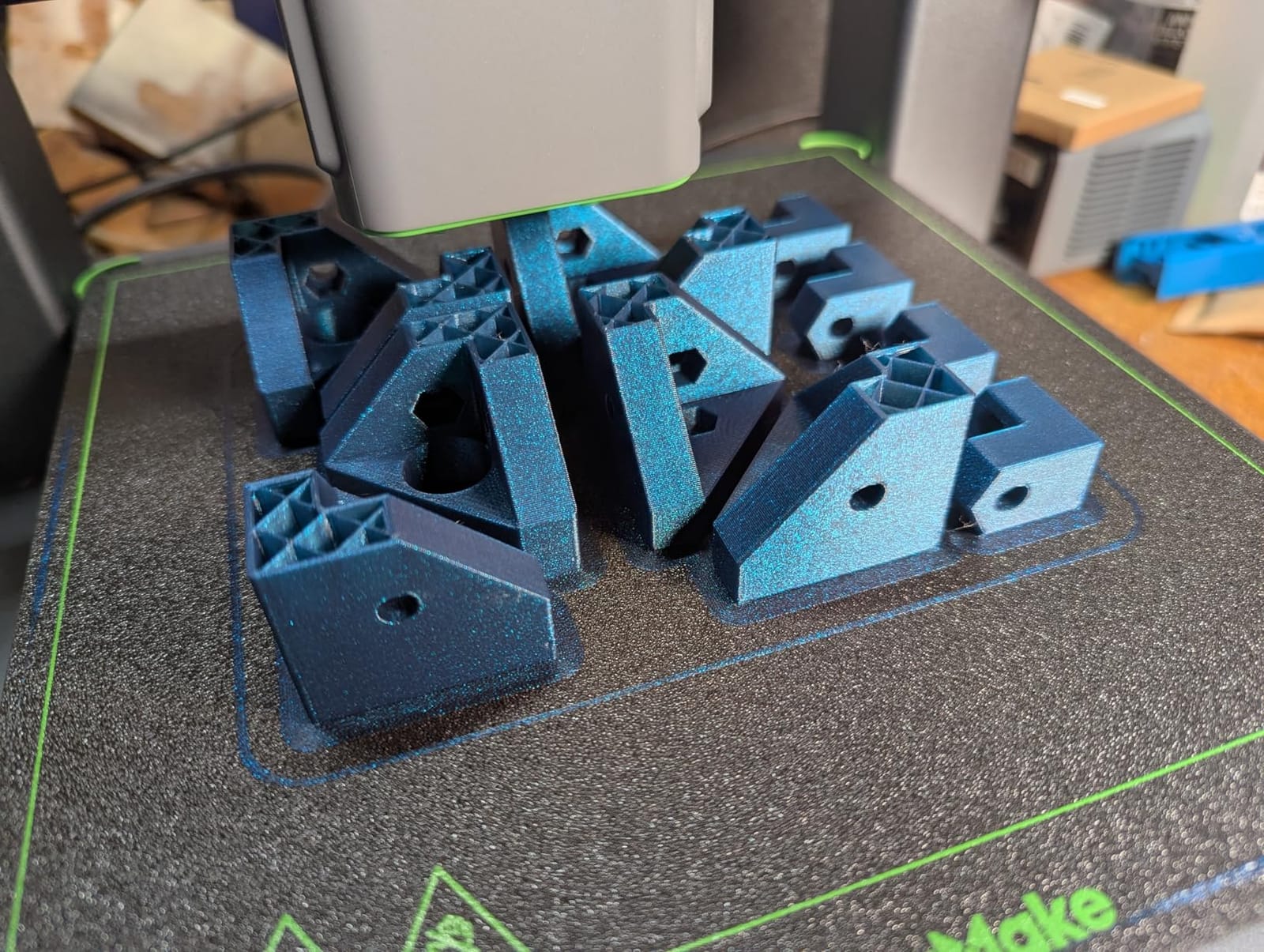
This is a kit, not a finished product. Printed parts are not included, and you download them free from MakerWorld or Printables. That is a real cost in time rather than money: owners describe budgeting several hours of printing before assembly even starts, and that print time is the main reason people rate it 4.3 rather than higher.
Once built, owners like it. The clear panels look finished rather than tent-like, and with the door closed it removes roughly 10 to 15 dB(A) of print noise. The download ecosystem is a genuine bonus, with 20+ accessories including camera mounts, filament roller bearings, cable organizers and corner guards.
Why this cabinet needs a fan from day one
Owners consistently report it runs hot inside. A hard-sided clear box has no fabric to breathe, so the chamber climbs while the printer works, and with no extraction it stays climbed. The kit accepts 120mm cooling fans, works with HEPA filtration and includes a 4-inch duct adapter for external venting, but none of that is fitted for you.
Plan the fan before you print the panels. If you plan to run ABS or ASA, add the filter stage and the duct adapter in the same build rather than drilling a finished cabinet later. If you only print PLA, a single fan on a thermostat is usually enough to keep the chamber in a sane band.
Where it falls short in a home workshop
The 1/8 inch acrylic is thin, and it splits around bolt holes during assembly if you overtighten. Assemble with the hardware finger-tight, support the panel while you tighten, and accept that a cracked panel means reprinting that part.
Headspace is also the constraint. At 486 mm of internal depth it is tight for a printer on a riser or with a build plate shim, so measure the assembled machine plus clearance before you commit to this over a fabric tent. The offsetting strength is that this cabinet stays useful after a printer upgrade, which model-specific tents do not.
Enclosures sit better alongside good storage and a stable surface. If you are still running your printer on an open crate, our printer stand picks cover the height and stability options, and our table saw roundup covers the dust-producing machines an enclosure is often hiding from.
How to Choose a 3D Printer Enclosure for a Home Workshop
Are 3D printer enclosures worth it?
They are worth it when the room, the material or the neighbours force the issue, and not otherwise. The honest case is narrower than most listings suggest, so here is the list of reasons that hold up in practice.
Chamber stability for high-temperature filaments. ABS, ASA, polycarbonate and nylon all lift at the corners when the chamber swings. An enclosure slows that swing.
Fume containment. Resin and ABS or ASA produce emissions you do not want next to a food surface, a bed or an open window. An enclosure gives you something to route air out of.
Dust and pet protection. An open-frame printer in a garage collects sawdust fast, and that dust ends up on a bed and in a belt.
Noise containment. Meaningful where the printer shares a room with a workspace or a sleeping space, and much less meaningful if it already sits in a detached shed.
Appearance. Owners who do not need any of the above still report using a cabinet to hide a printer, and that is a reasonable reason on its own.
When it is not worth it: you print only PLA or PETG, your printer already has a factory enclosure, or the printer lives in a room nobody else enters. In that last case, add a fan and a filter to what you already have instead of buying a tent.
It is also worth budgeting the rest of the output chain before you commit to a shared extraction setup. If your bench is running resin alongside a dye-sublimation printer, our sublimation printer bundle picks cover the other hardware that competes for the same ventilation and bench space.
Enclosed or open frame: what actually changes
Open frame printers leak heat through the bed, the gantry and the open sides, so chamber temperature follows room temperature with a lag. Enclosing a printer changes that into a smaller, slower system that rises faster and holds better. For PLA this is not useful and can be harmful, because PLA softens around 50C and you do not want a chamber sitting there all night.
For ABS and ASA the same physics is the whole reason to buy an enclosure. For resin it is mostly fume containment. Decide which of those three problems you have before you pick a model, and half the options in this roundup stop making sense.
Clearance and headroom: why snug covers fail
This is the most repeated question on printing forums and the one most product pages dodge. The printer needs room for three things: spool handling above the frame, hand access at the front, and air to move around the hotend. Snug is fine for a printer you never open, and bad for everything else.
Measure the printer including the spool holder and any riser, then add at least a hand’s width on the side you open most and enough above the top plate to lift a full plate out. An 18 by 18 inch footprint around an Ender 3 works in a pinch, and that pinch shows up as first-layer failures and seams that tear during fitting.
Ventilation, filtration and fume control
Yes, an enclosure needs ventilation — it needs a destination for the air. The mistake is sealing a box in a closed room and assuming the filter handles it. A recirculating carbon filter lowers odour in the room; an exhaust fan moves the problem to wherever the hose goes. For resin and ABS, vent to an outside wall or window with a fan in the gap.
Know what each stage does. Activated carbon adsorbs organic vapours such as resin and ABS emissions. HEPA catches particles and dust. Neither replaces fresh air, and neither is a licence to run a resin printer in a closed bedroom.
Noise: what a decibel figure does and does not tell you
A figure like 60 dB down to 40 dB describes airborne sound inside or at the enclosure wall. It does not capture vibration transmitted through your bench, nor the fan tone that people find more irritating than the level itself. A hollow cabinet can also amplify rattle from the frame, which is the opposite of what you bought it for.
Five things help more than any cover: set the printer on a rigid, heavy surface; fit vibration-isolating feet or a mat under the frame; keep the enclosure door fully zipped during prints; place it away from walls shared with a bedroom; and set the printer to its low-noise mode where the machine supports one. If your printer is already quiet enough that you can sit beside it, an enclosure for noise alone is money you do not need to spend.
Where to put it: garage, basement, spare room, shared office
In a garage, temperature swing is the enemy and dust is constant. Choose an insulated chamber with a metal-lined interior, keep the tent away from an open roller door, and expect to wipe down the bed more often. In a basement, damp and a heater that cycles on a thermostat both matter more than sound, so prioritise sealing the floor and keeping the chamber above the cold line.
In a spare room, noise and appearance decide it, which is where a cabinet or a cube with a window earns its cost. In a shared office, treat it as a resin problem: extraction to outside, a filter stage, and a cable run that does not cross a walkway. Power access matters in all four: a heated chamber on an extension lead across a walkway is a trip hazard and a fire risk.
The heat and running cost nobody mentions
An enclosure lets you print hotter, which means more energy per hour. A heated bed already draws most of the power, and the enclosure adds whatever the chamber heater draws on top. Nobody publishes that figure, so measure it if running cost matters to you: check the printer’s chamber heater wattage, multiply by your print hours, and compare against your tariff.
The cheaper win is not always more insulation. Closing the door on a chamber that only needs warmth for the first hour of a long ABS print often gets you most of the benefit for none of the extra energy.
Fire safety and maintenance
The aluminium-lined and flame-resistant shells in this roundup are better choices near a hotend than untreated fabric, and one product here states it passed a flame resistance test. That is not the same as fireproof. Do not store solvent, filament spools in a hot corner, or a hot-end tool inside the enclosure, and keep an extinguisher within reach of wherever you print.
On maintenance: wipe the interior every two to four weeks, more often with resin. Check that vent paths and filter faces are not blocked, because a blocked filter quietly kills extraction and the top complaint on forums is stale smell. Replace carbon media on the maker’s schedule or when odour returns, and keep the zips and seams clean so they keep sealing.
Retrofitting an existing tent
You do not always need to replace a cover to improve it. Five upgrades cover most of the gaps in a basic tent: drill or use a grommeted port and add an inline fan with a speed controller; fit a carbon filter stage on the fan outlet; add a USB LED strip along a top seam; line the interior with foil-faced insulation for heat retention; and fit vibration-isolating feet under the printer rather than the tent.
Check for a printed adapter bracket first, as one product here requires, and measure twice before drilling a hole in a tent you have already paid for.
Frequently Asked Questions
Which 3D printer enclosure is the best?
The Skouphy Creality Ender fireproof tent is the best overall for most home workshops, because its 480x600x720mm aluminium-lined chamber is the roomiest we measured and 630 reviews back it. For resin printing choose a vented tent with a carbon filter, and for a Bambu Lab A1 choose the model-specific cube with a light.
Are 3D printer enclosures worth it?
They are worth it when you print ABS, ASA, polycarbonate or nylon, print resin in a shared space, or run a noisy printer near where you work or sleep. They are not worth it for PLA-only printing with an already-enclosed printer, where the chamber can get hot enough to soften parts without fixing a problem you have.
Does a 3D printer enclosure need ventilation?
It needs somewhere for the air to go. An exhaust fan with a carbon filter keeps fumes out of the room when the hose runs to an outside wall or window, but sealing an enclosure in a closed room only circulates the fumes. Filter your air and vent it out, and never treat an enclosure as a replacement for fresh air.
Is it better to have a 3D printer enclosed or not?
For ABS, ASA, polycarbonate and nylon, enclosed is clearly better because the chamber holds the elevated temperature those materials need. For PLA and PETG it can do more harm than good, since a sealed chamber can climb past the point where parts soften. For resin, enclosure matters mainly for fumes rather than temperature.
Do 3D printer enclosures reduce noise?
They reduce airborne sound meaningfully, with figures in this group measured from about 60 dB down to 40 dB inside a sealed cover. They do nothing about vibration through your bench, which is what you hear next to a bedroom wall. A rigid surface and vibration-isolating feet often do more for real-world noise than the cover itself.
How often do I need to change the carbon filter?
Replace it when the odour returns or airflow drops, and treat the maker’s schedule as a ceiling rather than a target. A heavily used resin setup consumes media faster than one running PLA. Check the filter face monthly for dust build-up, because a blocked layer quietly reduces extraction long before you notice the smell change.
Final Verdict: Which 3D Printer Enclosure Wins in 2026
The Skouphy Creality Ender fireproof tent wins our roundup of the best 3D printer enclosures for home workshops. It has the most measured chamber in the group, an aluminium-lined flame-resistant shell, a broad fit list covering the Ender, Kobra and Neptune families, and 630 reviews behind it at 4.6 stars. It is the tent we would put in a garage first.
Print resin in a shared space and the DORUNDEA ventilated tent wins on control, since the three-layer filter and speed-controlled fan are included rather than bolted on later. Run a Bambu Lab A1 and the TOPCUBE cube wins on fit and on having a light in a dark room. Building a cabinet around a printer already in a Lack table and the DELACK plexiglass kit wins on finishing the project properly.
Before you buy, measure your printer with its spool holder and riser, decide whether your real problem is heat, fumes or noise, and check that the enclosure does not need a fan you will have to source yourself. If you have a bench or a surface that needs building first, start there — a solid, level base does more for print quality than most covers do.