
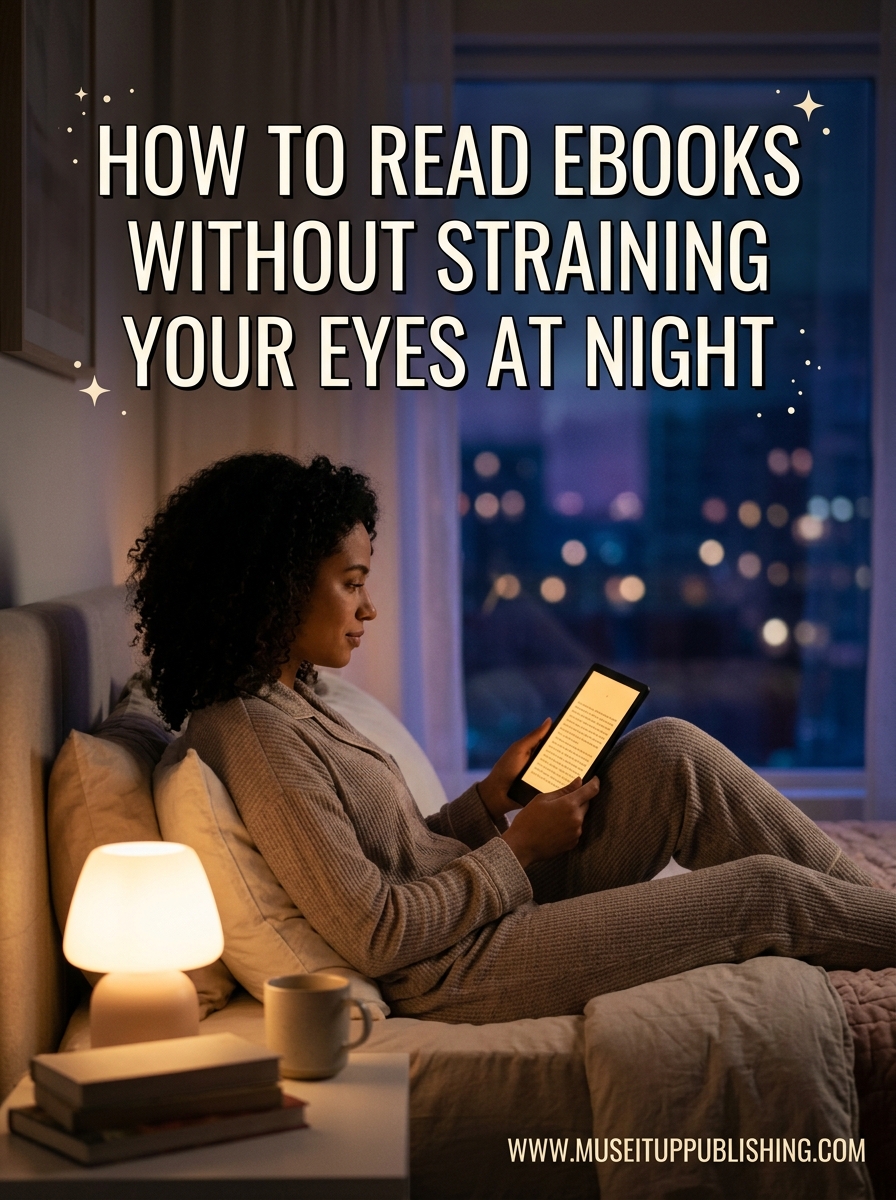
By 2026, millions of people unwind at night by opening an ebook on their phone, tablet, or e-reader. The problem is that late-night reading sessions often end with dry eyes, a dull headache, and trouble falling asleep. If that sounds familiar, you are not alone. Forum discussions on Reddit and Quora are filled with readers asking the same thing: how do you read ebooks without straining your eyes at night without giving up the habit entirely?
The good news is that most nighttime eye strain comes from fixable settings and habits, not from some unavoidable consequence of digital reading. In this guide, I will walk you through why screens cause discomfort at night, which settings to change, and how to build a reading routine that protects your eyes. Everything here is based on recommendations from eye care professionals, community-tested advice, and my own trial-and-error over months of nighttime reading.
You will learn about the 20-20-20 rule, blue light filters, the best device settings for dark-room reading, and how e-ink compares to LCD screens when it comes to comfort. Let us start with understanding what is actually happening to your eyes.
Table of Contents
Understanding Digital Eye Strain
Digital eye strain, also called computer vision syndrome, is the physical discomfort that comes from prolonged screen focus. When you stare at a screen, your eyes work harder than they do when reading a physical book because screens emit light, reflect glare, and force your focusing muscles to lock onto a fixed distance for long stretches.
At night, the problem intensifies. You are likely reading in a dim room where the screen is the brightest object around. That high contrast between a glowing screen and dark surroundings forces your pupils to constantly adjust, which fatigues the muscles that control focus.
Here are the most common symptoms of digital eye strain:
- Dry or itchy eyes
- Headaches, usually around the temples or forehead
- Blurred vision or difficulty refocusing
- Neck and shoulder tension from poor posture
- Sensitivity to light
- Burning or watering eyes
One of the biggest culprits is reduced blink rate. Studies show that people blink about half as often when looking at screens compared to normal conversation. That means your tear film evaporates faster, leaving your eyes dry and irritated. At night, when you are already tired, this dryness hits harder and faster.
How Blue Light Affects Night Reading
Blue light is the high-energy visible light that screens emit in large amounts. It is not inherently dangerous during the day because sunlight contains far more blue light than any device. The issue is timing. When you expose your eyes to blue light after sunset, you send a signal to your brain that it is still daytime.
This matters because blue light suppresses melatonin, the hormone that regulates your sleep cycle. Even 30 minutes of screen reading in a dark room can delay melatonin production, making it harder to fall asleep and reducing overall sleep quality. That is why you might feel tired but wired after a late reading session.
The connection between blue light and sleep is well documented. Readers who switch to warm or amber light settings consistently report falling asleep more easily after reading. In Reddit threads about nighttime reading, the most common tip from users who solved their eye strain was shifting their screen temperature to warm tones and reducing brightness below what felt comfortable at first.
Blue light does not cause permanent eye damage. But the discomfort it causes, combined with the sleep disruption, makes it worth managing for anyone who reads at night.
The 20-20-20 Rule Explained
The 20-20-20 rule is the most widely recommended technique for preventing eye strain during screen use. It is simple: every 20 minutes, look at something 20 feet away for at least 20 seconds.
Here is why it works. Your eyes have a focusing muscle called the ciliary muscle. When you read up close, that muscle stays contracted. Holding a contraction for 20 minutes straight fatigues it, leading to that stiff, tired feeling. Looking at a distant object forces the muscle to relax and reset.
To follow the rule during nighttime reading:
- Set a recurring timer on your phone for 20 minutes before you start reading.
- When the timer goes off, look out a window or across the room at a distant object.
- Keep your gaze there for a full 20 seconds. Blink naturally during this time.
- Reset the timer and continue reading.
Some eye care professionals also recommend a variation called the 30-30-30 rule, which follows the same pattern but with 30-minute intervals and 30-second breaks. This works well for people who find 20-minute breaks too frequent. The key is consistency. Use whichever interval you will actually follow.
For readers who lose track of time in a good book, apps like Eye Care 20 20 20 and Eye Relax send automatic reminders. You can also use a simple kitchen timer or your phone’s built-in repeat timer.
Best Device Settings for Night Reading
The right device settings make a bigger difference than any app or accessory. Here is exactly what to change on whatever device you use for nighttime reading.
Screen Brightness
Your screen should not be the brightest thing in the room. That might sound counterintuitive, but eye care professionals consistently recommend that room lighting should be slightly brighter than your screen. When you read in a pitch-dark room, any screen brightness feels harsh because your pupils are fully dilated.
The fix is to lower your brightness to the minimum comfortable level, then add a small light source in the room. A dim warm lamp behind or beside you reduces the contrast between the screen and your surroundings. Many Reddit users discovered that bumping brightness up slightly from the lowest setting actually helped more than going fully dark, because extremely low brightness can cause flicker that strains the eyes.
Dark Mode vs Warm Light Mode
Dark mode (black background, light text) reduces overall light emission, which many readers find comfortable. However, for people with astigmatism, dark mode can actually increase strain because light text on dark backgrounds creates a halo effect called spherical aberration.
Warm light mode, also called night mode or reading mode, shifts the screen temperature from blue to amber or orange. This is generally the better choice for night reading because it reduces blue light exposure without the astigmatism issue. Most devices let you schedule warm mode to activate automatically after sunset.
Font Size and Type
Larger fonts reduce strain because your eyes do not have to work as hard to form each character. Aim for a font size where you can read comfortably with the device at arm’s length without squinting. As a baseline, if you hold the device 15 to 18 inches from your face, your font should be roughly the size of a paperback book’s body text.
Font choice also matters. Sans-serif fonts like Arial, Helvetica, and Verdana are easier to read on backlit screens because their simple shapes require less visual processing. Serif fonts like Georgia and Merriweather work well on e-ink displays but can look slightly fuzzy on LCD screens at small sizes. Avoid thin or light font weights at night when your eyes are already tired.
Contrast and Line Spacing
Medium contrast is ideal for night reading. Pure white text on pure black creates harsh edges. Off-white text (#E8E8E8) on dark gray (#2B2B2B) is gentler and reduces glare. Increase line spacing to 1.5 or higher so your eyes can track lines without skipping or rereading.
Specific Ebook App Settings for Eye Comfort
Most popular reading apps have built-in comfort settings that many users never discover. Here are the specific settings I recommend for the most common apps.
Kindle App (iOS and Android)
Open the Kindle app, tap the Aa icon while reading, and make these changes. Set the background to black or sepia for night reading. Increase the font size one or two steps above your default. Turn on the Bold Text slider for thicker strokes that are easier to see in dim light. Set the Screen Brightness slider inside the app to about 30 percent. If your device supports it, leave the system-level blue light filter (Night Shift on iOS or Eye Comfort Shield on Android) enabled alongside the app settings.
Moon+ Reader (Android)
Moon+ Reader is a favorite in Reddit reading communities because of its deep customization. Go to Visual Options and set the theme to Dark or Amber. Use the Custom Font option to load a clean sans-serif font. Set line height to 1.5 and paragraph spacing to 8 points. Enable the brightness control within the app and set it below system brightness. Moon+ Reader also supports a scroll mode that some users find more comfortable than pagination because it reduces eye movement jumps.
Google Play Books (iOS and Android)
Tap the display settings icon while reading. Choose the Dark theme. Select Lighting, then adjust the brightness slider to about 25 percent for dark rooms. Turn on Night Light, which automatically shifts the color temperature to warm tones after sunset. Increase the text size using the slider and choose a font like Dynamics or Raphtalia, which are optimized for screen reading.
Apple Books (iOS)
While reading, tap the screen to reveal the menu, then tap the Aa icon. Scroll through themes and select Night or Sepia. Increase font size to at least 6 or 7 on the slider. Turn on Auto-Night Theme so the app switches automatically based on your system dark mode schedule. If you have an iPhone with True Tone, leave it enabled, as it adjusts color temperature based on ambient light.
E-Reader vs Phone vs Tablet for Night Reading
No competitor in the current search results directly compares device types for night reading, which is surprising given how often this question comes up in forums. Let me break it down.
E-Ink Readers (Kindle Paperwhite, Kobo Clara, Onyx Boox)
E-ink displays reflect ambient light rather than emitting it, similar to real paper. This means they produce far less blue light and cause significantly less strain than LCD screens. Most modern e-readers have built-in front lights with adjustable warmth, so you can shift from white to amber light as the evening progresses.
In Reddit discussions across r/books and r/ereader, the Kindle Paperwhite is the most frequently recommended device for readers with sensitive eyes. Users consistently report being able to read for two to three hours on e-ink without the discomfort they feel after 30 minutes on a phone.
That said, e-ink is not a magic cure. Some users with severe migraines or specific vision conditions still experience strain on e-readers. If you are sensitive to any screen, adding a warm light setting and following the 20-20-20 rule still applies.
Phones (LCD and OLED)
Phones are the least ideal device for night reading. They emit bright blue light by default, have small screens that force you to hold them close, and their high pixel density can create subtle sharpness that fatigues the eyes over time. OLED screens are slightly better than LCD because they can turn off individual pixels for true blacks in dark mode.
If you must read on your phone, use every comfort setting available. Enable system-level blue light filtering, use the darkest theme your reading app supports, increase font size, and keep sessions under 30 minutes at a time.
Tablets (iPad, Samsung Galaxy Tab)
Tablets fall between phones and e-readers. Their larger screens allow for bigger text and a more natural reading distance, but they still emit light from backlit LCD or OLED panels. iPads with True Tone and Night Shift offer good automatic color adjustments. For night reading, set the tablet to Night Shift mode, reduce brightness to under 30 percent, and use a dark or sepia theme in your reading app.
Proper Device Positioning
How you hold your device matters as much as the settings on it. Here are the positioning rules that eye care professionals recommend.
Hold your device at arm’s length, which is roughly 15 to 25 inches from your face. Closer than that forces your focusing muscles to work harder. Farther away makes the text too small to read without strain, which leads to squinting and tension headaches.
Position the screen slightly below eye level, about 15 to 20 degrees down. This lets your eyelids cover more of your eyes naturally, reducing moisture loss and dry eye symptoms. Reading with the screen flat on your lap or propped on your chest forces you to look down at a steep angle, which strains your neck and reduces your blink rate even further.
Your room lighting matters too. Keep a low-wattage warm lamp on nearby. Avoid reading with the screen as the only light source in the room. The contrast between a bright screen and total darkness is one of the leading causes of nighttime reading discomfort.
Practical Tips to Read Ebooks Without Straining Your Eyes at Night
Here is a complete checklist you can follow tonight. These tips combine the settings and habits covered above into an actionable routine.
- Lower your brightness to the minimum level where text is still sharp, then add a dim warm lamp to the room.
- Switch to warm or amber light mode at least 30 minutes before you plan to sleep. Set it on a schedule so it activates automatically.
- Increase your font size until you can read at arm’s length without leaning in or squinting. Use a bold sans-serif font.
- Follow the 20-20-20 rule. Set a timer and stick to it. Every 20 minutes, look 20 feet away for 20 seconds.
- Blink consciously. Remind yourself to blink fully every few minutes to keep your eyes lubricated. Consider preservative-free artificial drops if dryness persists.
- Switch to an e-reader if you read more than 30 minutes per night. E-ink devices dramatically reduce strain compared to phones and tablets.
- Avoid reading in total darkness. A small warm light reduces the contrast your eyes have to process and makes everything more comfortable.
If you implement even three or four of these tips, you should notice a significant reduction in eye fatigue within the first few nights.
Frequently Asked Questions
How to read ebooks without eye strain?
Lower your screen brightness, switch to warm light mode, increase font size, follow the 20-20-20 rule, and keep a dim warm lamp on in the room. Avoid reading in total darkness, and use an e-ink reader if you read for more than 30 minutes at night.
What is the 20 minute rule for eye strain?
The 20-20-20 rule says that every 20 minutes, you should look at something 20 feet away for at least 20 seconds. This gives your focusing muscles a chance to relax and reset, reducing fatigue from prolonged close-up screen focus.
What is the best ebook reader for bad eyesight?
E-ink readers like the Kindle Paperwhite, Kobo Libra, and Onyx Boox are best for bad eyesight because they reflect light like real paper instead of emitting it. They produce minimal blue light and have adjustable warm front lights for night reading.
Does reading Kindle Paperwhite in the dark hurt eyes?
Reading a Kindle Paperwhite in complete darkness is gentler on the eyes than a phone or tablet because e-ink emits very little blue light. However, using a low warm light setting and keeping a small room light on reduces strain even further by lowering contrast.
What is the 30 30 30 rule for eyes?
The 30-30-30 rule is a variation of the 20-20-20 rule where you take a 30-second break every 30 minutes and focus on something 30 feet away. Some eye care professionals recommend it for people who find 20-minute intervals too frequent.
Conclusion
Nighttime ebook reading does not have to end with a headache and dry eyes. The biggest changes you can make tonight are lowering your brightness, switching to warm light, increasing font size, and following the 20-20-20 rule consistently. If you read every night, investing in an e-ink reader like a Kindle Paperwhite or Kobo will make the single biggest difference in your comfort.
Learning how to read ebooks without straining your eyes at night is really about building small habits that compound over time. Adjust your settings, add a warm lamp to your room, set a break timer, and your late-night reading sessions will become the relaxing ritual they are meant to be instead of a strain on your eyes and sleep.
If your symptoms persist even after making these changes, schedule an eye exam. Persistent headaches, blurred vision, or eye pain can indicate an underlying vision issue that requires professional attention.