
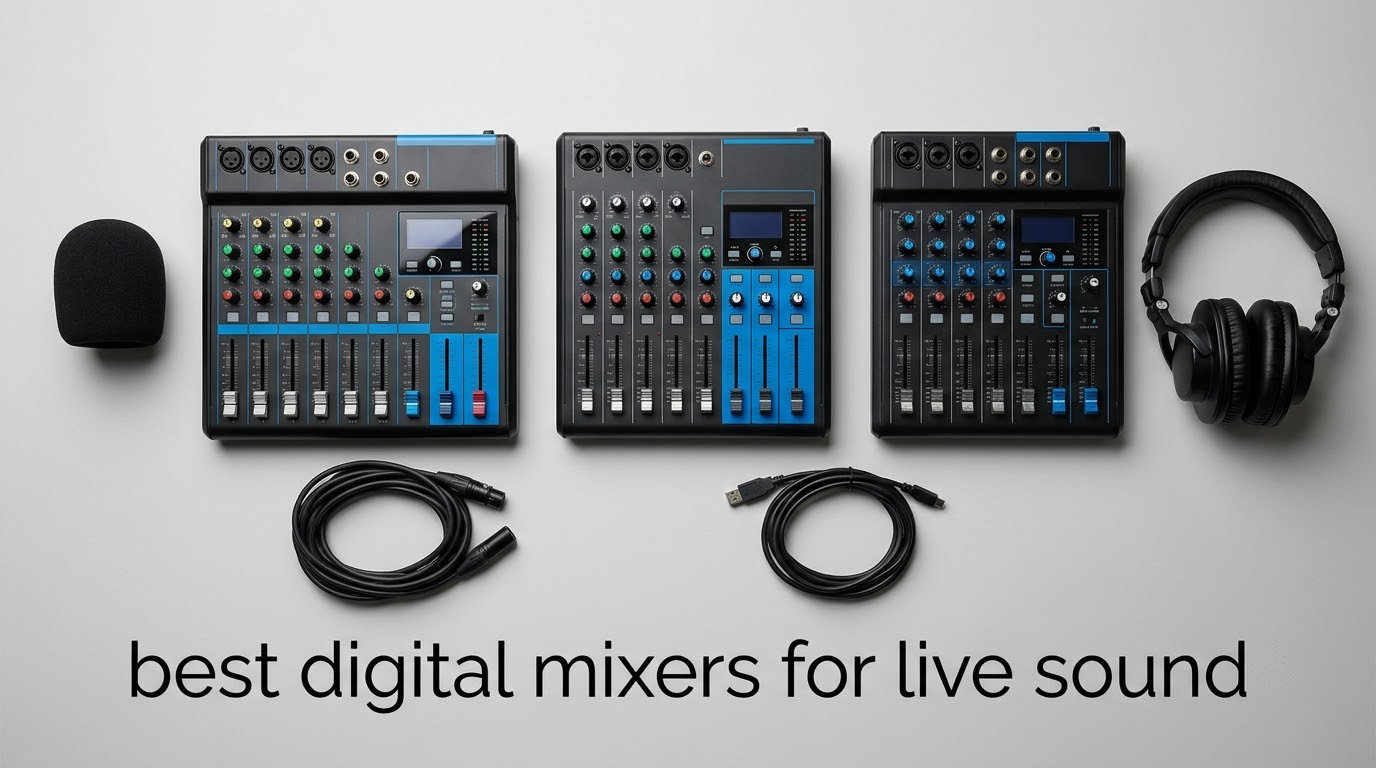
Choosing the best digital mixers for live sound comes down to three questions: how many inputs your ensemble actually needs, whether you want to mix with your hands or with a tablet, and how much of the show has to be recorded or streamed. Get those three right and the shortlist writes itself.
A digital mixing console takes every microphone and instrument feed, runs it through recallable preamps, EQ, compression and effects, and routes the result to mains, monitor and matrix mixes. Because those settings live in memory rather than in knobs you have to reset, a digital board is the only realistic way to mix a 12-person worship team, a full band, or a touring show in a different room every night. The trade is a learning curve, some screen dependence, and a network you have to take seriously.
So which mixer is best for live sound? For most rooms we mix, the answer is the Behringer X32, because a physical fader surface survives anything a show can throw at it. If you are hauling gear into small rooms and mixing from a tablet, the Behringer XR18 and the Soundcraft Ui16 are the better tools. This guide covers all seven consoles we would actually put a show on, including the numbers engineers care about: input channels, bus counts, preamp pedigree, and how each one behaves when the Wi-Fi drops.
Table of Contents
Top 3 Best Digital Mixers for Live Sound (October 2026)
These three cover the widest range of live-sound work. The X32 is the console a band or church buys when the board stays in one room. The XR18 is the value pick for a working band that mixes from an iPad. The Ui16 is the smallest box here that still handles a full band plus monitors and a stereo recording feed.

Behringer X32
- 32 Midas-designed preamps
- 25 motorized 100mm faders
- 40 inputs on 25 buses
- 8 DCA groups


Soundcraft Ui16
- 16 inputs
- dbx DigiTech and Lexicon processing
- 4 XLR aux outputs
- Wi-Fi and Ethernet control
All 7 Digital Mixers Compared in 2026
Every console below appears once, in the order we would reach for it. Channel counts, bus counts and network options are the specs that actually change what you can do on a show; control method decides who can run the show at all.
| Product | Specifications | Action |
|---|---|---|
| Behringer X32 |
|
Check Latest Price |
| Behringer XR18 |
|
Check Latest Price |
| Soundcraft Ui16 |
|
Check Latest Price |
 Allen and Heath CQ-20B Allen and Heath CQ-20B |
|
Check Latest Price |
 Midas MR18 Midas MR18 |
|
Check Latest Price |
 QSC TouchMix-8 QSC TouchMix-8 |
|
Check Latest Price |
 PreSonus StudioLive 32SC PreSonus StudioLive 32SC |
|
Check Latest Price |
1. Behringer X32 – the full-size console most rooms end up buying
Behringer 32 40-Input 25-Bus Digital Mixing Console, Black (X32)
32 Midas preamps
25 motorized faders
40 inputs, 25 buses
16 XLR outputs
Pros
- 32 MIDAS-designed fully programmable preamps
- 25 motorized 100mm faders with scene recall
- 8 DCAs and 16 buses for group control
- Built-in WAV USB recording
- Proven in long church and theatre deployments
Cons
- Low-resolution channel LED meters
- Bus routing works in groups of 8
- Pre-EQ bus assignment only in pairs
The X32 is the only console in this list with 25 physical motorized faders, and that single fact explains why it wins. A new operator can find a channel with their hand in the dark, feel where the desk is, and never touch a screen mid-show. It weighs 45.4 pounds, which is heavy for a coffee table and trivial for a road case.
Channel-wise it is generous: 40 inputs, 25 buses, 32 MIDAS-designed programmable preamps and 16 XLR outputs, plus a talkback section. Eight assignable DCA groups let you drop the whole drum kit or the whole vocal row with one fader, and the individual and dynamic LCD scribble strips mean you stop labelling channels with tape.
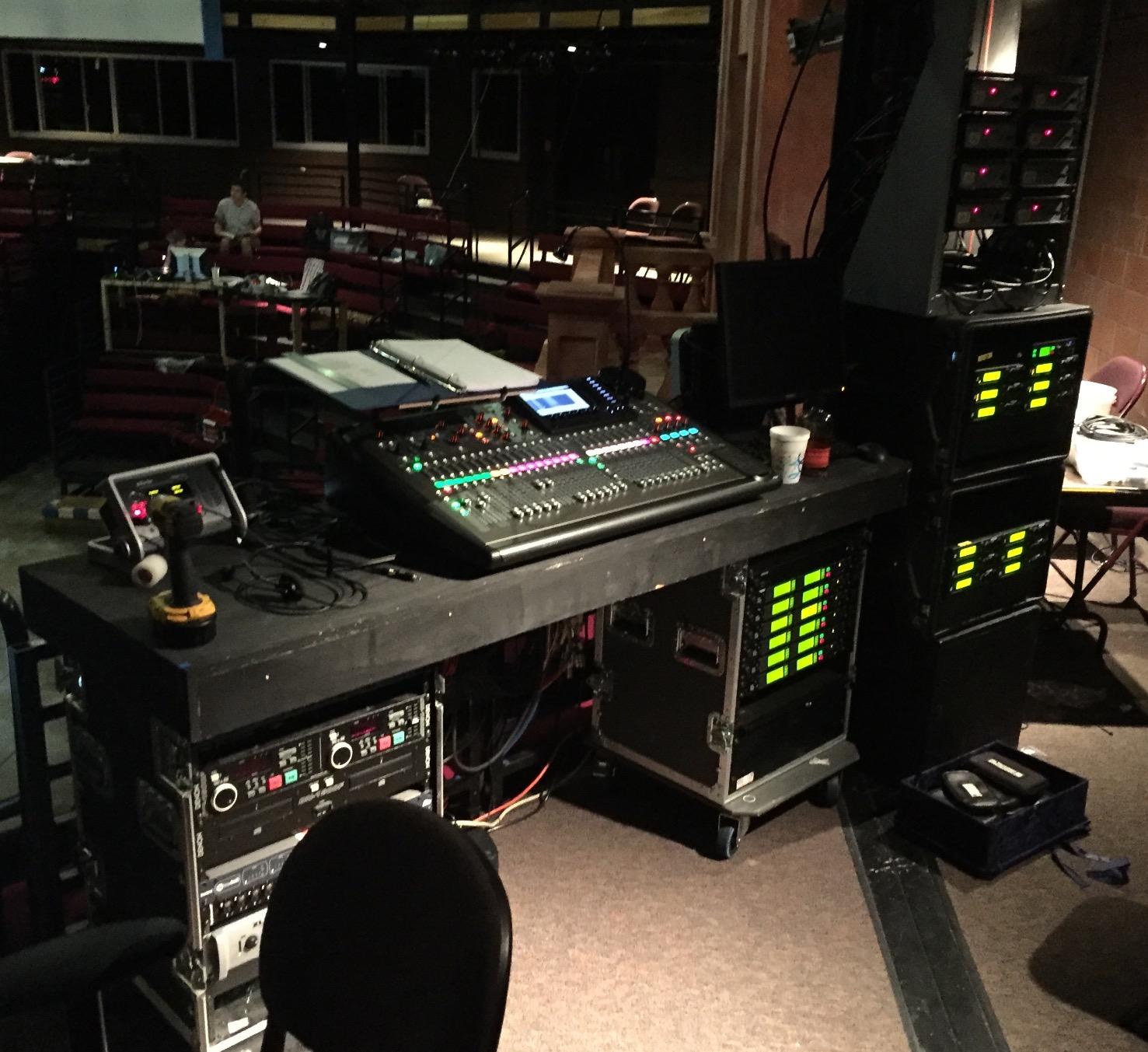
Owners consistently compare it to consoles costing two to three times more, and the community video library for its routing is deep enough that you will never be the first person to be confused by a bus assignment. Several add the X-Live expansion card when they want full 32-channel recording rather than a stereo mix to a thumb drive.
The real quirks are all in the interface. Routing works in groups of eight channels, which looks strange until you memorise it. Pre-fader and pre-EQ bus assignments are made in pairs, so you cannot set each bus independently. Channel meters are low resolution, so channel-to-channel level comparison at FOH is harder than it should be.
One more thing to know before you order: run the firmware update on first power-up. Owners report that clearing those early issues is what turns the console from frustrating to dependable, and the faders themselves feel light compared with consoles in the same class.
What the X32 handles that smaller boards cannot
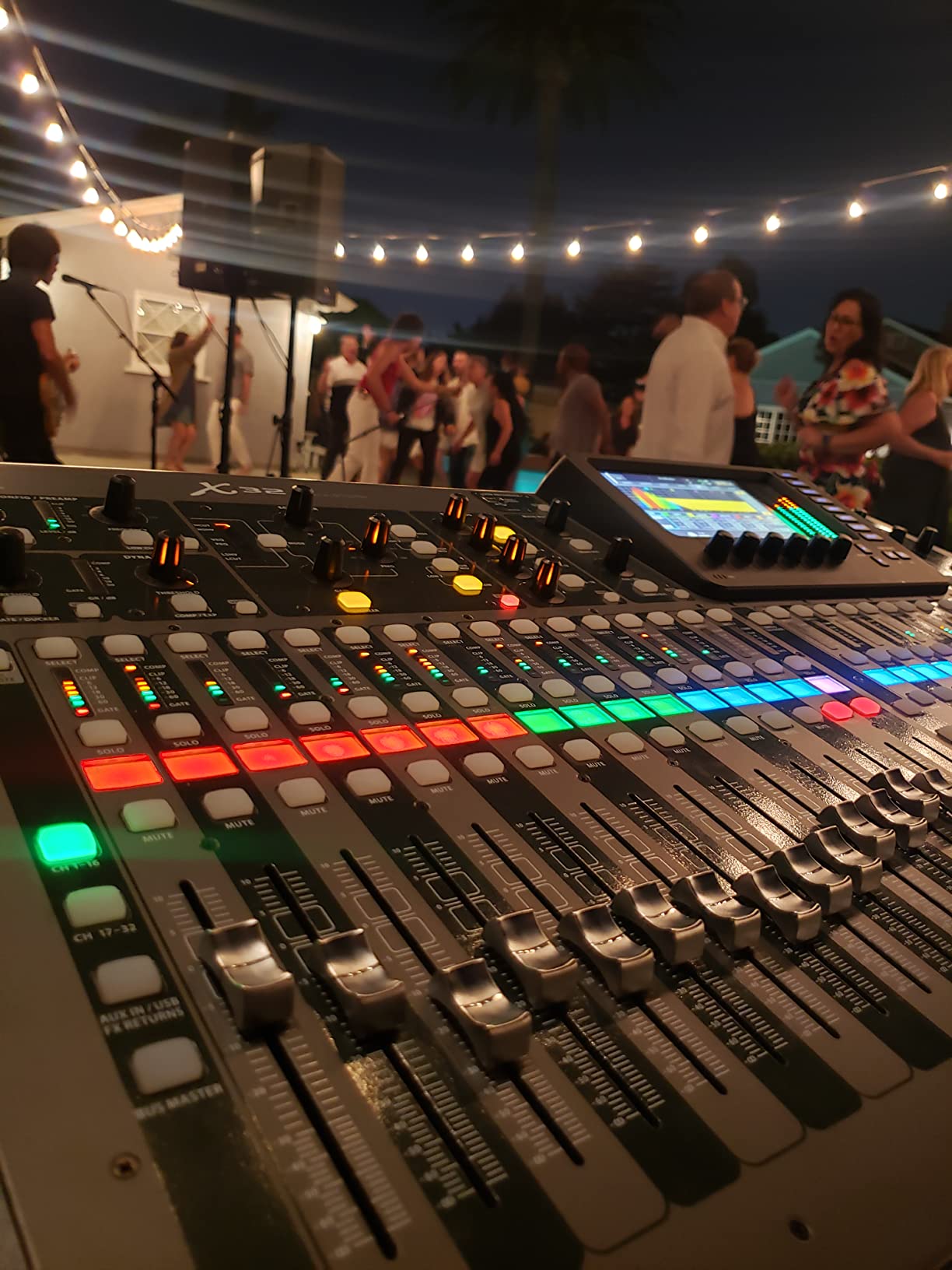
Thirty-two preamps and 25 buses means a worship team with a full band, a choir and a pastor all on separate faders without stealing inputs. Sixteen XLR outputs let you feed the mains, a delay cluster, a sidefill, or a separate stream mix from one console rather than two.
The motorized faders also change how you run a show. Save a scene, and every fader physically moves to the new position in about three seconds. That movement is the confirmation your volunteer operator needs before the band walks on.
Where the X32 is the wrong buy
If your show is a duo with three inputs in a room you carry gear into yourself, the X32 is enormous and the routing is more than you need. The XR18 and the Ui16 cover that work and take up a fraction of the space.
It is also a menu-driven interface, so an operator who learned on an analog board will need a service or two before they are fast. Budget for training, or pair it with a label sheet on the console itself.
2. Behringer XR18 – the best value tablet mixer for a working band
Behringer X AIR XR18 18-Channel, 12-Bus Digital Mixer for iPad/Android Tablets with 16 Programmable Midas Preamps, Integrated Wifi Module and Multi-Channel USB Audio Interface
16 Midas preamps
18 inputs, 6 aux buses
Built-in tri-mode Wi-Fi
18x18 USB recording
Pros
- 16 MIDAS-designed programmable preamps in a tiny footprint
- Built-in tri-mode Wi-Fi needs no external router
- 18x18 bidirectional USB multitrack recording
- Six aux buses plus mains for in-ear mixes
- Rack-mounts in 3U or runs on stage
Cons
- No AES50 connection for a stage box
- Built-in wireless has no security
- iPad app lacks the RTA of the PC app
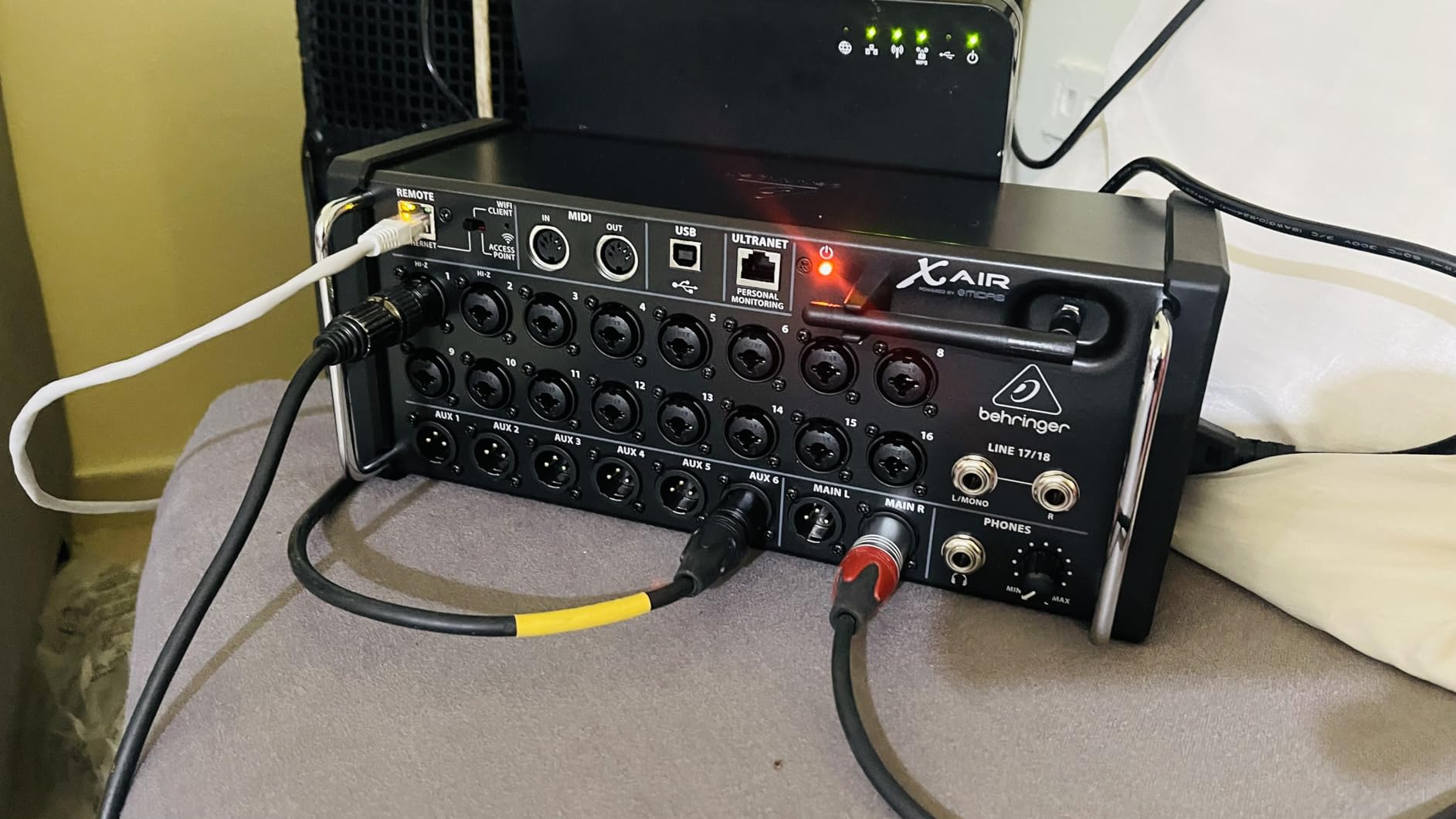
The XR18 packs 16 XLR and combo inputs into a box weighing 7.1 pounds that you can put on a stage edge or rack in 3U. Nothing else at this tier gives you that many real XLR inputs without bringing a separate stage box into the plan.
The preamps are the story. Sixteen MIDAS-designed fully programmable preamps mean a singer, an acoustic guitar and a full drum kit all sit comfortably in the same gain range, and reviewers repeatedly call the sound clear and forward rather than thin. Six aux buses plus mains give real monitor flexibility for in-ear systems.
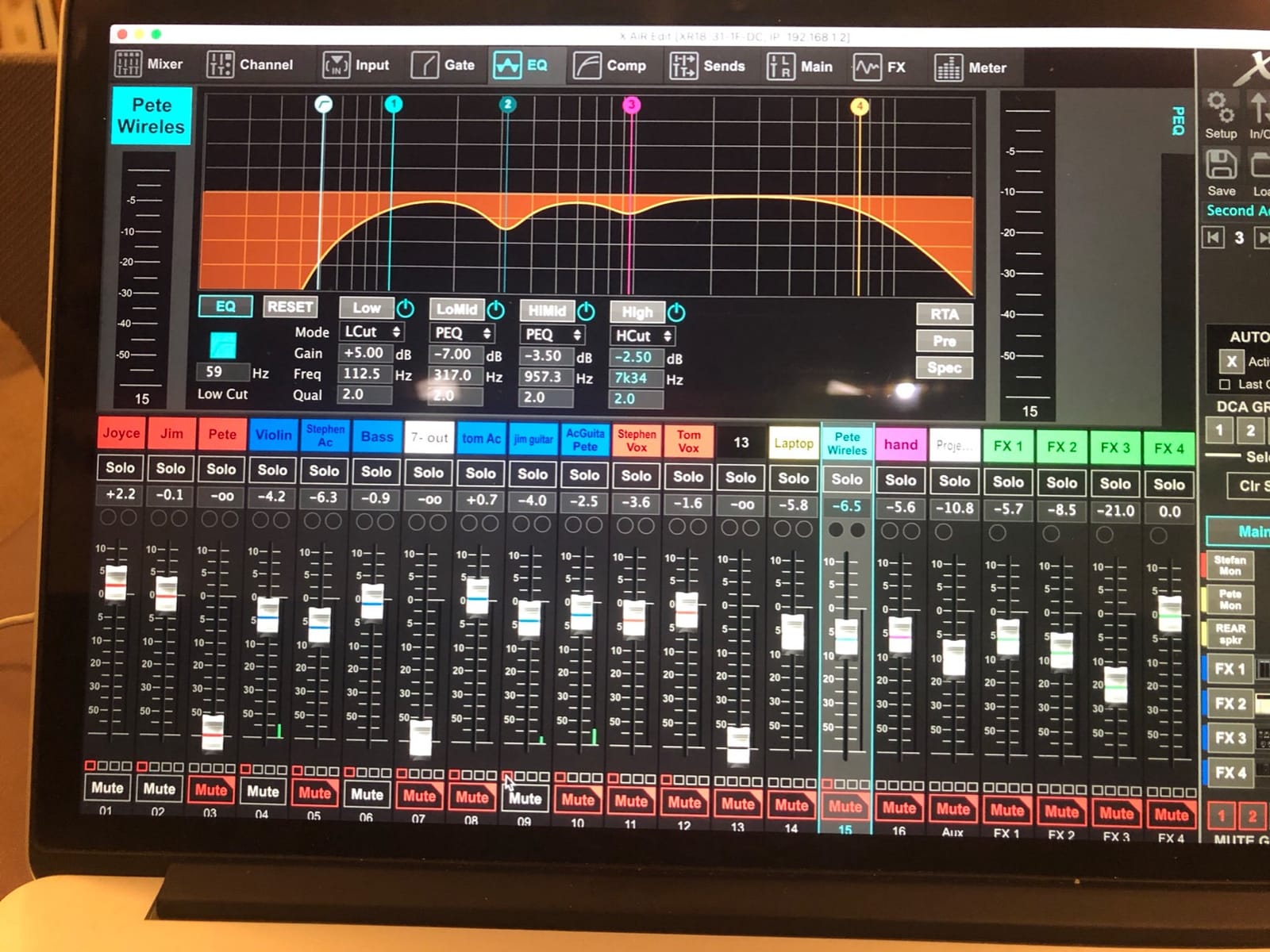
Two details make it more than a wireless convenience. The 18 by 18 bidirectional USB interface records every channel straight into a DAW at full resolution. And the built-in tri-mode Wi-Fi router means you can mix from an iPad with nothing else in the room, then extend range with an external router when the venue is bigger.
The honest weakness is the one every tablet mixer shares. There is no AES50 connection here, so you cannot add a digital stage box later. The built-in wireless has no security, so anyone in range who knows the network name can connect and change your mix.
Reviewers also point out that the iPad and desktop apps are not identical, and the iPad version lacks the real-time analysis the PC app provides. Many operators end up using both: tablet for soundcheck, laptop for the analyser view. Owners also recommend a protective case, because the chassis and the antenna both feel light.
Why the XR18 suits a band on a budget
Nothing else here matches 16 usable preamps plus six aux buses plus multitrack USB in a box you can carry with one hand. For a five-piece band playing bars and small clubs, that is the entire feature list you need and then some.
It also racks into 3U with the supplied ears, so a touring package can put the brain in the case and keep the tablet as the only surface you see.
Where the XR18 is the wrong buy
If mixing depends on Wi-Fi makes you nervous, this is not the board. There is no physical fallback surface, and the app is the console. A dropped tablet connection during a show means a power cycle, not a recovery.
It is also a fixed 16-channel stage box in practice. Bands that add inputs every tour, or venues that want AES50 for runs to a remote stage position, should look at the X32 instead.
3. Soundcraft Ui16 – the smallest rack box that still covers a full band
Soundcraft Ui16 Remote-Controlled 16-Input Digital Mixer
16 inputs
dbx, DigiTech and Lexicon processing
4 XLR aux outputs
Wi-Fi and Ethernet control
Pros
- Sound quality owners rate above costlier analog boards
- Very low self-noise
- Control from up to 10 devices at once
- Four XLR aux outputs plus two headphone outputs
- Direct-to-USB show recording and MP3 playback
Cons
- Built-in hotspot range is short in some venues
- No wireless security by default
- Hot-plugging microphones causes loud pops
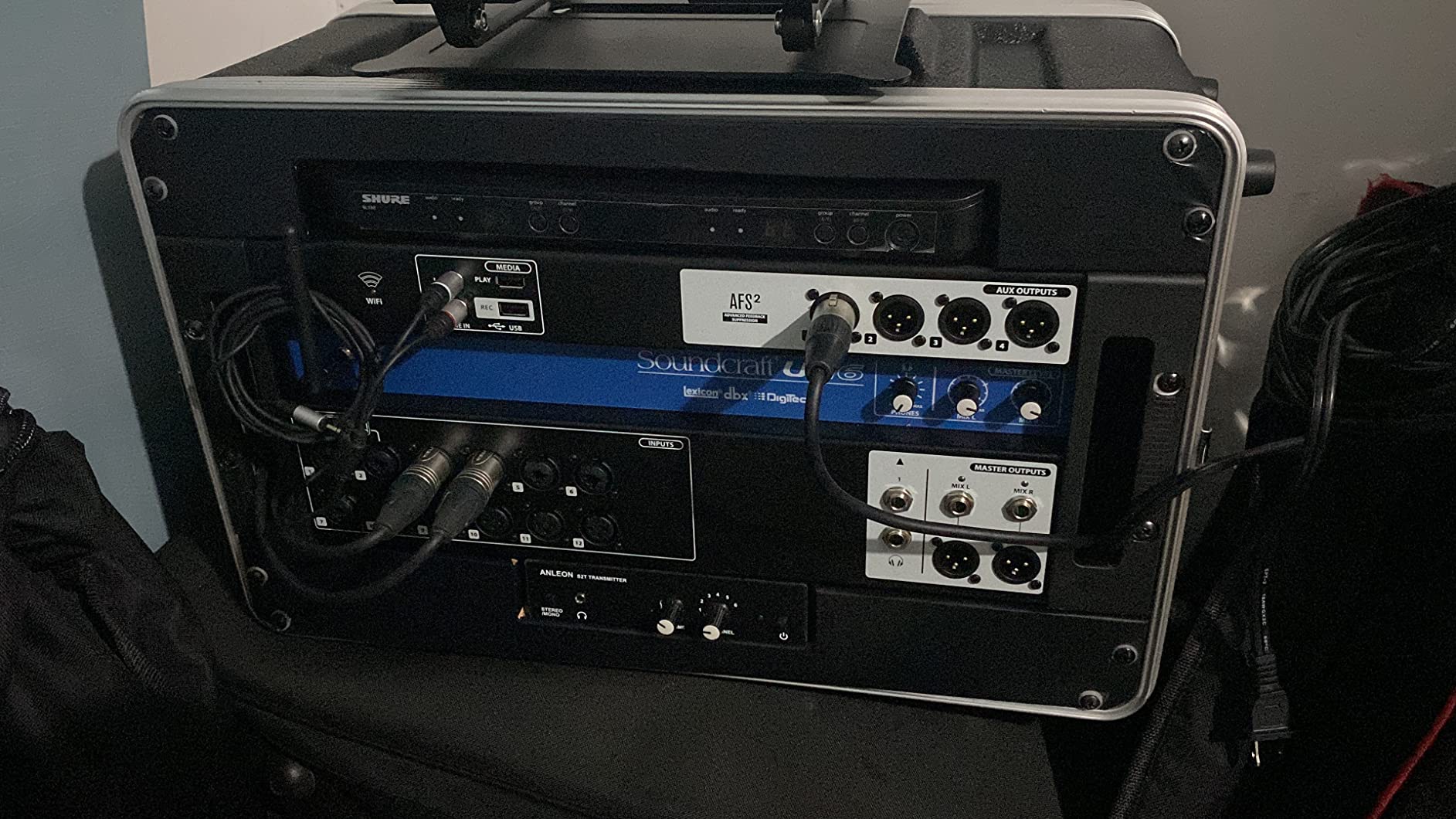
The Ui16 measures 7 by 19 by 4.3 inches and weighs 7.9 pounds, which is the whole appeal: it fits in a small road case, on a shelf, or behind a laptop stand at a conference. Eight XLR combo mic and line inputs, four XLR mic inputs, two instrument channels and a stereo RCA line input give a full band a place to go.
Processing is the strongest argument for it here. dbx, DigiTech and Lexicon processing runs on board, with three dedicated FX buses, 31-band graphic EQ plus gate and compressor on all outputs, subgroups, mute groups and view groups, and a real-time frequency analyzer on both inputs and outputs.
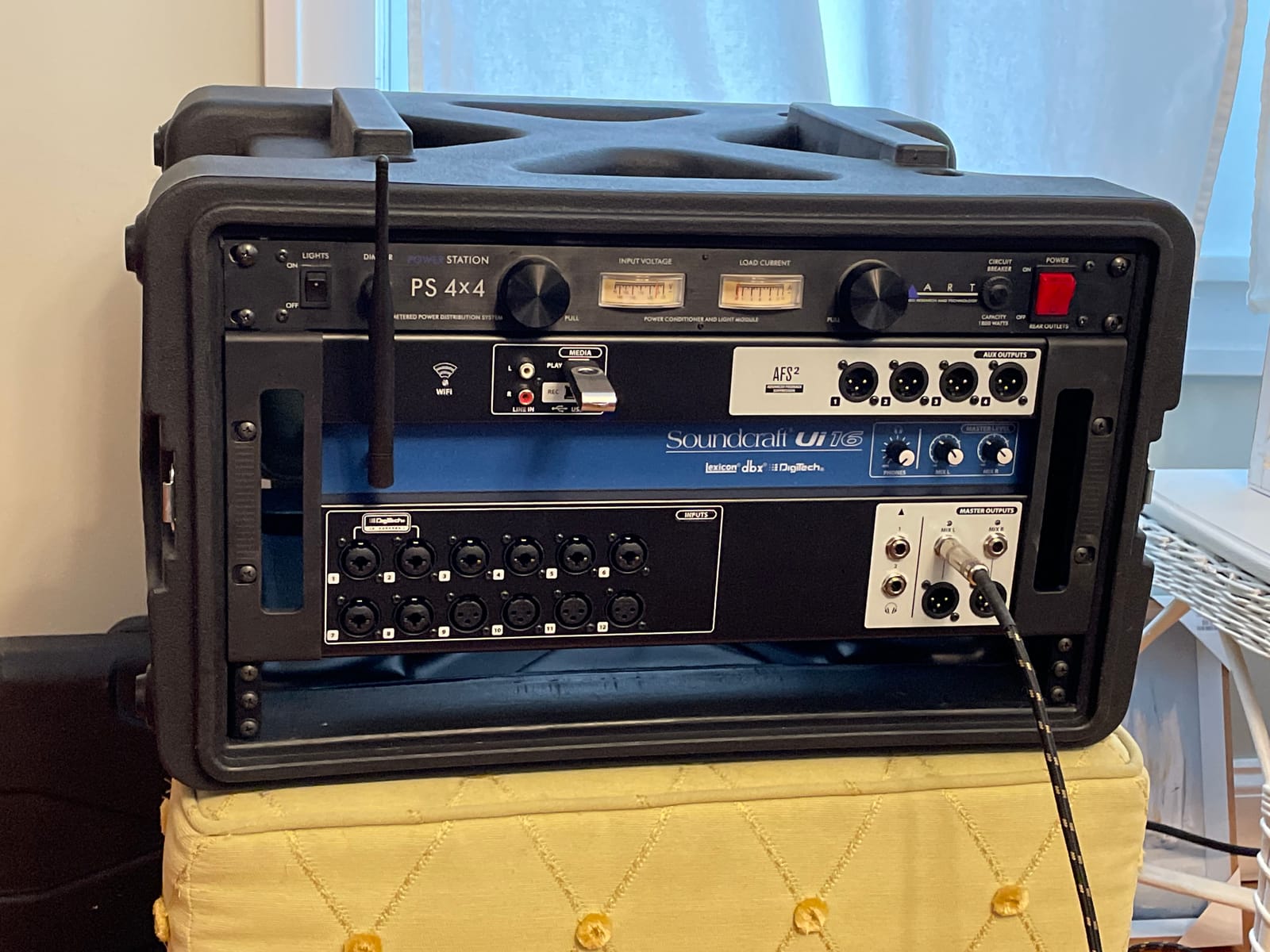
Control is genuinely cross-platform. The unit accepts connections from up to ten devices at once across iOS, Android, Windows, Mac and Linux, and the onboard network interfaces are independent, so you can run Wi-Fi and Ethernet at the same time. For a critical show, several owners simply work over Ethernet.
Four balanced XLR aux outputs feed wedge monitors or in-ear racks, with two more assignable through the headphone outputs. Automatic feedback reduction and USB playback of MP3 and WAV files between sets round out a genuinely capable box.
The recurring complaint is the built-in hotspot. Owners measure roughly 20 feet of range in some venues and report drops when another access point sits on an adjacent channel. Several solved it by pointing the mixer at a 5 GHz external access point or by using Ethernet. Others report a background hiss that is noticeable for studio quiet work, loud pops when plugging in a microphone hot, and occasional control-server crashes that need a power cycle.
When the Ui16 beats the XR18
It wins on outputs and processing. Four XLR aux sends, subgroups, view groups, a real-time analyzer on every input and output, and automatic feedback reduction give a volunteer operator more to work with than the XR18 offers.
It also wins on control options. If half your team mixes from a phone, a laptop, or a Windows machine, the Ui16 speaks to all of them at once. That matters for a bar band where the bassist holds the iPad.
When the XR18 is the smarter buy
The XR18 has more preamps relative to its input count and a much longer track record of owner feedback, and its 18 by 18 USB interface records far more channels than the Ui16 two-channel USB path.
Neither board is secure by default on wireless. If that bothers you, plan on Ethernet at the FOH position from day one rather than hoping the hotspot holds.
4. Allen & Heath CQ-20B – dual-band Wi-Fi in a stagebox-sized body
Allen & Heath CQ-20B Digital Mixer with WiFi and Bluetooth Connectivity
16 mic or line inputs, 8 combi
Dual-band 2.4GHz and 5GHz Wi-Fi
24x24 USB and SD recording
Bluetooth stereo input
Pros
- 20 channels in a compact body
- Dual-band Wi-Fi with automatic channel selection
- 24x24 USB interface plus onboard SD recording
- Bluetooth stereo input for backing tracks
- Stage box format and rack mountable
Cons
- Only 55 Amazon reviews on this listing
- A few ratings sit in the 3-star range
The CQ-20B is built as a stage box first and a control surface second. Sixteen mic or line inputs, eight of them combi, plus two stereo line inputs fit into a body weighing 4.4 kg that rack mounts or sits on a stage edge.
The headline feature solves the exact problem owners complain about with first-generation tablet mixers. Built-in 2.4 GHz and 5 GHz Wi-Fi with automatic channel selection means the unit can move to the cleaner band and away from a congested channel without anyone touching a setting, which is the single most common cause of dropouts in small venues.
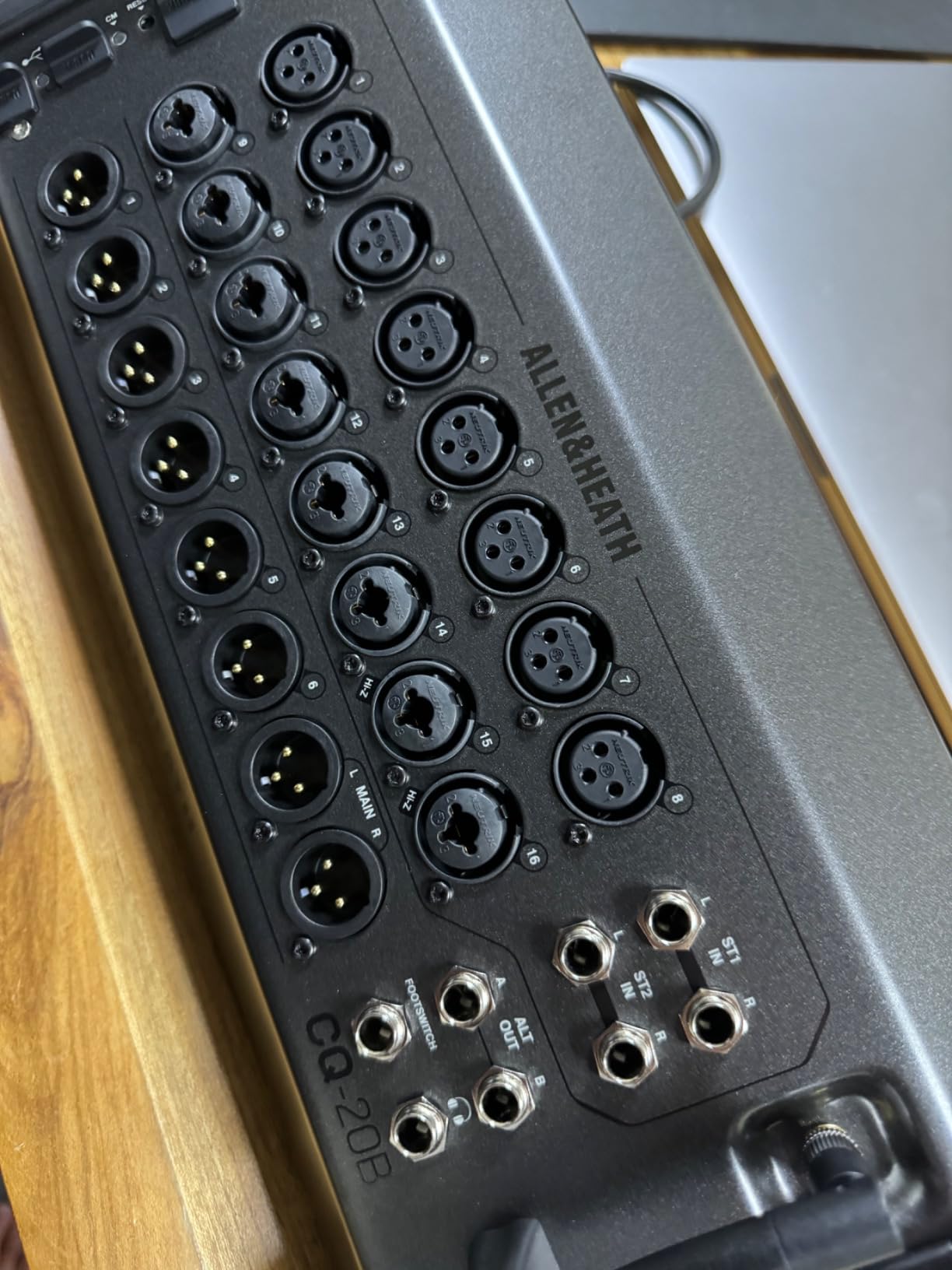
Recording is better specified than most competitors at this size. A 24 by 24 USB audio interface plus onboard 24 by 24 SD card record and playback means you can capture a full multitrack show with no laptop in the signal path, and a stereo Bluetooth input handles backing tracks and playback without a cable.
Be clear-eyed about the evidence, though. This listing carries 55 Amazon reviews at a 4.6 average with 85 percent five-star ratings, and several ratings sit in the 3-star range. That is a small base. Owners are responding to the combination of 20 channels, dual-band Wi-Fi, Bluetooth and dual recording paths, but we have fewer years of long-term owner reports on this console than on the others here.
If you are comfortable being an early adopter, that is fine. If you want a console you can service for a decade, weigh the CQ-20B against a board with a deeper installed base.
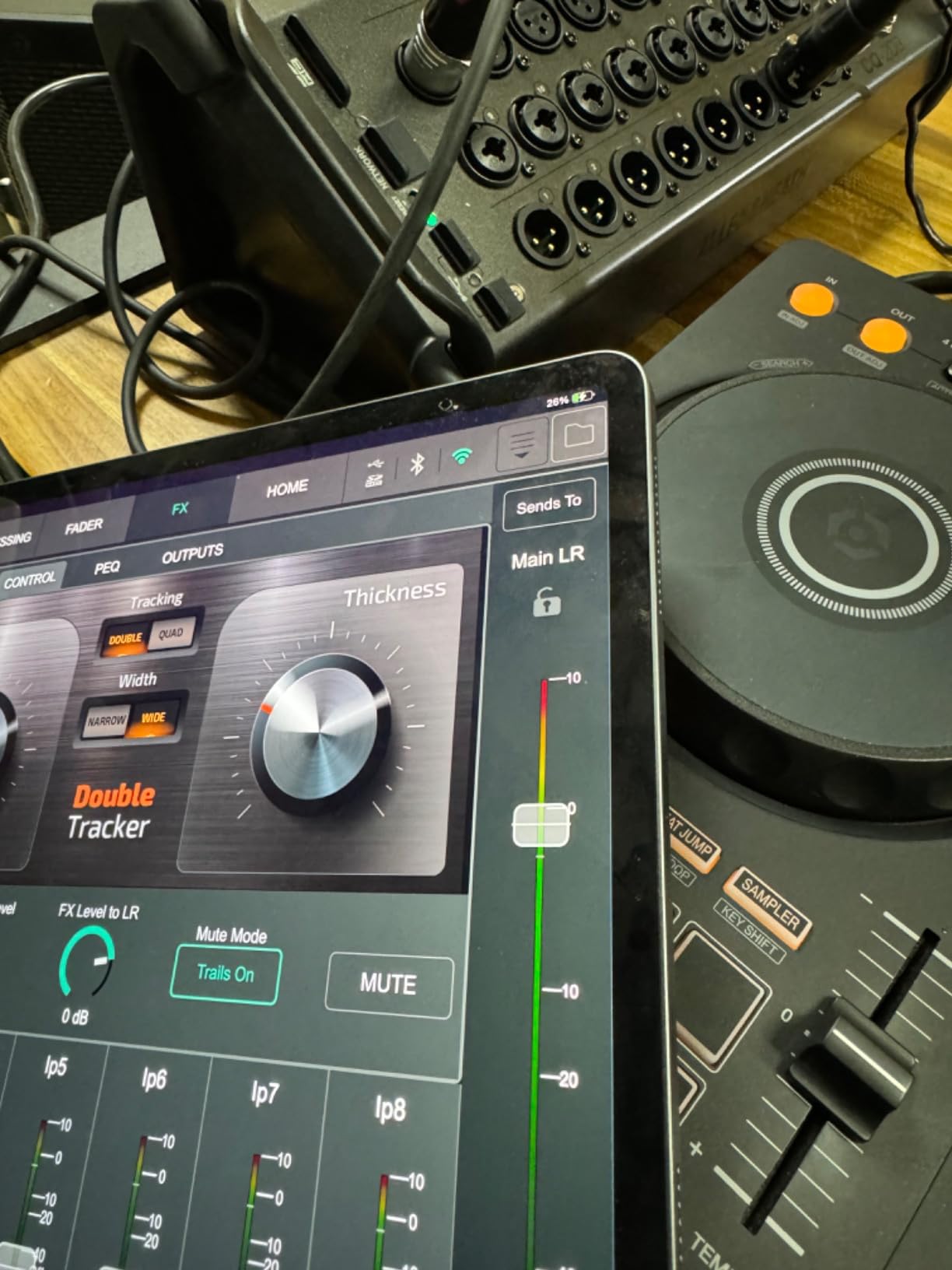
What the CQ-20B does better than anything else in this list
Wireless reliability. Dual-band Wi-Fi with automatic channel selection is the feature that the XR18, MR18 and Ui16 owners all ask for, and this is the console in the group that has it built in rather than as a workaround with an external access point.
It also does both recording formats at once, which matters if you want a redundant capture. A 24 by 24 USB interface and a 24 by 24 SD card path means a laptop failure does not end the show recording.
Where it falls short
The review base is thin, and the 3-star reviews point to issues that a larger sample would have resolved by now. If you buy it, keep the return window in mind and test the full routing on your first rehearsal, not the first show.
There is also no motorized fader surface, so a brand-new operator has the same learning curve on a touchscreen as any other tablet board. Nothing here changes the Wi-Fi dependency question.
5. Midas MR18 – Midas PRO preamps with tablet control
Midas MR18 18-Input Digital Mixer for iPad/Android Tablets with 16 Midas PRO Preamps, Integrated Wifi Module and Multi Channel USB Audio Interface
18 inputs
16 Midas PRO preamps
Built-in tri-mode Wi-Fi
18x18 USB 2.0 interface
Pros
- 16 Midas PRO preamps in an 18-input tabletop box
- Tri-mode Wi-Fi router needs no external router
- 18x18 bidirectional USB 2.0 for multitrack recording
- Dugan-style auto-mixing for gain sharing
- Operates over Wi-Fi
- Ethernet and USB
Cons
- Only 47 Amazon reviews on this listing
- Highest one-star share of the tablet boards here
- Tablet and desktop apps differ from each other
The MR18 is an 18-input tablet mixer weighing 3.9 kg whose reason for existing is the preamp. Sixteen Midas PRO microphone preamplifiers are the headline, and for a room where a singer with a quiet voice sits next to a loud snare, having consistent headroom across every input is worth more than an extra two channels.
Everything else mirrors the XR18 pattern that works. A built-in tri-mode Wi-Fi router means direct operation with no external router needed, and an 18 by 18 bidirectional USB 2.0 interface handles multitrack recording straight into a DAW. Dugan-style auto-mixing manages microphone gain sharing automatically when a panel or a classroom full of people are speaking.
It also accepts Ethernet alongside Wi-Fi and USB, which is the safer path for a show you cannot afford to have a dropout in. That is the single most useful thing to know about any of these tablet boards: the wireless is a convenience, and the wired path is the one you rehearse on.
The data is honest about how new this is. Forty-seven Amazon reviews at a 4.5 average, with 84 percent five-star but 8 percent one-star, the highest one-star share in the group. Read that as an early sample rather than a settled reputation. Owners are responding to the preamp quality, the self-contained wireless and the recording path.
It runs the same X AIR generation software, which means the same platform differences between the tablet and desktop apps. That is a real cost of the approach, not a defect of this model alone.
When the Midas PRO preamps are the deciding factor
Gain staging is the first thing that goes wrong in small rooms. If you are constantly riding a channel because its preamp runs hot, the mix gets tiring and the quiet instruments sit too far down. Sixteen matched Midas PRO preamps remove a whole category of problems.
For a church with a rotating volunteer roster, that consistency matters as much as it does for a band. Everyone gets the same starting point, every service.
When the MR18 is not the upgrade you want
If the XR18 at a lower tier is already within reach, the honest comparison is preamp pedigree against proven reliability. The XR18 carries more than fifteen times the review history, which is real evidence in a category where forum threads about failing gear are the most useful data available.
Buy the MR18 when the preamps are the reason you are shopping, and when you are comfortable being an early adopter on a thin review base.
6. QSC TouchMix-8 – the pocket console for mobile and small rooms
QSC TouchMix-8 Compact Digital Mixer with Bag
12 full-function inputs
4 XLR aux outputs drive IEMs
4-band parametric EQ
Gate and compressor on every channel
Pros
- Very compact and light for mobile work
- Owners rate the preamps
- compression and effects highly
- Very low self-noise for location work
- Feedback Wizard and Room Tuning presets
- Records WAV straight to a USB drive
Cons
- Touchscreen is slow and imprecise
- Virtual faders are hard to drag accurately
- The unit runs hot during use
The TouchMix-8 weighs 1950 g and is the smallest serious digital console here. Twelve full-function inputs cover four mic channels, four mic and line combo inputs, two stereo line TRS and a USB two-track return, which is enough for a solo performer with a guitar and two backing tracks, a small worship team, or a mobile DJ booth.
What it does with those inputs is the surprise. Four-band full parametric EQ with variable high-pass and low-pass filters on every input channel, gate and compressor on every input channel, and four XLR aux outputs whose TRS auxes drive wired in-ear monitors directly. Owners judge the preamps, the compressor and the on-board effects as among the best-sounding in a portable digital console, and the self-noise is low enough for location and filming work.
There is no buried menu structure, which is a genuine kindness for a new operator. Presets and wizards such as Feedback Wizard and Room Tuning walk an inexperienced user toward a usable starting point, and it records WAV directly to a USB drive.
The problem is the touchscreen, and it is the problem. Owners describe it as slow and unresponsive, with on-screen buttons that need several presses. Virtual faders are difficult to grab and drag precisely, so in practice you want a tablet over it rather than using the built-in screen. Channel and monitor trim are analog pots that can shift in transit, the chassis runs hot during use, and there is no MP3 playback from a folder on a thumb drive.
One note on the review data: a number of the reviews attached to this listing are for the larger TouchMix-16 and TouchMix-30 variants, so read them as family feedback rather than model-specific findings.
Who the TouchMix-8 is genuinely for
A mobile operator who carries one case and mixes anywhere: a solo acoustic act, a street musician, a photographer filming an event, a DJ who also wants a small board for speeches. The weight and the footprint are the product.
It also suits a small worship team or rehearsal room that wants recallable settings and in-ear output without a tablet at all, provided you are willing to work slowly at first.
Who should skip it
Anyone mixing a full band in a live room. Eight real mic preamps is the ceiling, and a touchscreen you have to tap repeatedly is a bad place to discover that at soundcheck.
If you want a compact board with a modern interface, the CQ-20B does more channels and mixes better from a tablet. The TouchMix-8 wins on size, on onboard effects quality, and on being usable with no screen at all.
7. PreSonus StudioLive 32SC – the console that records the show first
PreSonus StudioLive Series III 32SC Digital Console Mixer
32 recallable channels
AVB networking
128-channel USB interface
Onboard SD multitrack recorder
Pros
- Warm preamps owners prefer over older PreSonus stages
- Built-in AVB for NSB stage boxes and EarMix 16M
- 128-channel USB interface with SD multitrack capture
- 16 FlexMixes usable as aux
- subgroup or matrix
- Studio One Artist and Capture included
Cons
- Lowest average rating here at 4.2
- No Bluetooth
- AVB network setup has a learning curve
The StudioLive 32SC is a portable, rack-mountable 32-channel console with a dual-core FLEX DSP engine powering 286 simultaneous processors. That processor headroom is the quiet advantage: you can leave every channel strip, FX slot and FlexMix running in a scene without the console quietly shedding DSP.
Recording is where it separates. A built-in 128-channel USB interface, described by PreSonus as the largest on any mixer, plus an onboard multitrack SD card recorder with true Virtual Soundcheck, means you can capture the full show and still run a virtual soundcheck without the band in the room. Sixteen FlexMixes can be aux mixes, subgroups or matrix mixes depending on the show.
It is also the only console here with real network audio built in: AVB networking for PreSonus NSB stage boxes, EarMix 16M personal monitor mixers and the SW5E AVB switch. That is the one on this list that lets you plan a digital snake and personal monitor system without a second platform.
Owners upgrading from older PreSonus boards consistently praise the warmer, more coloured preamps over the earlier digital-pristine stages, and the software bundle includes Studio One Artist and Capture. For a room that records every service, that combination is the whole argument.
It is also the least settled. Thirty-two reviews at a 4.2 average, the lowest in this roundup, with 15 percent at three stars. Buyers report a failed fader motor on one unit, a used console that could not be re-registered because a prior owner had not deregistered it, and a learning curve on AVB setup. There is no Bluetooth either.
Why PreSonus is the right pick for a recording room
Virtual Soundcheck changes rehearsal. The band plays to a multitrack of the last show, you record a new take, and nobody has to come in early. On a console with 286 simultaneous processors and a 128-channel interface, you are not choosing between streaming the show and tracking it.
The AVB path is the other reason. If your venue eventually wants a stage box or per-musician EarMix personal mixers, this is the only board in the list with that ecosystem already inside it.
Why this is the riskiest buy here
Thirty-two reviews is a small sample, and the 4.2 average tells you owners are not uniformly happy. PreSonus consoles are also known in forums for being built for live sound first and recording second, which is the opposite of the usual assumption and worth knowing before you commit.
Confirm your return rights and run every fader on arrival. A registration lockout on a secondhand unit is the failure mode that would actually stop a show.
How Many Channels Do You Actually Need
Channel count is the number buyers misestimate most often. The trick is to count inputs in the room, not instruments, because a stereo keyboard usually takes two inputs and a stereo DI from a laptop takes two more.
Solo performer: 2 to 4 mic or line inputs. A vocal, an acoustic guitar and playback tracks cover almost every solo set. The TouchMix-8 and the Ui16 both handle this with room to spare.
Duo or acoustic pair: 4 to 6 inputs, plus playback. Two vocals, a guitar or two, and a stereo feed from a phone covers it.
Five-piece band: 10 to 12 inputs. Kick, snare or a stereo drum overhead pair, bass, two guitars, three or four vocals. The XR18, MR18 and Ui16 all land here, and 16 preamps gives you headroom for a guest.
Small worship team: 8 to 16 inputs, and count the playback channels. Six vocal mics, two instruments, a track pad at stereo, plus a spare for a special. This is where the 16-input boards earn their price.
Full worship team with band and choir: 20 to 32 inputs, and a monitor mixer. This is X32 or StudioLive 32SC territory. Buses matter more than inputs here, because you need enough DCAs and aux sends to run a choir mix and a band mix at the same time.
Theatre, pit or corporate panel: 12 to 20 inputs with multiple output mixes. The CQ-20B and the Ui16 both fit, but plan the bus count before the channel count, because a panel discussion needs three or four independent mixes more than it needs a seventeenth mic input.
Digital vs Analog: When the Digital Board Earns Its Keep
Below about eight inputs in a fixed room, digital often adds complexity without adding much. An analog board with a decent preamp section will sound fine, and a volunteer operator may be faster on one because there is less to learn. Several owners in live-sound forums now recommend analog and hybrid boards for rooms under eight inputs for exactly that reason.
Past that point, digital wins for reasons that have nothing to do with sound quality. Scene recall is the big one: your entire mix, including every EQ, compression and routing decision, is recalled in seconds. On an analog board, resetting for a second service in a new room is a job. On a digital board it is a button.
Bus routing is the second one. A console with 25 buses and 8 DCA groups can run a main mix, three monitor mixes, a choir mix and a stream mix simultaneously. The equivalent on analog needs outboard gear, which costs more and takes more space than the console did.
Recording and streaming is the third. Built-in multitrack capture, class-compliant USB and onboard SD recording turn a mixer into the front end of a recording session without an extra interface. For hybrid events and podcast-style production, that alone justifies the board.
The costs are real too. Firmware bugs, discontinued product lines with no parts support, screen dependence, and Wi-Fi reliability. The honest test is whether your show repeats often enough to benefit from recall. If you play a different room every night with a different crew, recall matters less and ruggedness matters more.
Tablet Control, Wi-Fi Failure Modes and Network Audio
Every complaint about a Wi-Fi mixer is really a complaint about the network, not the console. Here is what actually goes wrong and what to do about it.
Range. Built-in hotspots are weak. The Ui16’s is measured at roughly 20 feet in some venues, and the XR18 and MR18 improve the situation by allowing an external router. The fix is a dedicated access point on a 5 GHz band placed above the mix position.
Security. Several boards here ship with no wireless security at all, meaning any nearby phone can connect. The practical workaround is setting your device to undiscoverable and locking the mixer down with a password in the app, but the cleaner answer is Ethernet.
Interference. Wireless microphone receivers placed close to the mixer cause RF interference. Keep the two units apart and run a short shielded run between them.
No fallback. This is the real risk. If the iPad app crashes or the network drops mid-show, a tablet mixer has no physical surface to fall back on. Some owners solve this by keeping a second control device already joined to the network.
Channel congestion. In apartment buildings and dense hotel networks, 2.4 GHz is crowded. The CQ-20B is the only board here with dual-band 2.4 GHz and 5 GHz Wi-Fi and automatic channel selection built in, which is a quiet but meaningful advantage on a tour.
Now the network audio standards, because they come up in every buying decision and most guides skip them.
AES50 is the Midas and Behringer digital snake standard. It carries audio one way over a single network cable, and it is what the higher-end X32-series and Midas consoles use to reach a remote stage box. Neither the XR18 nor the MR18 has an AES50 connection, so on those boards a stage box is a no-go rather than a future upgrade.
AVB is PreSonus’s version, used by the StudioLive 32SC with NSB stage boxes and EarMix personal mixers. Unlike AES50 it is bidirectional, so control travels back down the same cable.
Dante is the broad industry standard, found on professional install and touring consoles. It sends audio and control both ways, and it is the safest bet if you might later work in a house system. None of the seven boards here has Dante natively.
AES67 is the interoperability layer that lets different brands of network audio talk to each other. It matters when you are moving between houses with different installed infrastructure.
Should you buy networked now? If you are running a fixed install with long cable runs to a stage position, yes, plan for it. If you are a band in bars with a short stage, buy the console and add a stage box later if a longer run ever becomes a problem. Just do not assume you can add it to a board that lacks the port.
Mixing for Live Streaming and Hybrid Broadcast
A hybrid event needs two different mixes from the same console: a full FOH mix for the room, and a broadcast mix that has to sound right on a laptop speaker in a browser. The consoles here handle that differently, and the difference matters more than it sounds.
The X32 and the StudioLive 32SC both give you enough buses to run them as separate mixes without compromising either. Sixteen XLR outputs on the X32 mean the main PA and the stream feed come off the desk on independent paths, and 8 DCAs let one operator manage the complexity. The StudioLive does the same with 16 FlexMixes.
The XR18 and MR18 send 18 by 18 channels over USB, so a laptop running streaming software can build its own broadcast mix from the raw channels while the FOH mix happens on the tablet. That is a genuinely better hybrid workflow than a stereo aux, because the stream engineer gets to balance the room mics independently.
The Ui16 offers a two-channel USB record to a memory device plus a two-channel USB media player, which is enough for a stereo capture of the FOH mix and playback of walk-in music. For a conference with one stereo program feed, that is sufficient. For a multi-camera production, it is not.
The CQ-20B records 24 by 24 to SD and 24 by 24 over USB, giving you a redundant capture. The TouchMix-8 records a WAV stereo mix to USB, which suits a small room filming its own show.
One practical rule: send the stream mix from a bus, never from a split of the mains. A split takes the EQ moves and dropouts of the room mix straight into the broadcast feed. If you want more detail on our approach to audio for recorded and streamed formats, our podcast mixer guide covers the same routing logic in a different context.
Buying Guide: A Six-Step Decision Path
Step 1: Count real inputs. Count microphones and instrument feeds in the room today, plus playback channels, plus two spare inputs. Do not count instruments that will never be in the show. Everything in the 8 to 16 input range is a tablet mixer; above 20 you are looking at a physical surface.
Step 2: Choose the control method honestly. A physical control surface is faster, safer and survives a dropped network. A tablet surface is smaller, cheaper and more flexible, and it works from anywhere in the room. If the person operating your board is new, a physical surface is kinder. If they are confident and you carry gear, a tablet board is fine.
Step 3: Count buses, not just channels. Each monitor mix, subgroup, matrix feed and stream mix is a bus. Bands usually need three to four auxes for in-ear mixes. A church with a band and a choir needs a separate choir mix. A panel discussion needs three or four independent mixes. Check the bus count before the channel count; running out of mixes mid-tour is more painful than running out of inputs.
Step 4: Look at preamps, not marketing. Midas-designed preamps on the X32, XR18 and MR18, and the warmer PreSonus stages on the StudioLive, are treated as quality signals by working engineers. Also check phantom power, channel gain range and whether Hi-Z instrument inputs are there for acoustic guitars and bass.
Step 5: Decide about network audio and recording. If you will ever run a stage box or a long run to the stage, check for AES50 or AVB now, because you cannot add it later. If you will record or stream, check the USB channel count, not just the existence of a USB port.
Step 6: Look at reliability evidence, not the spec sheet. Read forum threads about the specific model, particularly about firmware, parts support and whether the product line is still current. A discontinued console with no parts availability is a liability in a room that runs every week. If you are torn between a DJ-style board and a live console, our DJ mixer picks cover the other half of that comparison.
One more thing worth considering: buying a previous-generation console. A used X32 or an outgoing-generation board often costs meaningfully less than a current one, and both platforms have deep community knowledge. Buy used only with a return path, and check the faders, the screen and the registration status before you commit.
Frequently Asked Questions
Which mixer is best for live sound?
For most rooms, the Behringer X32 is the best digital mixer for live sound because 25 motorized faders give tactile control that survives a bad show, and 40 inputs on 25 buses cover a full worship team, band or theatre cast. If you are mixing from a tablet and carrying gear into small rooms, the Behringer XR18 and the Soundcraft Ui16 are the better tools for that job.
How many channels do I need for a live band?
A five-piece band usually needs 10 to 12 inputs: kick, snare or a stereo overhead pair, bass, two guitars and three or four vocals, plus a stereo playback feed if you use one. A duo needs 4 to 6, and a worship team with a band and choir needs 20 to 32. Count buses as well as channels, because each monitor mix and stream mix is a bus.
Is a digital mixer better than an analog mixer for live sound?
Above about eight inputs in a room that mixes often, digital is better, because scene recall, flexible bus routing, multitrack recording and remote control replace racks of outboard gear. Below eight inputs in a fixed room, a good analog board can sound equally well and may be faster for a new operator to run, because there is less to learn.
Can I mix live sound from an iPad?
Yes. The Behringer XR18, the Midas MR18, the Soundcraft Ui16, the Allen and Heath CQ-20B and the QSC TouchMix-8 all mix from an iPad or Android tablet. The caveat is that the tablet is the console, so rehearse on Ethernet, secure the network, and keep a second device already joined as a fallback.
How long does it take to learn a digital mixer?
A volunteer operator mixing a fixed show on a physical surface like the X32 is competent within one to three services, because the faders are where they expect them. A tablet mixer takes longer, usually two to four services, because the app is a different model of thinking. Budget for training and label the console rather than assuming the manual will do it.
Conclusion
The best digital mixers for live sound are not one board, they are three answers to three different rooms. If the console lives in one place and someone new has to run it, choose the Behringer X32 and its 25 motorized faders. If you carry gear and mix from a tablet, choose the Behringer XR18 for preamp count or the Soundcraft Ui16 for outputs and on-board processing. If the room is small and the operator is experienced, the QSC TouchMix-8 does more with two kilograms than anything else here.
Wherever you land, the two decisions that matter most are honest channel and bus counts, and honest planning for the network. Run the digital mixer you choose over Ethernet at soundcheck, keep a fallback control device joined, and buy the console with the largest community behind it that fits your budget. That combination is what makes a show repeatable week after week in 2026.