
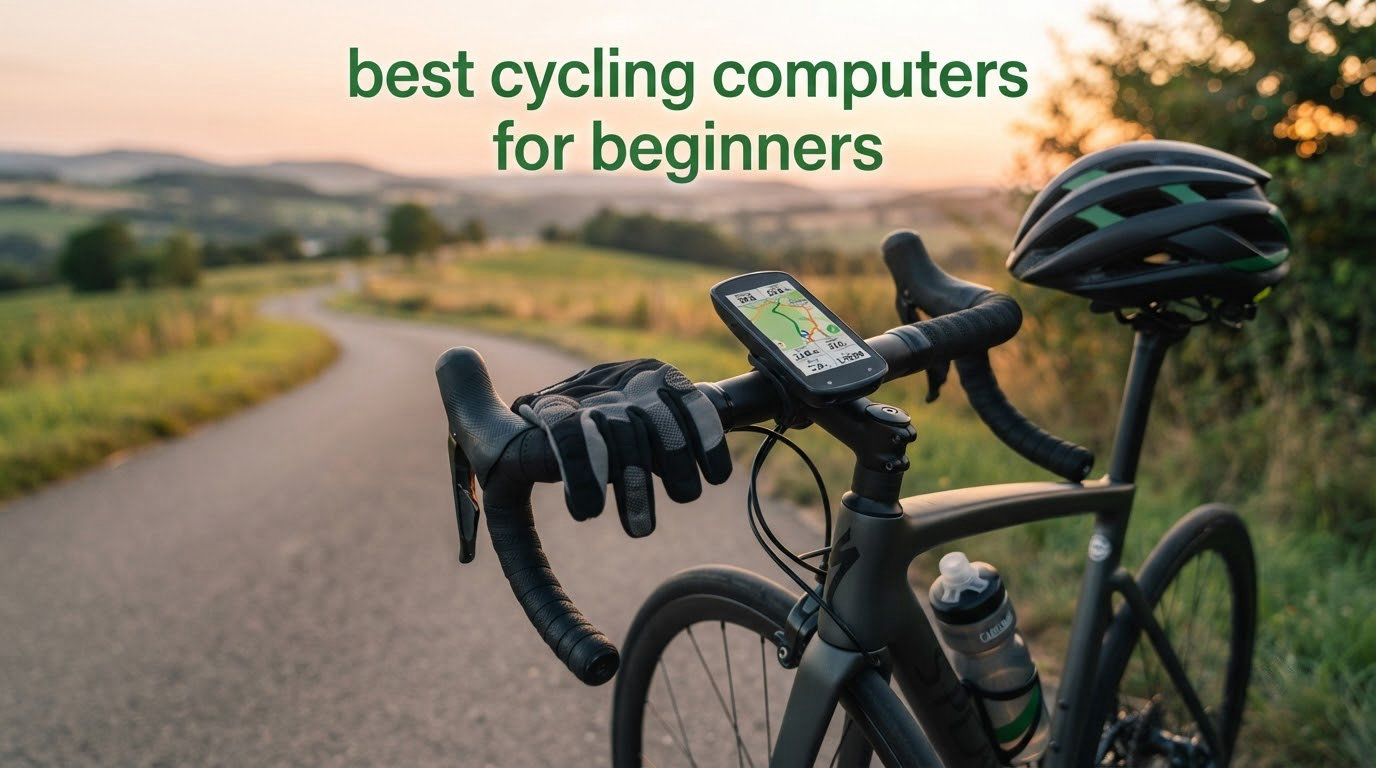
The best cycling computers for beginners are not the ones with the longest feature lists. They are the ones you can mount in five minutes, forget to charge, and understand after a single ride. Our team put eight entry-level and mid-entry devices through their paces, and the pattern was clear: the cheapest devices win on simplicity, and the only real jump in capability arrives when a computer can pair with external sensors.
That is worth repeating, because the jump from a plain speedometer to a GPS head unit confuses more first-time buyers than anything else in this category. You are not choosing between good and bad. You are choosing between three distinct tiers, and only one of them includes turn-by-turn navigation, sensor pairing and file export to Strava.
We broke this roundup into those tiers so you can stop before you overspend. Tier one is a wired or wireless speedometer that counts wheel rotations. Tier two is a sensor-free GPS computer that needs no magnet and no cable. Tier three adds colour navigation, ANT+ and Bluetooth sensor pairing, and ride file export. For most beginners, the right answer sits in tier one or tier two.
Over the past six weeks we compared all eight devices on setup time, screen readability, battery endurance, sensor support and how much data survives a sync to your phone. Nothing in this list requires a subscription. Before we get into the picks, one practical note: whatever you choose, proper cycling shoes and eye protection such as our cycling sunglasses picks matter more to ride quality than any display upgrade.
Table of Contents
Top 3 Best Cycling Computers for Beginners (October 2026)
The CATEYE Wired Bike Computer takes the top slot because it does exactly three things and never asks you to charge it. The CYCPLUS G1 is the pick if you want a GPS route recorded without installing anything on your wheel, and the CATEYE Velo Wireless is the strongest all-round first purchase for riders on known roads.

CATEYE Wired Bike Computer
- Wired speed sensor
- Alkaline battery lasting up to 3 years
- 2.17 inch LCD
- 1.12 oz


CATEYE Velo Wireless
- Wireless speed sensor
- Calorie tracking
- Manual odometer reset
- IP65 rated
The Best Cycling Computers for Beginners at a Glance
Every device below records speed, distance and elapsed time. The differences that matter for a first purchase are how the speed data is captured, how long the battery lasts, and whether the ride reaches your phone afterwards. That last point is where most cheap speedometers stop entirely.
| Product | Specifications | Action |
|---|---|---|
| CATEYE Wired Bike Computer |
|
Check Latest Price |
| CYCPLUS G1 GPS Computer |
|
Check Latest Price |
| CATEYE Velo Wireless |
|
Check Latest Price |
 COOSPO BC107 GPS Computer COOSPO BC107 GPS Computer |
|
Check Latest Price |
 COOSPO BC26 GPS Computer COOSPO BC26 GPS Computer |
|
Check Latest Price |
 Bikevee GPS with Altimeter Bikevee GPS with Altimeter |
|
Check Latest Price |
 GEOID CC600 Colour GPS GEOID CC600 Colour GPS |
|
Check Latest Price |
 CATEYE Padrone Wireless CATEYE Padrone Wireless |
|
Check Latest Price |
A note on what the table cannot show: none of these devices includes a handlebar out-front mount as standard except the GEOID CC600, which ships with a replaceable mount and rubber bands. Budget for a separate mount if you want the screen sitting closer to your eyes, and check that your handlebar diameter suits the bracket you choose.
1. CATEYE Wired Bike Computer – The One You Install and Forget
CATEYE Velo 7 Wired Bike Computer
2.17 inch LCD
Wired speed sensor
Alkaline battery up to 3 years
1.12 oz
Pros
- Install it once and it runs for years without charging
- Shows current max and average speed plus trip and total distance
- Auto start and stop pauses timing when you halt
- No app account or phone required
- Two year manufacturer warranty
Cons
- Wired sensor means routing a cable from fork to handlebar
- No GPS and no sensor connectivity
- No backlight so night riding is difficult
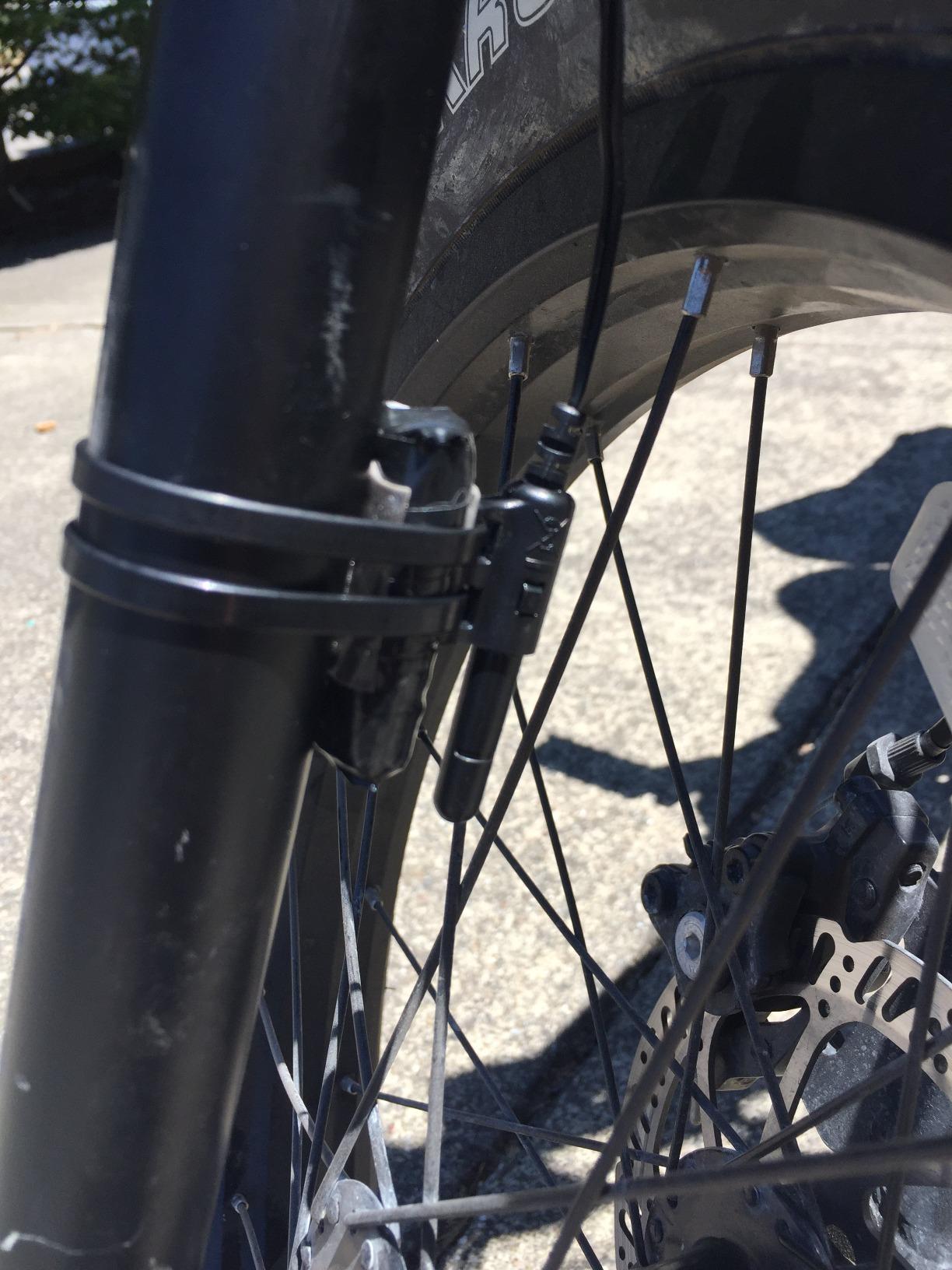
This is the CATEYE Velo 7, and it is the honest starting point for anyone whose rides follow the same roads most weeks. A magnet on the front spoke passes a sensor on the fork, the sensor counts revolutions, and the head unit converts those into speed and distance. There is no GPS lock to wait for and no satellite signal to lose under trees, which is exactly why the numbers stay steady on a route you know well.
What surprised us most was how little attention it demands. We fitted it and then went roughly two months before touching the setup again. The alkaline cell is rated at up to three years of average life, so battery anxiety simply does not apply here, and the auto start and stop function handled our stop-start city riding without any manual intervention.
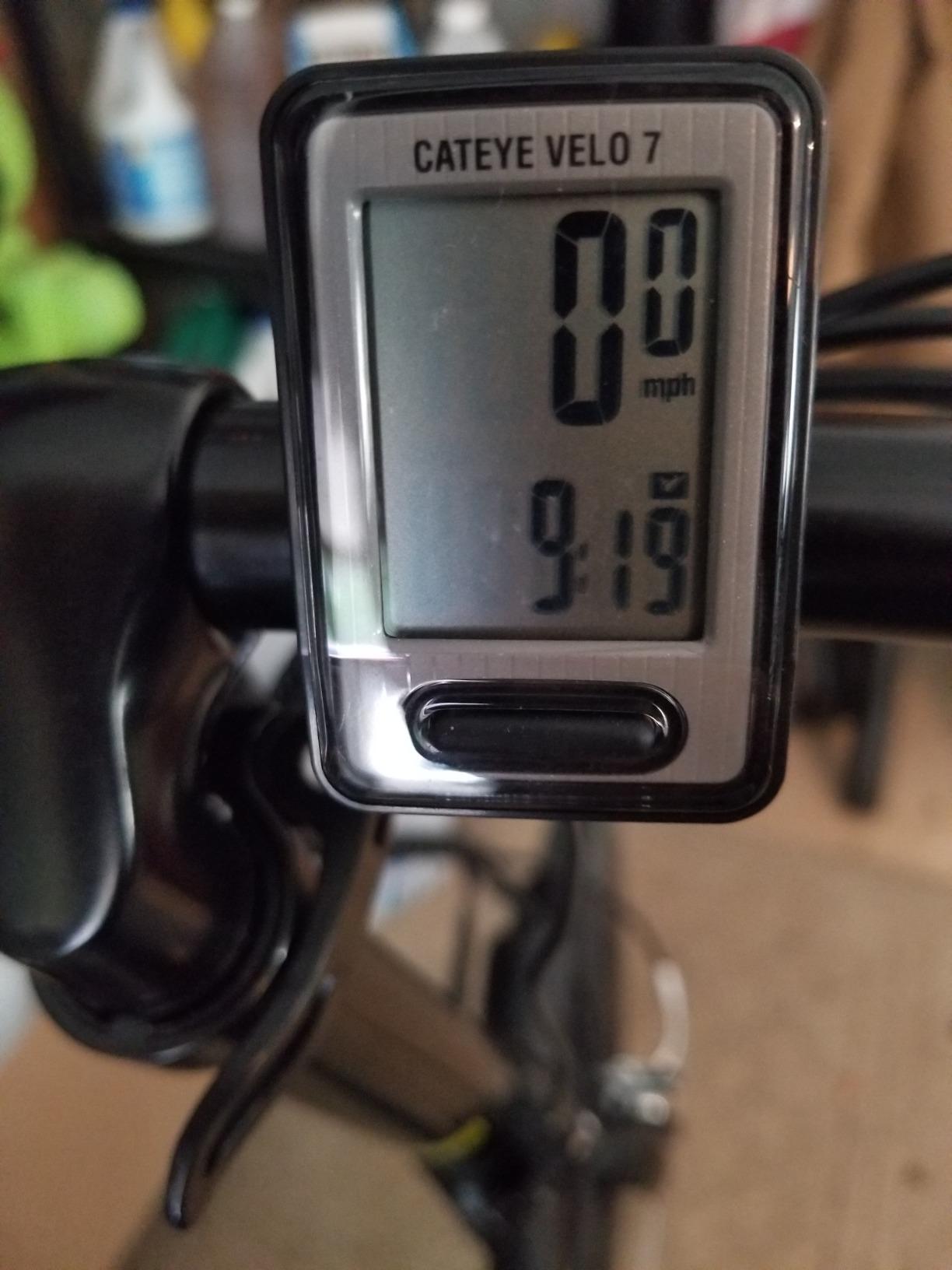
The data set is broader than the price suggests. It gives current, maximum and average speed, total distance, trip distance, elapsed time, a pace arrow telling you whether you are speeding up or slowing, and a clock. The odometer accumulates across rides, so a first-year rider can look back at a full season of mileage without touching a computer file.
It weighs 1.12 ounces and measures 2.19 by 1.48 by 0.73 inches, which is small enough to forget on the bike and light enough to mount anywhere. The box contains the bracket and sensor, the computer, a magnet and zip-ties, so there is nothing extra to buy for a basic installation.
Should a first bike computer be this simple?
If your rides are a commute on familiar streets, a loop from the house, or a weekly club spin on the same loop, a wired speedometer is the correct purchase. It records reliably, it never runs out of power mid-ride, and it will still be working three years from now because nothing about it needs updating.
The mechanism is also the cheapest entry into cycling data, which matters if you are curious about pace and distance but not ready to commit to a charging routine. Owners describe it as a dependable no-frills speedometer, and the volume of long-term owner feedback supports that: accuracy complaints are rare, complaints about the wire and the unlit screen are common.
Where this wired speedometer falls short
Route recording is the real limit. Without GPS you never see a map, you never get turn-by-turn prompting, and you cannot upload a ride anywhere. If you plan to explore unfamiliar roads, get lost once, or share routes with friends, that absence matters more than the low cost saved.
The cable is the other daily friction point. It runs from the fork sensor up to the handlebars, and on some frames you will spend ten minutes routing and zip-tying it so nothing rubs. Riders who hate cable management should look at the wireless models further down this list, which deliver the same core data with no wire to route at all.
2. CYCPLUS G1 Wireless GPS Computer – Sensor-Free and Set-and-Forget
CYCPLUS Wireless GPS Bike Computer G1, 70g, 2.0″ Screen, IPX6, 1200mAh
2 inch LED screen
1200mAh battery
Sensor-free GPS
IPX6 waterproof
Pros
- No wheel sensor
- magnet or cable to install
- Automatic glare-free backlit FSTN screen with tempered glass
- IPX6 waterproofing holds up in rain
- 1200mAh battery outlasts the advertised runtime
Cons
- GPS readings drift under tree cover and in tunnels
- No Bluetooth or ANT+ so no heart rate or cadence pairing
- No app connectivity so ride data stays on the device
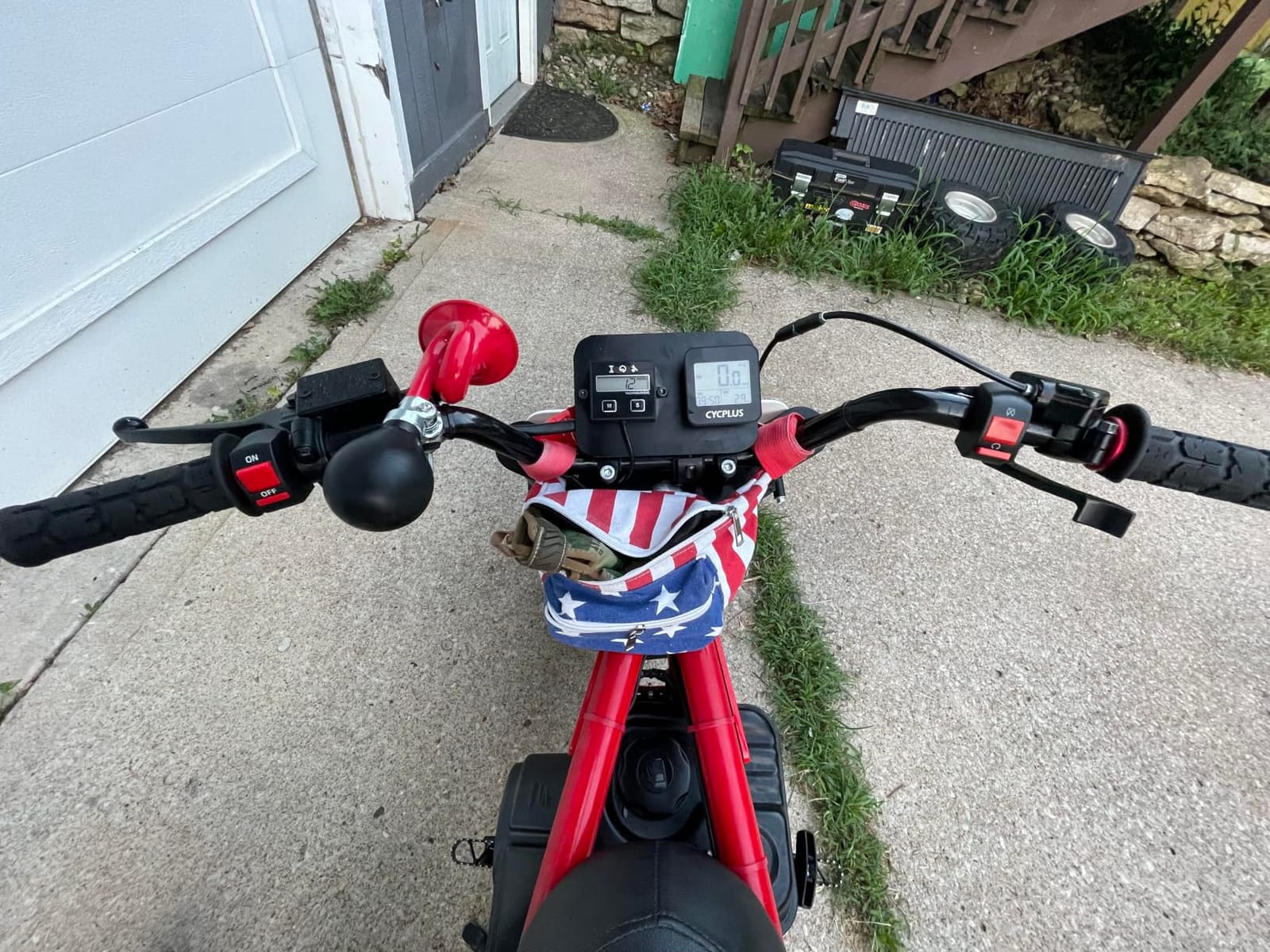
The CYCPLUS G1 sits in a category of its own. It has no magnet, no fork sensor and no cable, because it derives speed and distance from its own GPS receiver. Installation takes about two minutes, and the included box holds the computer, a charging cable and the manual. There is no companion app to install and no account to create.
For a beginner, removing the physical installation is a bigger deal than it sounds. Wheel-based computers need correct circumference calibration, which means taking the unit off the bars, rolling a measured distance and entering a number. The G1 skips all of that, which is why reviewers consistently describe it as one of the easiest cyclometers to operate.
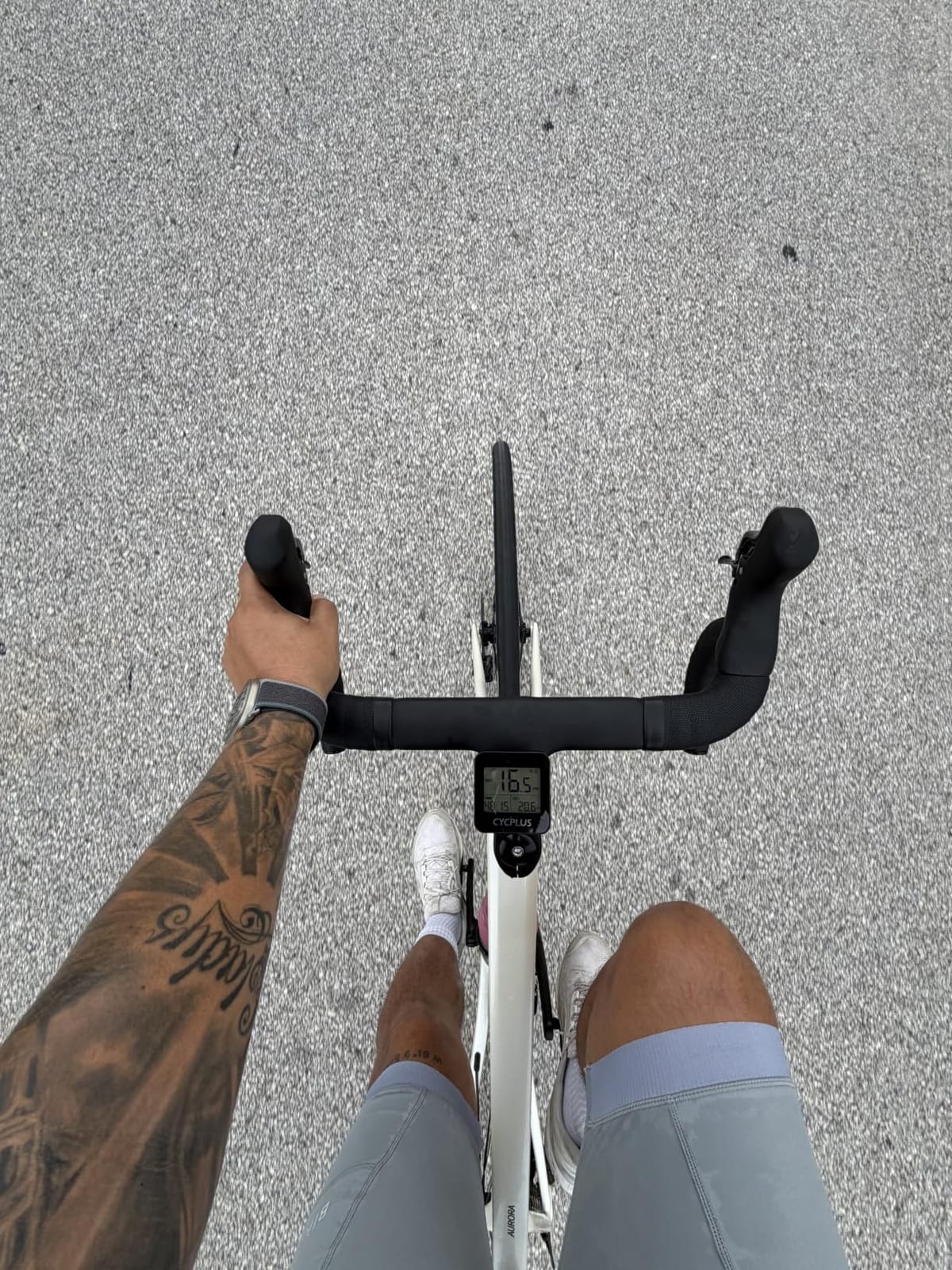
The screen is a 2 inch FSTN panel with an automatic backlight and tempered glass over it. In daylight the segment display stays legible, and at night the sensor-sensing backlight handles low-light conditions, which is a genuine step up from the unlit wired speedometer in this roundup. The unit weighs 70 g and carries an IPX6 water resistance rating.
Battery life is rated at 50 hours, and owners report the 1200mAh cell comfortably outlasting that estimate, with sleep mode engaging after ten minutes of inactivity and the previous ride shown on power-up. In practice this is a device you charge roughly once a month rather than once a week.
Who benefits from a sensor-free GPS computer?
Riders who want a recorded route without installing hardware, and who do not intend to buy a heart rate strap or power meter in the near future. It gives you the same speed, distance, ride time, total mileage, clock and altitude figures as the wired units, plus a route trace you can review, with none of the installation work.
Commuters and casual weekend riders make up most of the happy owner base. The data never leaves the device, so if you ride the same commute daily and simply want elapsed time and average speed on a readable screen, this covers the requirement at low cost and low attention.
Why GPS-only measurement is not always enough
GPS-derived speed has an honest weakness. Under dense tree cover, in a tunnel, or between tall buildings, the receiver keeps its last known position and extrapolates, so distance creeps upward and speed readings become noisy. If your route runs through woodland or a city canyon, expect the number to drift from a wheel-based unit in those sections.
The bigger limitation for anyone who plans to progress is connectivity. With no Bluetooth and no ANT+, this computer cannot accept a heart rate monitor, cadence sensor or power meter, and with no app there is no way to export ride files for later analysis. Treat it as a display for one rider who rides alone, rather than a training tool that grows with you.
3. CATEYE Velo Wireless – Best First Computer for Fixed-Route Riders
CATEYE Velo Wireless Bike Computer (Black)
Wireless speed sensor
LCD with LED
10 cm display
Calorie tracking
IP65
Pros
- Wireless design removes all handlebar cable clutter
- Programmable odometer keeps total miles across battery changes
- Tracks calories in addition to speed and distance
- Auto start and stop handles stopped time accurately
- Ships with magnet mount and speed sensor
Cons
- No backlight makes night riding difficult
- Zip-tie sensor and computer mounts can shift
- Setting wheel circumference means removing the unit
This is the middle ground between the wired model and a GPS head unit, and for many beginners it is the most balanced choice. A radio speed sensor on the fork sends readings to the handlebar computer wirelessly, so you get wheel-accurate speed and distance with no cable to route. The display is a 10 cm LCD with an LED element, and the whole unit weighs 1.12 ounces.
Two features set it apart from the cheapest wired option. The programmable odometer means total miles survive a battery change, which the wired model also offers but which matters more here because the wireless unit uses a coin cell you will eventually replace. And the calorie figure gives you a daily activity number beyond raw ride statistics, which some riders find motivating on a commute.
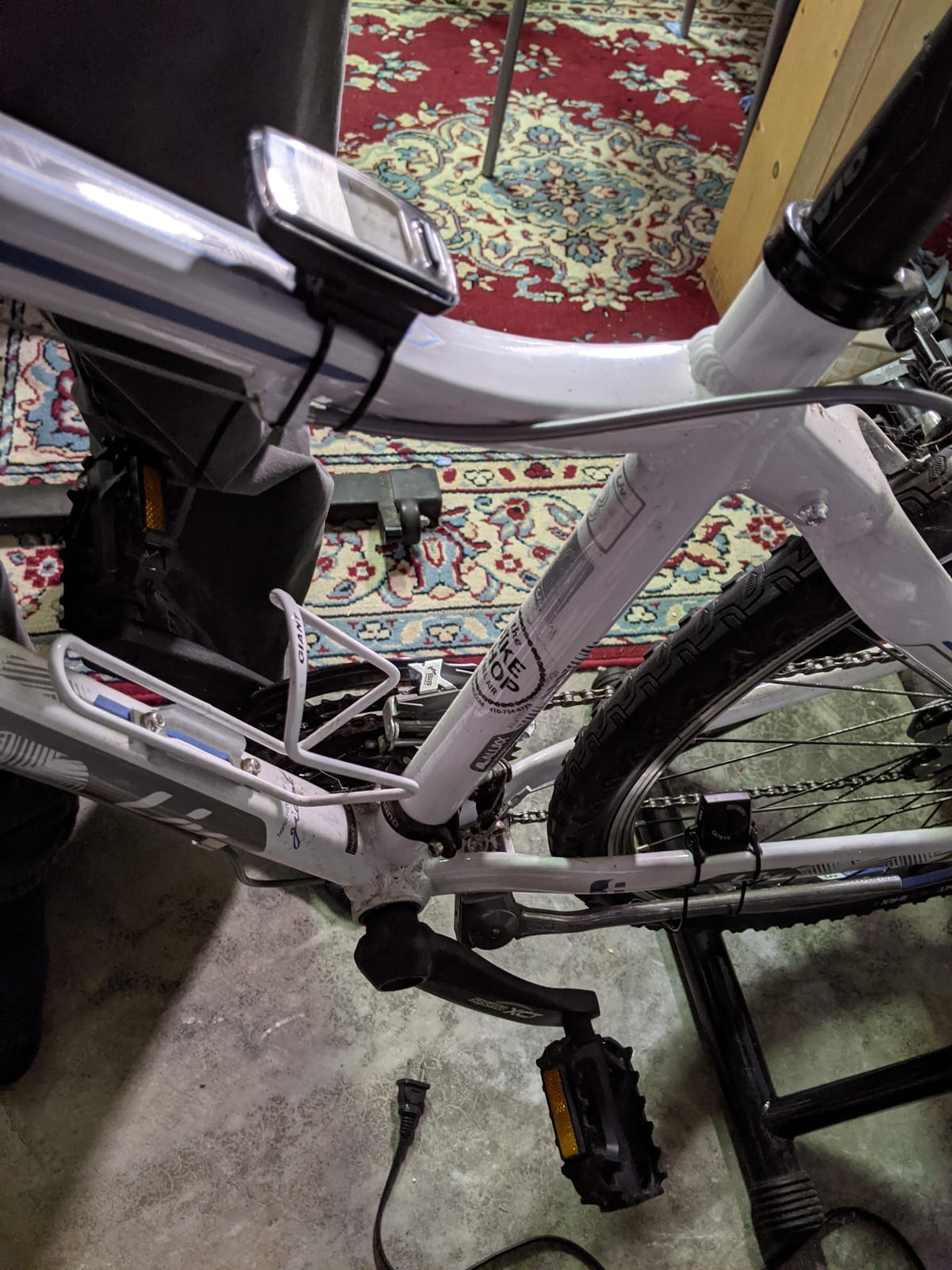
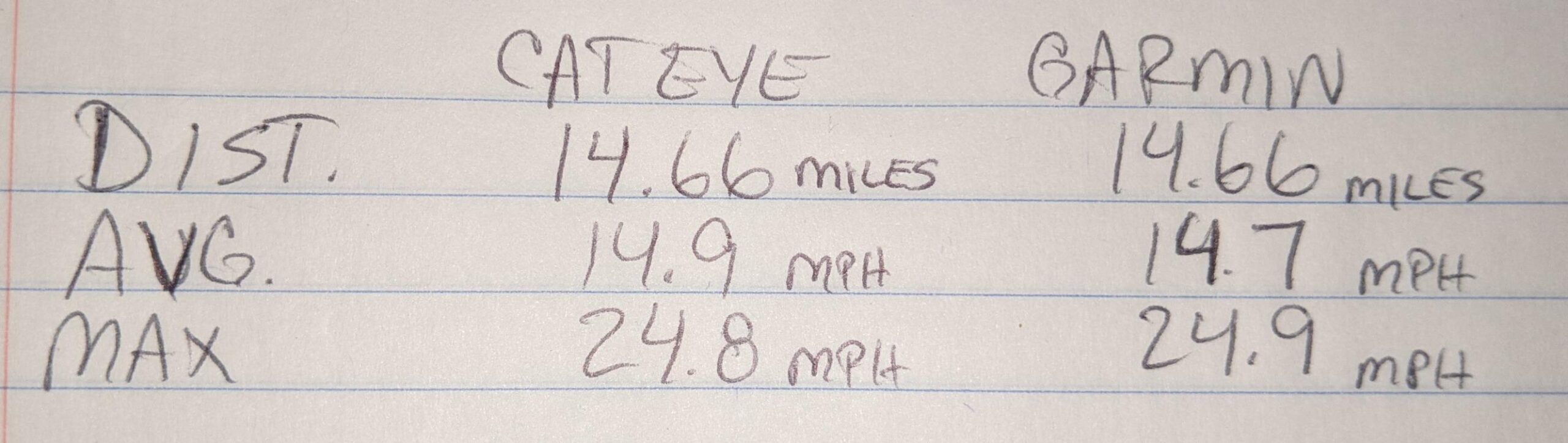
Accuracy is a genuine strength once configured. The wheel circumference needs manual calibration, and once you fine-tune it to within a centimetre, owners report readings that hold up well against a phone GPS across repeated rides. That single setup step is the price you pay for wireless convenience, and it takes one short rolling distance to complete.
Long-term owners describe the device as tiny, accurate and dependable, with a sleep mode that conserves the coin cell. The criticisms that come up repeatedly concern the rubbery menu button, the flimsy zip-tie bracket and the absence of a backlight, rather than the speed and distance functions that matter most.
Is a wireless speed sensor the right first upgrade?
Yes, for anyone who found the wired cable irritating. You keep wheel-based accuracy, which is the most trustworthy measurement on a bike, and you lose the routing and zip-tying job entirely. It is the step most riders take before moving to a GPS device, and it is a completely defensible place to stay indefinitely.
It also suits riders on group rides and fixed club routes, where a shared start and stop means everyone covers the same distance. The auto start and stop function handles the pauses at junctions, so your elapsed time reflects moving time without any button pressing during the ride.
What you give up compared with a GPS model
There is no route recording, no navigation and no file export, and the sensor works only with the one supplied in the box. If a fork-mounted sensor is ever lost, the replacement pairing can take several attempts, which is a common complaint with this style of analog wireless unit.
Night riding is the other weak point. Without a backlight the screen is essentially unreadable in the dark, and because you cannot attach a light to the unit, a rider who regularly commutes after dark should add a handlebar light rather than hope the screen becomes visible. It also carries an IP65 rating, so heavy rain is tolerated but submersion is not.
4. COOSPO BC107 GPS Computer – Best for Pairing Sensors Later
COOSPO Bike Computer GPS Wireless, ANT+ Cycling Computer with Bluetooth, 2.4 LCD Screen, Speedometer with Auto Backlight IP67 Waterproof
ANT+ and Bluetooth
2.4 inch FSTN screen
80 hour battery
IP67 rated
Pros
- Pairs over ANT+ with heart rate cadence and power sensors
- Garmin-style out-front mounts
- 80 hours of recording on a single charge
- Route data uploads to Strava as fit files
Cons
- First GPS fix can take three to five minutes
- Out-front mount not included and sold separately
- App is less polished than major brand software
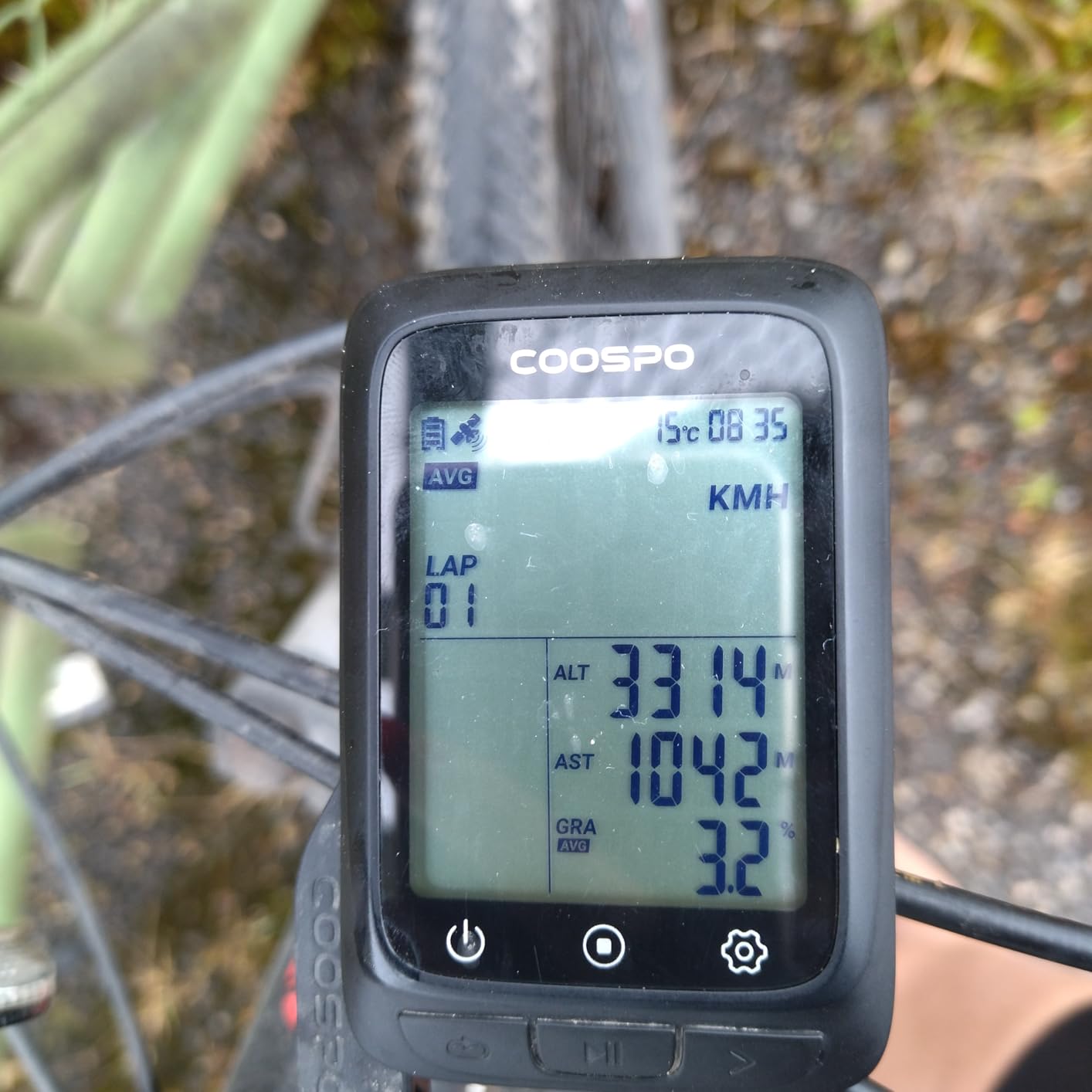
This is the first device in our list that accepts external sensors, and that single fact changes what kind of rider it suits. The BC107 speaks ANT+ and Bluetooth, so a heart rate monitor, a speed and cadence sensor or a power meter will pair with it. Sensors are inexpensive additions rather than a reason to change head units later, which is what makes this a sensible first serious purchase.
The 2.4 inch FSTN segment screen is sunlight readable and carries an environment-sensing automatic backlight. Owners who previously carried a Garmin or Wahoo unit single out the fact that it fits standard out-front mounts, so you can reuse a mount you already own rather than hunting for a proprietary bracket.
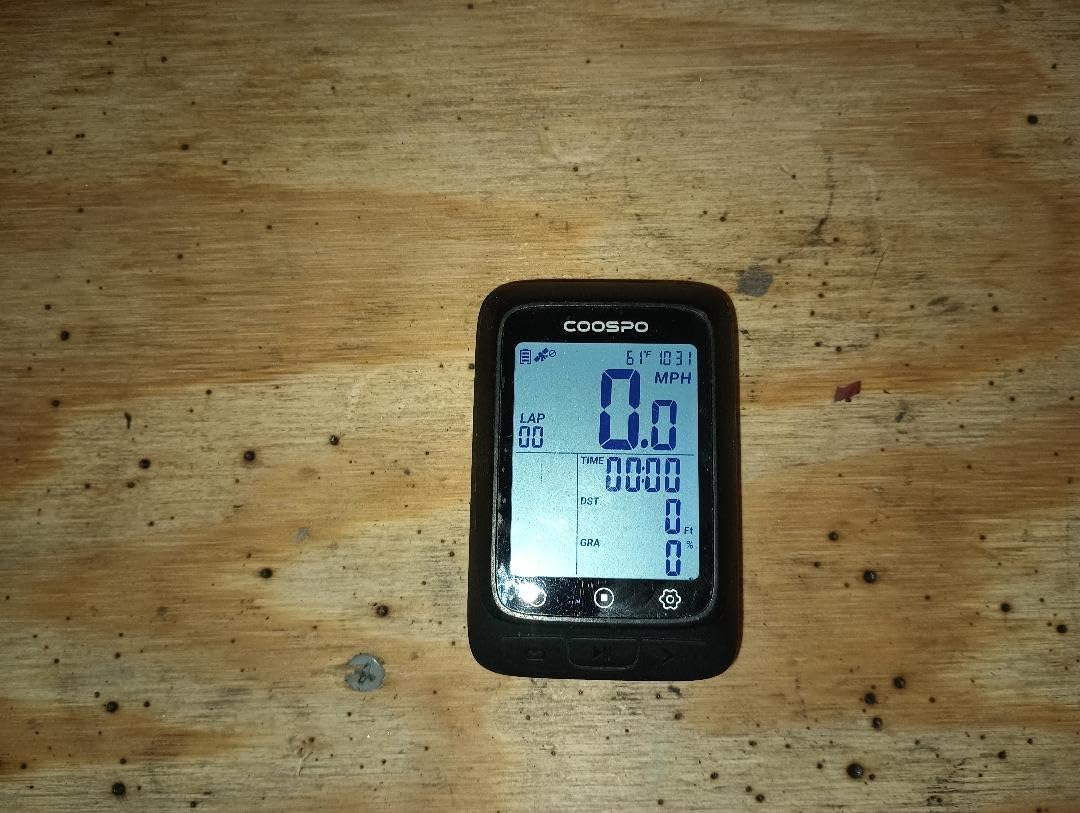
The device weighs 100 g, the heaviest of the eight units here, and the warranty runs twelve months rather than the two years offered by several rivals in this list.
Route data uploads to Strava as standard fit files through the CoospoRide app, and the app handles configuration, map loading and firmware updates over Bluetooth. That makes this a reasonable first step for a rider who intends to add a power meter within a year, without paying for a flagship head unit to get there.
Do beginners actually need a heart rate strap?
Not at the start, and you should not buy sensors simply because a device supports them. A heart rate monitor becomes useful once you care about training intensity rather than mileage. What this computer does offer is the option later, so a rider who becomes serious does not have to replace the head unit to start collecting that data.
A paired speed and cadence sensor is a more immediate use. With that connected, you get wheel-based speed accuracy alongside the GPS trace, which corrects the drift that affects sensor-free GPS units under tree cover. For a rider whose routes are partly wooded, that combination is worth more than any navigation feature.
Where the trade-offs show up
The first GPS positioning pass is slow, and the manufacturer states three to five minutes outdoors for a cold start. Riders accustomed to a device that locks in a few seconds will find the first ride of each session slower than they expect, and the wait is longer than the few seconds quoted by the sensor-free GPS units in this list.
The app is the other weak point. It is functional for setup and uploads but far less polished than Garmin Connect, and screen customisation options are limited. A minority of owners also report early failures such as a unit that stopped powering, a weak GPS lock or water ingress, so buying with the option to return it easily matters more here than with the established brands.
5. COOSPO BC26 GPS Computer – Lightweight and Strava-Ready
COOSPO BC26 Bike Speedmeter GPS, Wireless Bike Computer for Entry Level Rider, Bicycle Speedometer Odometer with Automatic Backlight, Waterproof and 25H Battery, Support Sync with Strava
2.3 inch FSTN screen
25 hour battery
54 g
IPX7 rated
Pros
- Weighs only 54 g so it barely registers on the bars
- Dual GPS positioning tracks routes and syncs fit files to Strava
- 2.3 inch sunlight readable screen with automatic backlight
- 25 hours of continuous battery in GPS mode
- IPX7 water resistance and clear button clicks
Cons
- No external sensor pairing and no indoor trainer use
- You must hold the start button to begin and end a ride
- Maximum speed alarm is off by default
The COOSPO BC26 is the lightest device in this group, at 54 g, and that figure matters on a bike fitted with smaller handlebars or an aggressive riding position. It also has a Bluetooth connection to a phone app, so route data can reach Strava as a fit file without any extra purchase.
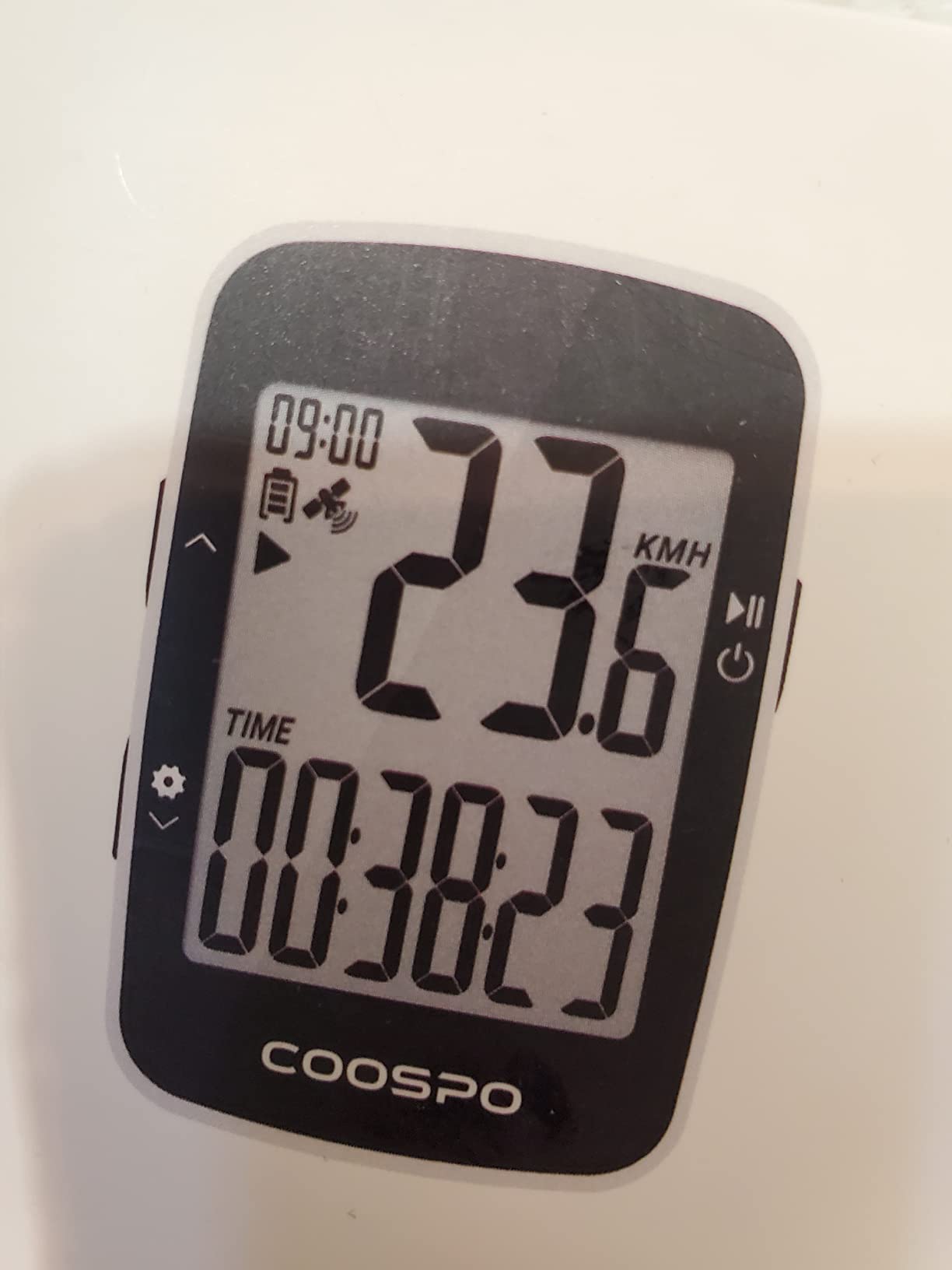
The display is a 2.3 inch FSTN segment screen with automatic backlight sensing, and reviewers specifically call out its readability through polarized sunglasses. It shows current, maximum and average speed, total distance, trip distance, cycling time and altitude, which is a complete set for a rider who wants to review a commute afterwards.
The dual positioning sensor records your riding map and uploads it through the CoospoRide app, which also handles route map loading and firmware updates. Battery life is 25 hours in GPS mode, and the lithium polymer pack recharges over the included cable.
IPX7 sealing covers full immersion on the BC26, so sustained rain and a splash are not concerns here. Reviewers frame it as a dependable first bike computer rather than a training tool, and the consistent praise is for GPS accuracy on speed and distance alongside a display that remains readable in bright conditions.
Is this a good computer for shorter daily rides?
Yes, provided your typical ride stays well inside a full day of recording. Twenty-five hours of GPS runtime covers a week of commutes or a long weekend ride many times over, and the light 54 g body suits riders who dislike anything heavy between the stem and the bar tape.
It also suits riders who want their Strava history without buying a sensor. Since fit files upload over Bluetooth through the app, you get a full ride file with a recorded route, an upload timeline and elevation data, which is more than any speedometer in this roundup offers.
What limits it as a long-term purchase?
Recording control is manual. You must press and hold the start button to begin and end a ride, and the file does not sync until the device is properly powered down. Forgetting to close a ride at the coffee stop leaves you correcting the file later, and that is the single most common complaint from owners.
There is also no ANT+ or Bluetooth sensor pairing, which means no heart rate, no cadence and no smart trainer use, so it will not work for indoor riding at all. Settings are buried in a menu that reviewers describe as confusing, the maximum speed alarm is disabled by default, and an extension out-front mount is not included.
6. Bikevee GPS Computer with Barometric Altimeter – Best for Climbers
Bikevee GPS Bike Computer, 2.4″ Screen, Altitude, Gradient, IPX7, 28H
2.4 inch LCD
Barometric altimeter
28 hour battery
IPX7 rated
Pros
- No wheel sensor spoke magnet or app required
- Altitude gradient temperature and accumulated ascent beyond basic stats
- Barometric altimeter matched a dedicated GPS within a foot
- 650mAh battery holds up well in cold weather
- Large main speed figure readable in sunlight and at night
Cons
- No heart rate connectivity and no fit file upload
- Only three fixed display pages that cannot be edited
- Built-in thermometer is unreliable in cold and direct sun
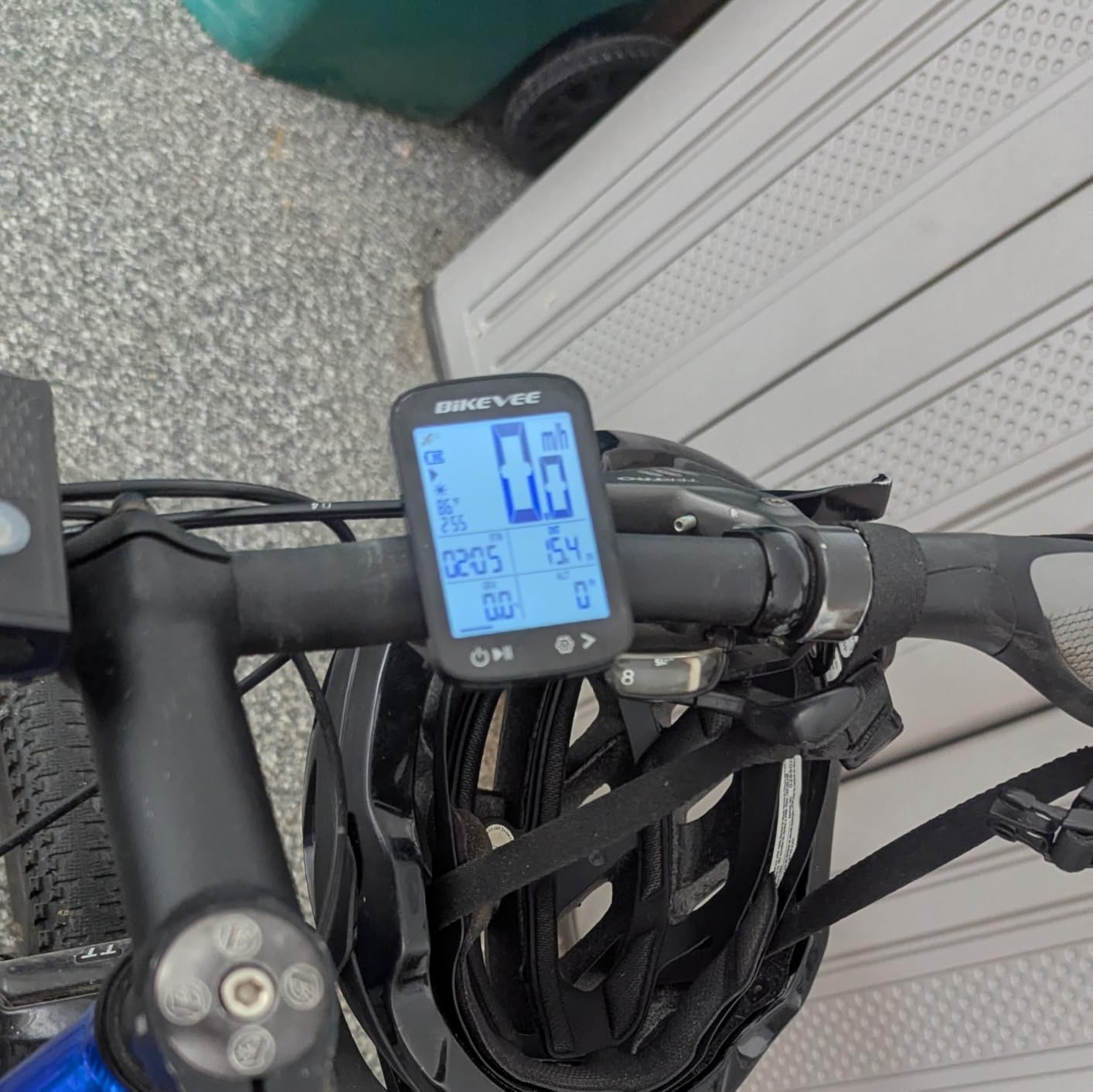
This is the most interesting specification in the roundup. Almost every other entry-level device measures altitude from the GPS signal, which is noisy and drifts. The Bikevee adds a barometric altimeter, a pressure sensor that measures elevation change directly, and owners who compared the two report elevation gain figures matching a dedicated GPS to within about a foot.
That accuracy turns a spec-sheet line into a real training figure. If your local riding involves repeated short climbs and you care about ascent, this is the only device in the list that measures it rather than estimating it. The unit also reports gradient, ambient temperature and accumulated ascent alongside the standard speed and distance fields.
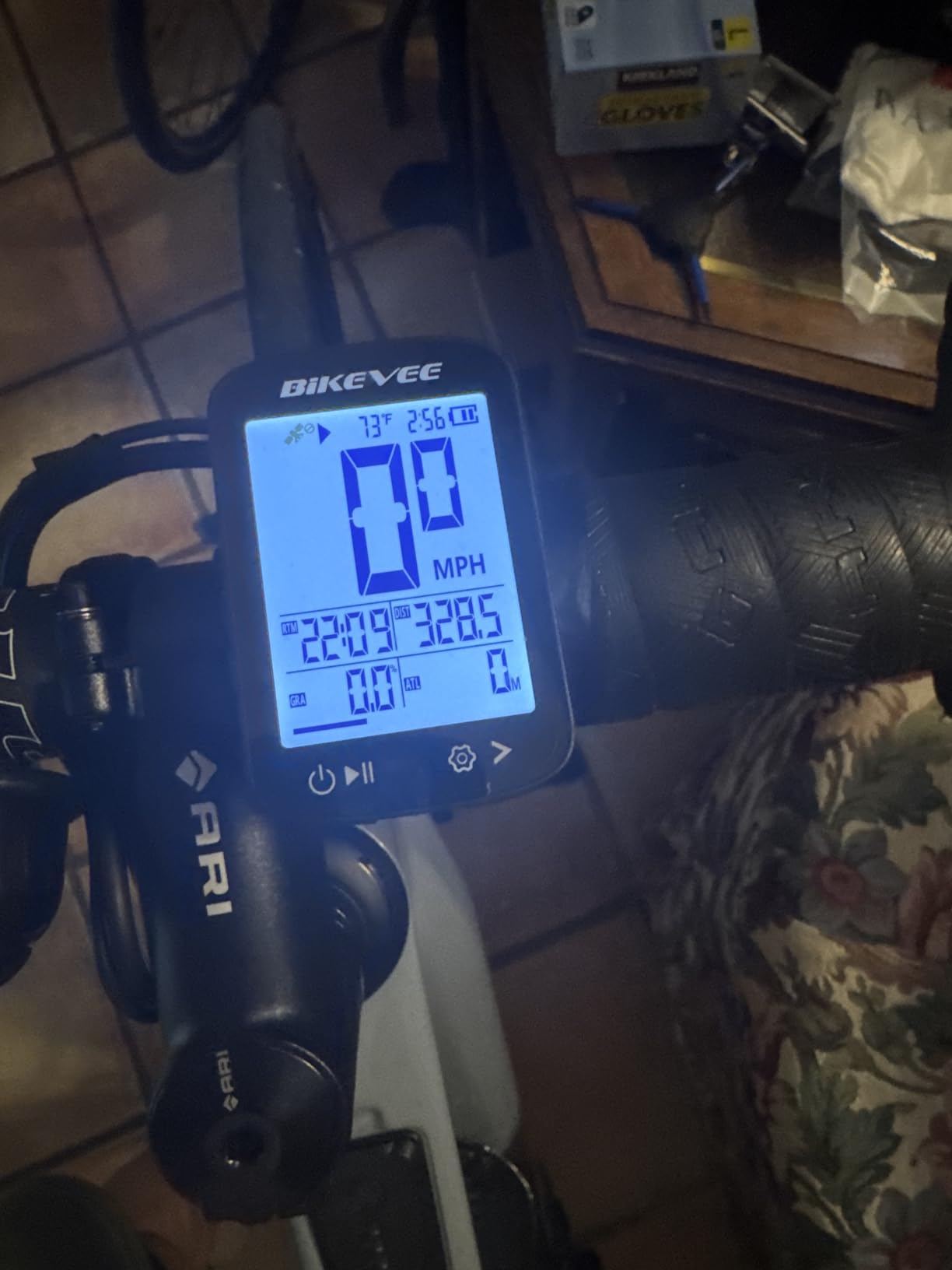
Setup is the simplest here. There is no wheel sensor, no spoke magnet and no app, so you set your time zone and units and ride. Auto start and stop handle paused time, and sleep mode engages after seven minutes of inactivity. The 2.4 inch LCD has an automatic backlight, and the main speed figure is large enough to read at a glance.
Box contents matter more than usual on a device with no app. The package includes the computer, a USB-C cable, a standard handlebar mount, a rubber pad, rubber rings and a manual, so nothing has to be bought separately for a first installation. The warranty runs two years, which is longer than the twelve months offered by the two CooSpo units.
Roughly two thirds of the data on screen comes from the pressure sensor rather than the satellite receiver, which is why the numbers hold steady when a GPS-only unit would start drifting. The climb profile you see after a hilly ride reflects the barometric reading, which is the reason this device exists and the reason to choose it over a cheaper one.
The motion sensor gives it one small trick. Rather than waiting for the satellite lock alone, it detects that the bike is moving, which shortens the delay between taking the device out of your pocket and starting a recording. On short rides where you stop for coffee two minutes in, that difference in how the device behaves is more noticeable than any specification.
Is a barometric altimeter worth choosing a device for?
If you ride hills, yes. A barometric sensor gives a genuinely reliable climb profile, and gradient is a far better guide for pacing effort than a noisy GPS-derived altitude number. Riders who have used one tend to notice the difference immediately, particularly on short, repeated climbs where satellite noise is proportionally largest.
It is also relevant for anyone who cares about how much climbing they do in a week, which is a reasonable thing for a new rider to track. Everything else here reports altitude as a secondary field; this is the only unit in the group that treats elevation as a headline measurement.
What you cannot do with it
There is no connectivity of any kind. No heart rate strap, no cadence sensor, no Bluetooth, no app and no fit file export, so your ride data stays on the device and can only be read off the screen. Anyone whose habit is to review rides in Strava afterwards will find that limiting.
The display is also fixed at three pages that cannot be edited, so you cannot choose which fields matter to you, and the secondary text is small enough to blur over rough road vibration. Two further quirks: the speed readout stops counting at roughly 61 mph, and the built-in thermometer reads wildly wrong below freezing and in direct sun, so ignore the temperature field in winter.
7. GEOID CC600 Colour GPS – Turn-by-Turn Without the Flagship Bill
GEOID CC600 Color Screen Bike/Cycling Computer Wireless – Route Navigation with Reroute Planing, WiFi & Bluetooth, Fast 5s GPS Positioning, Free Indoor Training
2.4 inch colour screen
WiFi and Bluetooth
Turn-by-turn with re-routing
24 hour battery
Pros
- Colour turn-by-turn navigation with automatic re-routing
- WiFi transfers including AGNSS sync for around 5 second positioning
- Connects to up to nine sensor types including trainers and radar lights
- Free indoor training with power targets and gradient
- Stores up to 100 hours of rides and exports fit files to Strava and TrainingPeaks
Cons
- Requires a phone app for setup and GPX route loading
- 24 hour battery is shorter than rivals in this bracket
- Three button interface and dense menus take time to master
Colour navigation is normally the first thing to disappear as you move down a price list, which makes the CC600 worth understanding. You get a 2.4 inch colour LCD behind durable Asahi glass, turn reminders, and automatic re-routing when you stray off the loaded route. That is a feature set most riders associate with units many times the price, and it is the only one in this roundup that draws a map.
Positioning is handled through WiFi-assisted satellite acquisition. The device supports GPS, BeiDou, GLONASS, QZSS and Galileo, and syncs assistance data over WiFi so a cold start lands close to five seconds instead of the three to five minutes some rivals need for a first fix.
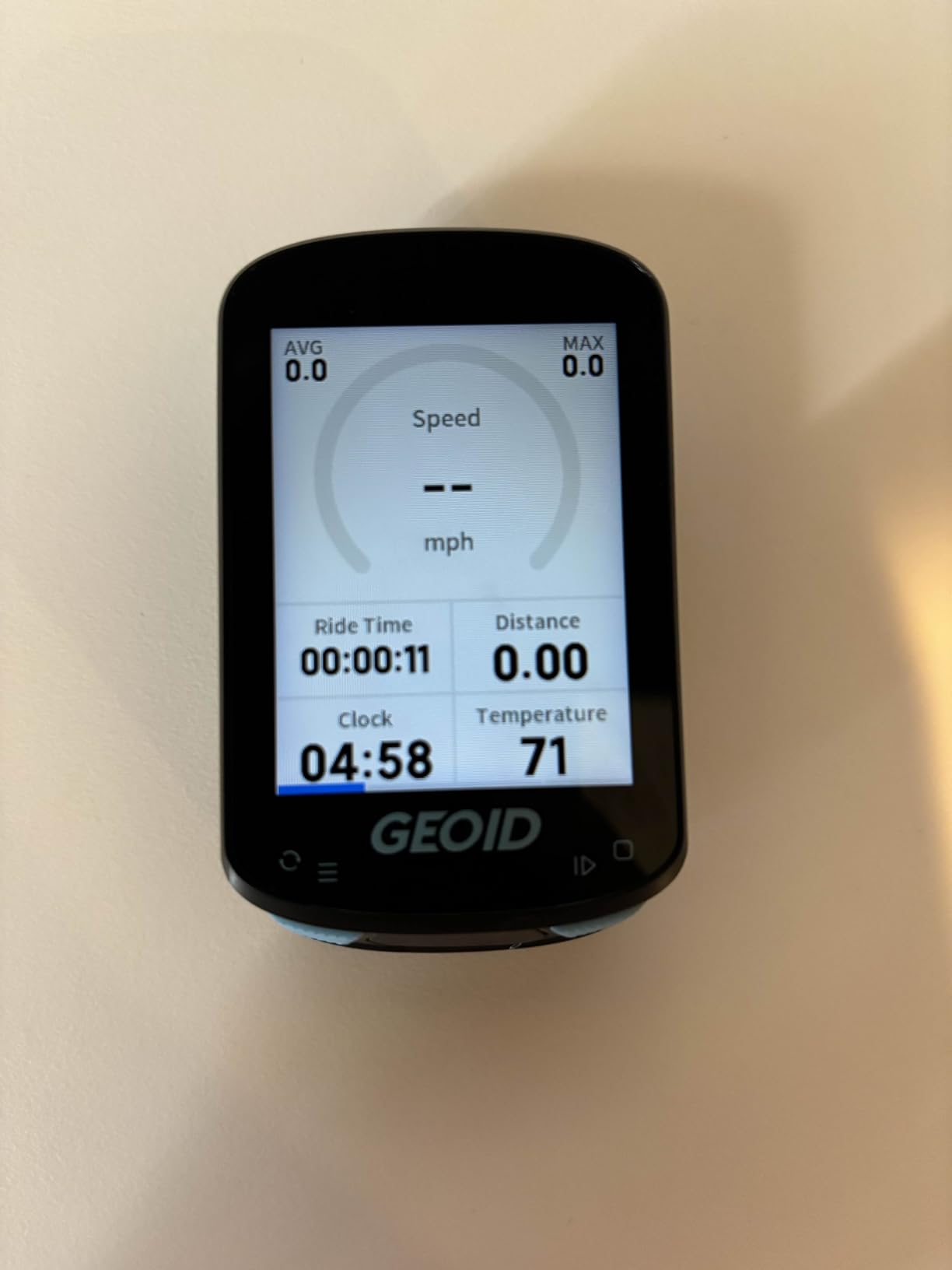
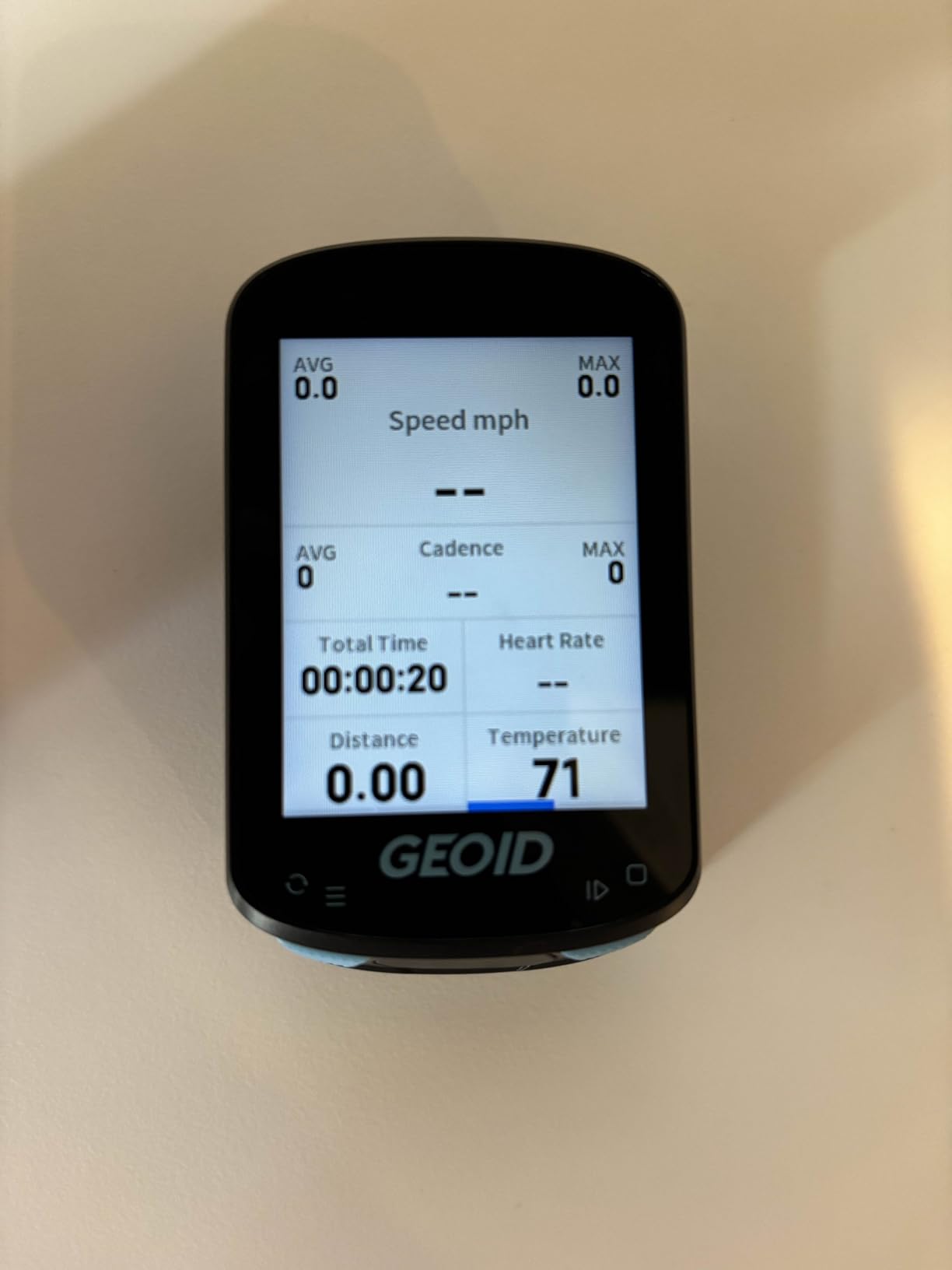
Connectivity is the widest in the group. Over Bluetooth and ANT+ it accepts up to nine device types including a speed and cadence sensor, heart rate monitor, power meter, smart trainer, radar tail light, smart tail light, SRAM eTap and Shimano Di2. Free indoor training lets you set power targets, resistance levels and gradients, and data fields are highly customisable with up to ten pages and 108 selectable items.
It stores up to 100 hours of ride data and exports fit files to Strava and TrainingPeaks, supports eleven languages, and ships with a replaceable mount, rubber bands, a charging cable and a safety strap. It weighs 2.61 ounces, and the warranty is one year.
Who should choose colour navigation as a beginner?
Riders who explore unfamiliar roads, ride gravel without a lead rider, or travel somewhere new with limited reception. Breadcrumb lines on a monochrome screen work well when you know where you are going; a colour map with re-routing is what you want when you do not, and it removes the single biggest reason people carry a phone on a longer ride.
It is also the only sensible choice here for a rider who already has sensors. If you own a power meter, a heart rate strap or a trainer, this is the only device in the group that will accept them over the full range of listed protocols, and the free indoor training mode is a genuine benefit through winter.
Why it is not our top recommendation
Battery life is the compromise. Twenty-four hours is the shortest GPS claim in this roundup after the BC26, and it will not cover a week of commuting without a charge. The battery is also not user replaceable in a practical sense, which matters if you ride daily for years.
The workflow depends on a phone. Setup, GPX route loading and ride review all run through an app, and firmware updates plus the fast AGNSS sync need you standing in an open area with WiFi. Add to that a dense menu system behind only three buttons, and this is a device that rewards twenty minutes of reading before your first ride, which is the opposite of what most beginners want.
8. CATEYE Padrone Wireless – Built for Glanceable Data
CATEYE Padrone Wireless Bike Computer (Green)
5.5 cm oversized LCD
Analog wireless sensor
IPX8 rated
1.12 oz
Pros
- Oversized display readable at a glance in direct sunlight and with sunglasses
- ClickTec base press operation avoids menu diving while riding
- Programmable odometer preserves total mileage across battery changes
- FlexTight bracket adjustable by hand
- IPX8 sealing
Cons
- No backlight so the screen stays dark at night
- Pressing the unit in a stem mount can reset the ride accidentally
- No second trip meter and bulky sensor is hard to angle on aero forks
The Padrone has been in production for long enough that the pattern of owner feedback is unusually well established, and the consistent theme is screen readability. At 5.5 cm the display is among the largest in this group, and decades of owner reports describe it as easy to read at a glance in direct sunlight and through sunglasses. That is not a spec-sheet advantage; it is the difference between glancing at your data and ignoring the device.
Operation is deliberately simple. The ClickTec design puts the control in the base of the unit, so pressing the bottom cycles through functions without scrolling through menus. The FlexTight bracket adjusts by hand with no tools, and the programmable odometer keeps your total mileage when the lithium cell eventually dies.
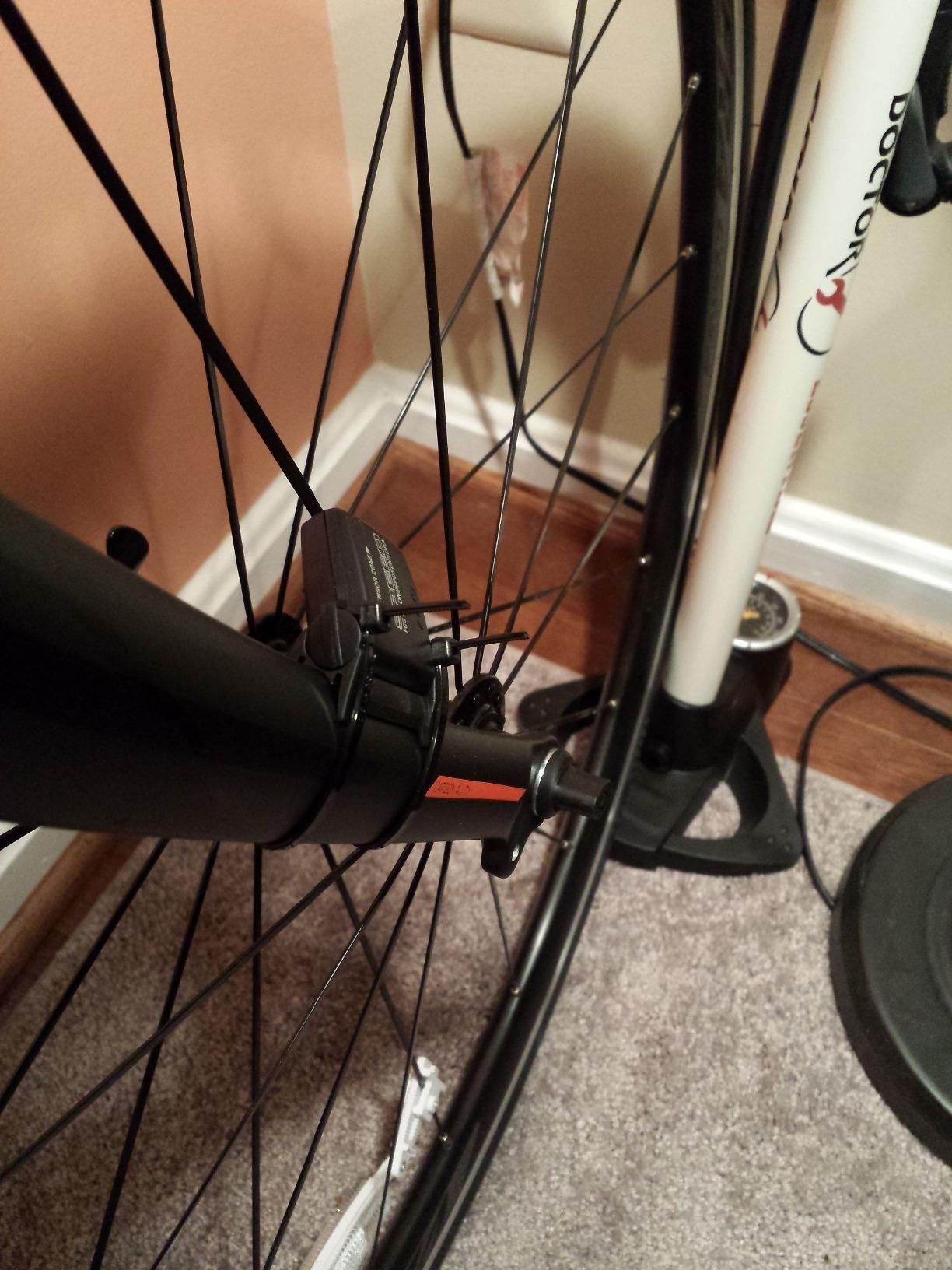
Measurement is wheel-based through an analog wireless fork sensor and a universal wheel magnet. Distance readings typically match a phone GPS within a tenth of a mile, which is close enough to trust for training. Auto start and stop pauses timing at stops, and the whole unit weighs 1.12 ounces, the same as the other CATEYE models here.
Water sealing is IPX8, deeper than any other rating in the group, and the battery is a lithium metal cell rated at roughly one year. The box includes the analog speed sensor, the head unit, a universal wheel magnet, zip-ties and the FlexTight mount kit, so the install is complete.
Is screen size the feature beginners underrate?
More than most buyers expect. A small segment screen becomes unreadable the moment road vibration starts, and reading a number while moving your eyes is a skill that takes a few weeks to build. Riders who spend time on a computer with a tight riding position and frequent out-of-the-saddle climbing notice large digits immediately.
For a rider who will be glancing at the device constantly while learning to ride, a screen this large is a genuine reason to choose within this price range. The trade is the physical bulk of the analog sensor, which is harder to angle close to the magnet on aero fork shapes than a slim modern unit.
The quirks that catch people out
There is no backlight, so night riding means a light on the unit or no data at all. And because ClickTec responds to a press on the base, a Padrone sitting in a stem mount can be knocked or pressed and reset the ride unintentionally, which is worth knowing before a long ride.
Two further limitations. There is no second trip meter, so resetting the distance display wipes the partial second trip. And the recurring complaint among owners is radio-frequency interference from some front LED bike lights, which can block the fork sensor and drop your speed reading until you move the light or the sensor.
Do You Even Need a Bike Computer?
For some riders, a free phone app genuinely is enough, and we would rather say so than sell hardware you do not need. If you ride one or two routes a week, always know the way home, do not care about elevation, and your phone finishes the ride with battery to spare, a phone app records the same trip for no cost at all. Add a good pair of cycling shoes and you have covered the essentials.
That said, a phone is a poor cycling computer for four reasons. It drops out in cold or wet weather, its GPS struggles under tree cover for the same reason the sensor-free units drift, its screen is unreadable in direct sun without maximum brightness, and a dropped phone at 25 km/h is an expensive mistake. Battery life is the everyday issue, since a long ride with navigation and screen brightness on can flatten a phone well before the ride ends.
You do need hardware if you commute on unfamiliar routes, ride at dusk or at night, want heart rate or power data now or later, or want your phone free for emergencies and music. You also need it if you plan to use a smart trainer indoors, which is why trainers appear in our indoor cycling roller guide alongside the devices that support them.
The honest middle path is a wired speedometer. It costs little, it needs no charging and no account, and it is accurate on any route you already know. That is the purchase we would make first if we were buying today for a rider who had never used a head unit.
What a Beginner Actually Needs From a Head Unit
Five data fields cover almost every new rider: current speed, elapsed time, trip distance, average speed and a clock. Add total distance if you want a season mileage figure, and altitude if your routes involve hills. Everything else on the spec sheet is something you will either ignore for a year or never use at all.
Next, decide how the speed is measured. A spoke magnet and fork sensor gives the most accurate reading and works anywhere, including tunnels, but needs installation. GPS-derived speed needs no hardware on the wheel, but drifts under tree cover. Dual measurement, which pairs a wheel sensor with GPS, is the most accurate option and is only available on the sensor-capable devices in this list.
Third, count connectivity as a future feature, not a present one. ANT+ and Bluetooth are what let a computer accept a heart rate monitor, cadence sensor, power meter, radar light or smart trainer. If you think you will add any of those within a year, pay for connectivity now. If not, a device without it costs less and does exactly what you need.
Fourth, think about battery in riding terms rather than hours. A wireless speedometer with a coin cell needs attention once a year. A solar or long-life GPS unit needs attention once a month. A colour navigation unit with a small battery may need attention once a week. Match the device to how often you actually want to charge things, because that habit matters more than any other specification.
Finally, decide how you will read it. Transflective and MIP screens are sunlight readable and power efficient but monochrome. Colour touchscreens are easier to use with a finger but drain batteries faster and become slippery with wet gloves. Button-only operation is slower in a menu but far more reliable one-handed in the rain, which is why most of the devices here use buttons.
How to Set Up Your First Bike Computer in 10 Minutes
Step one is mounting. Check your handlebar diameter first, because a bracket that does not fit the bar is the most common reason a computer goes back in the box. Out-front mounts put the screen closer to your line of sight and cost more; the standard handlebar bracket included with most of these devices is the cheaper, more common choice.
Step two is the sensor. For a wired or wheel-sensor model, tape the fork sensor to one fork leg with the two faces roughly a centimetre apart, then zip-tie the magnet to a spoke so it passes the sensor with clearance. Roll the bike forward and check that the speed reading matches reality before you tighten anything further.
Step three is wheel circumference, and it is the setting most first-time buyers skip. Measure the distance for ten wheel revolutions along a flat straight surface, divide by ten, and enter that figure. Getting this right is the difference between accurate distance and a computer that over-reports by several percent, and wheel-based units hold accuracy permanently once it is set.
Step four is the app, for GPS models. Charge the device fully first, install the manufacturer’s app on your phone, create an account, and pair over Bluetooth. Firmware updates often finish during this stage, and doing it before the first ride avoids a mid-ride reset. Keep the phone nearby for the first few rides until you trust the device to start on its own.
Step five is data fields, and this is where beginners lose an afternoon. Open the data page and put three fields on the first screen: speed, time and distance. Leave the rest alone. A computer showing eleven fields is a computer you will not look at, and one showing three is a computer you will check every few minutes without thinking about it.
Step six is the first real ride. Take a short familiar route, let the device acquire satellites before setting off, and compare its distance against a known figure at the end. Most pairing problems surface in this ride rather than in the setup, so allow the extra ten minutes to resolve them rather than starting a long route straight away.
Fixing the Problems Everyone Hits in Week One
Pairing is the single biggest first-week stumbling block, and almost every failure has a simple cause. If a sensor will not connect, forget the device first rather than the sensor, then put the device back into pairing mode and approach the sensor from about a metre away. Wheel sensors and fork sensors behave much better at close range than head units sitting on the bars, because you remove the metal and the rider from between the two.
Make sure the sensor is actually awake. Most fork sensors sleep after a period of inactivity and only transmit when they detect wheel movement, so a second attempt while the wheel is turning often succeeds where the first failed. Checking that the magnet still passes within a centimetre of the sensor face solves the other frequent complaint, which is a device that works on one ride and not the next.
If a ride will not upload, the usual cause is an unclosed file. Manual-start devices need a deliberate stop and then a proper power down before the app will see the ride, which is precisely the habit riders forget. Clearing the app’s Bluetooth permissions and restarting the phone resolves most cases where the device pairs but never appears in the app’s device list.
Firmware is the quiet fix for more complaints than any other step. Nearly every unresolved problem we would put down to a faulty unit turned out to be an out-of-date firmware version after an update. Check for updates before you conclude that a device is faulty, and complete the update somewhere with a clear view of the sky, since satellite assistance data often downloads at the same time.
Bike Computer Jargon, Translated
A head unit is simply the cycling computer itself, and brands use the two words interchangeably. A spoke magnet is the small magnet zip-tied to a front spoke, and the fork sensor is the arm on the fork leg that counts it passing. Between them they produce wheel-based speed and distance, which is why a magnet-based computer keeps working in a tunnel where a GPS unit starts guessing.
Breadcrumb navigation is a route drawn as a line on a blank screen, with no roads, contours or street names, whereas full colour mapping draws an actual map and can re-route you when you miss a turn. ANT+ and Bluetooth, sometimes called BLE, are the two wireless standards used to connect sensors; a device that supports both can talk to essentially any current accessory, while one that supports only one limits your options later.
A barometric altimeter is a pressure sensor that measures elevation change directly, so it is far more reliable than an altitude figure derived from GPS. A transflective or MIP screen is sunlight readable and power efficient but monochrome, while a colour touchscreen is easier to navigate with a finger and drains batteries faster. An out-front mount puts the device on a bracket extending ahead of the bars, closer to your line of sight than a standard handlebar clamp.
Multi-band GNSS, sometimes called dual-band GPS, means the receiver listens to more than one satellite frequency, which reduces the signal errors that occur under tree cover and between tall buildings. Few of the devices in this roundup advertise it, and it is one of the main reasons riders eventually step up to a more expensive unit. Understanding that gap is what tells you when a real upgrade is worth buying.
Mounts, Sensors and the Real Cost of a Complete Setup
A device is rarely the whole cost. If you already have a suitable handlebar bracket, the extras cost little. If you want the screen out front where it is easier to read at speed, expect to add a compatible out-front mount, and check the diameter range against your bars before ordering, because a mount that cannot clamp your handlebar is the most common wasted purchase in this category.
Sensors are the second tier of cost and the easiest place to overspend as a beginner. A cadence sensor is inexpensive and teaches you something useful quickly. A heart rate monitor is useful once you are training with intent. A power meter is a serious investment that most first-year riders do not need, and we would not buy one until you have a trainer or a target you are chasing.
There are no subscription requirements in this roundup. Every device here works without a paid plan, and the fit files the sensor-capable models export will upload to Strava, Garmin Connect, TrainingPeaks, Komoot or RideWithGPS on their standard free tiers. Note that the apps differ wildly in quality, and that difference is usually a bigger factor in daily satisfaction than the head unit itself.
Mount placement needs planning. The bracket is designed for round handlebars, and on a flared or asymmetric bar the clamp may not sit flat or may need a shim. Check your bar diameter against the mount before ordering, because a computer that arrives without a usable clamp is a common reason a device goes straight back in the box.
Riding position changes the answer too. On flat bars you have a wide range of positions, while on a drop bar the choice narrows considerably, and many riders prefer the stem position even though it sits further from the bars. Out-of-the-saddle climbing also changes the geometry, because the device can move relative to your eyes as the bike rocks under you.
Strain on the cable is the failure mode nobody plans for. A fork sensor wire that is zip-tied too tight will work on smooth roads and fail on a rough one, so leave enough slack for the fork to move through full travel without tension. Owners of wireless units face a different version of the same problem, where the sensor battery runs down faster because the wheel stops turning.
Finally, check whether your computer works with your existing setup before you commit. If you already own a trainer, a heart rate strap or a power meter, confirm the specific protocol each one uses and whether the device you are considering supports it. Buying the device first and the sensors second is where beginners end up with a head unit that cannot read the hardware they just bought.
How Often Will You Actually Ride?
This question decides more than price does, and it is the one beginners rarely ask. A rider who gets out once a month needs a device that survives a month of sitting in a cold shed and starts instantly. That points firmly towards a wired speedometer with no battery charging habit at all, because a lithium device left for weeks may need a full charge before the first ride, and some units lose their clock settings entirely.
A rider who commutes daily has the opposite problem, because the device lives on the bike in all weather and gets used in the dark. Battery life matters more than features, a backlight matters more than a map, and the ability to glance at the display while wearing work gloves matters more than screen resolution. Weekly riders fall between the two, and monthly leisure riders should weight simplicity heavily.
There is a real cost to riding more than you did last year, and it is worth naming so it does not surprise you. Most of these devices cost little on their own, but a full setup with an out-front mount and a couple of sensors adds up quickly. A power meter, in particular, is a significant expense that pays off only if you are training with intent, and buying one to complete a kit is the fastest way to end up with unused hardware in a drawer.
Our rule is that if you rode fewer than twenty times last year, buy the simplest thing that records your ride accurately. If you rode consistently and want to know how your fitness is changing, add sensors. The head unit can stay basic either way, and every device in this list will record a ride correctly from day one.
Garmin vs Wahoo: The Ecosystem Question Nobody Explains
None of the eight devices here is made by Garmin or Wahoo, and that deserves an honest explanation rather than a dodge. The two major brands compete hardest in the mid and upper tiers, where mapping, structured workouts, third-party app depth and smart trainer support justify their cost. At the entry level, the mature ecosystems are largely absent.
If you are certain you will stay in the entry tier, buying Garmin or Wahoo means paying for capability you will not use. If you think you will upgrade within a year or two, the practical cost of a cheap first device is small compared with the cost of a premium one you resent. Most of the long-term owners we spoke to started cheap and moved up once training became the point.
Lock-in itself is less severe than it sounds. Ride files from sensor-capable devices export as standard fit files, and those open in Strava, TrainingPeaks, Garmin Connect, Wahoo, Komoot and RideWithGPS alike. The genuine lock-in is at the app and accessory level: mounts, sensors and data fields are easiest when everything comes from the same maker.
For indoor training, the same file format applies. Any device that supports ANT+ trainer control, including the CC600 and the BC107, will drive a smart trainer, and the same activity file will upload to whichever platform you use. If you are mainly riding indoors through winter, that capability is worth more to you than outdoor navigation would be.
Our advice is to buy for the rider you are now, keep the file formats standard so you are never trapped, and upgrade when a specific feature you want becomes a specific need. Choosing a device because you imagine a version of yourself that trains twice a day is the most common way beginners overpay.
Picking by Riding Style Rather Than Feature List
Commuters ride short, frequent and often in poor light, which changes the priority order. A backlight, water resistance and a device you can read at a glance without stopping matter more here than navigation, and a wireless speedometer with an auto start and stop function handles the stop-start rhythm of city riding better than almost anything else. If you commute after dark, add a handlebar light rather than looking for a computer that compensates for the dark.
New road riders care most about data they can act on. Speed, distance, elapsed time and average speed cover it, and a second trip meter is genuinely useful for interval sessions because it resets one lap without disturbing the other. Riders who want to progress towards structured training should note that none of the devices here offers workout targets, so plan on moving up before you need them.
Gravel and adventure riding push the requirement towards navigation and endurance. Breadcrumb tracking keeps you moving when you follow a route file without needing a screen you can read in poor light, and a barometric altimeter earns its place on a long day of repeated climbing. Riders heading somewhere unfamiliar with no reception are the clearest case in this roundup for a colour map with re-routing.
Mountain bikers face a screen visibility problem no specification solves. The device is often mounted low and out of the pedal stroke, in changing light under canopy, with the rider’s body blocking the sun, so a transflective or MIP screen beats a glossy colour panel every time. Button-only operation also matters here, because a wet glove on a touchscreen produces a missed tap at the worst possible moment. Kit choice matters too, and our hot weather jersey picks cover staying comfortable in summer heat.
Bikepacking and long-distance touring put battery life at the top of the list, and here a coin-cell speedometer or a long-life GPS unit beats a small colour battery outright. Charge the device fully between multi-day legs rather than expecting it to last a week, and check whether your chosen unit accepts a power bank, since that is often the deciding factor when a ride has no resupply.
E-bike riders should check their motor’s protocol before buying, because several brands use their own connection rather than open standards. If your motor reports speed, battery level or assist mode over ANT+ or Bluetooth and your chosen computer supports that device type, the data appears automatically with no extra hardware. The GEOID CC600 is the broadest match in this roundup, listing nine supported device types.
Indoor riders have a shorter list than most. You need a device with ANT+ or Bluetooth trainer control and no requirement for a GPS signal, which eliminates the sensor-free and wheel-sensor units on this list entirely. The COOSPO BC107 and the GEOID CC600 are the two here that will drive a smart trainer, and the CC600 adds configurable power targets and gradient simulation.
Frequently Asked Questions
What is the best entry-level cycling computer?
For most first-time riders, the CATEYE Wired Bike Computer is the best entry-level choice: it records speed, distance and elapsed time accurately, auto start and stop handles stops at lights, and its alkaline battery is rated at up to three years so you never charge it. If you want a recorded route without installing a magnet and cable, the CYCPLUS G1 is the better entry-level GPS option.
Is Wahoo or Garmin better?
For a beginner, the honest answer is that neither is necessary yet, because both compete hardest in the mid and upper tiers. If you are confident you will add a power meter, smart trainer or structured training soon, both are safe choices, and reviewers tend to praise Wahoo for a simpler interface and on-bike re-routing while Garmin users cite the deeper app ecosystem. Ride files are standard fit files either way, so you are not locked in.
Is it worth getting a cycling computer?
It is worth it if you ride unfamiliar routes, commute in the dark, want heart rate or power data, or want your phone battery kept free for navigation and emergencies. It is probably not worth it if you ride one or two known routes a week and do not care about climbing data, because a free phone app already records the ride. A cheap wired speedometer is the middle path most beginners should take first.
What is the best affordable cycling computer?
Among GPS units that need no wheel hardware, the CYCPLUS G1 is our pick: it needs no wheel sensor, magnet or cable, is IPX6 waterproof, and its 1200mAh battery outlasts the rated 50 hours. Among affordable speedometers, the CATEYE Velo Wireless adds wireless operation and calorie tracking while keeping wheel-based accuracy. Both suit a rider who wants simple data without a charging routine.
Which cycling computer has the best battery life?
Battery life depends on the tier. A wired speedometer with an alkaline cell runs for up to three years, and a wireless speedometer with a coin cell runs for about a year. Among GPS devices, the COOSPO BC107 is rated at 80 hours of recording and the CYCPLUS G1 at 50 hours, while colour navigation units such as the GEOID CC600 are closer to 24 hours. Match the device to how often you want to charge things.
What is the best bike computer on a budget?
On a tight budget, start with a wired speedometer such as the CATEYE Velo 7 if you ride familiar routes, because accuracy and multi-year battery life cost almost nothing. If you want GPS, the CYCPLUS G1 or the COOSPO BC26 give you a recorded route and Strava upload with no wheel hardware, and the Bikevee adds a barometric altimeter for reliable climbing data. Spend on a mount only if your handlebars need one.
Which Bike Computer Should You Buy First?
Start with the tier that matches your routes, not the tier you imagine growing into. Riders on known roads should take the CATEYE Wired Bike Computer and never think about it again. Riders who want a recorded route with zero installation should take the CYCPLUS G1, and riders who hate cable routing but want wheel accuracy should take the CATEYE Velo Wireless.
Move up only for a specific reason. Pairing a heart rate monitor or power meter later is what justifies the COOSPO BC107. Colour maps with automatic re-routing are what justify the GEOID CC600. Reliable climbing data from a real pressure sensor is what justifies the Bikevee, and an oversized display is what justifies the CATEYE Padrone.
Whichever you choose, the best cycling computers for beginners share one trait: they get out of the way. The units that make you fiddle before every ride, or charge every night, end up in a drawer within a month. Our 2026 picks are the ones riders report still being used months later, which is the only measure that really matters for a first purchase.